Filmstrip Mode

Filmstrip Mode is greyed out when in both Browser or Viewer. I want to have a Lightroom like experience with the images running along the bottom of the screen in my Browser. However I can only seem to use Grid or List mode.
-
I would expect to have filmstrip mode greyed out in the Browser if the Viewer is not showing. A filmstrip when the Viewer is not shown makes no sense - you would have the filmstrip running along the bottom of an empty screen.
But in Viewer you can have a strip of images running along the bottom. Like this.
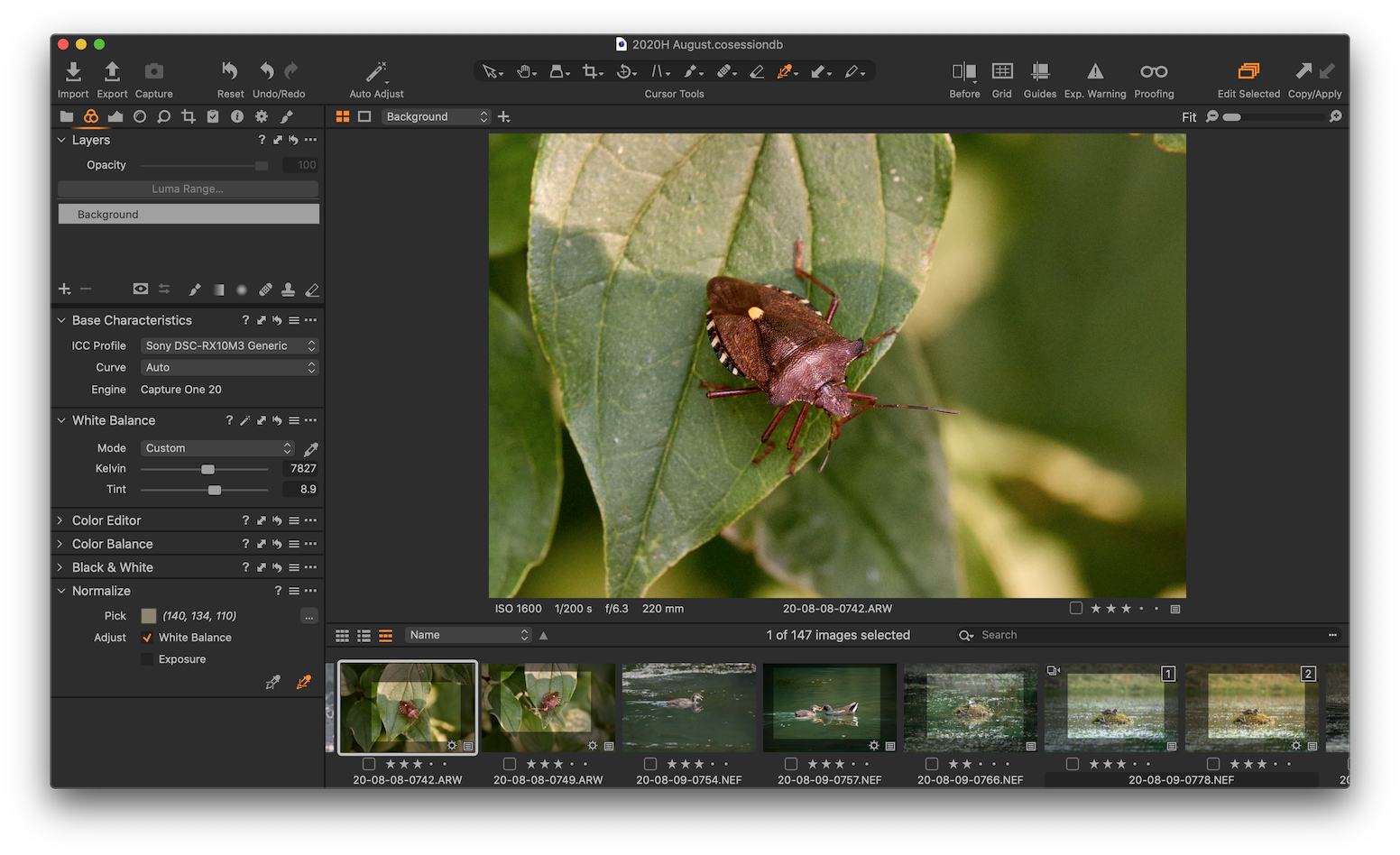
To get this, in the View menu, I have checked both the Viewer (which gives me the main window) and the Browser (which gives me the thumbnails) and under Customise Browser I chose Place Below. (If that is what is already selected, you will instead see Place Right). Also on the three icons on the left above the thumbnails, I have selected the filmstrip one. (Although, if you choose the grid one it will look the same unless you drag the divider between the thumbnails and the Preview up far enough to accommodate two or more rows.)
Does that not work for you?
Ian
0 -
Hi Ian, thanks so much for your response!
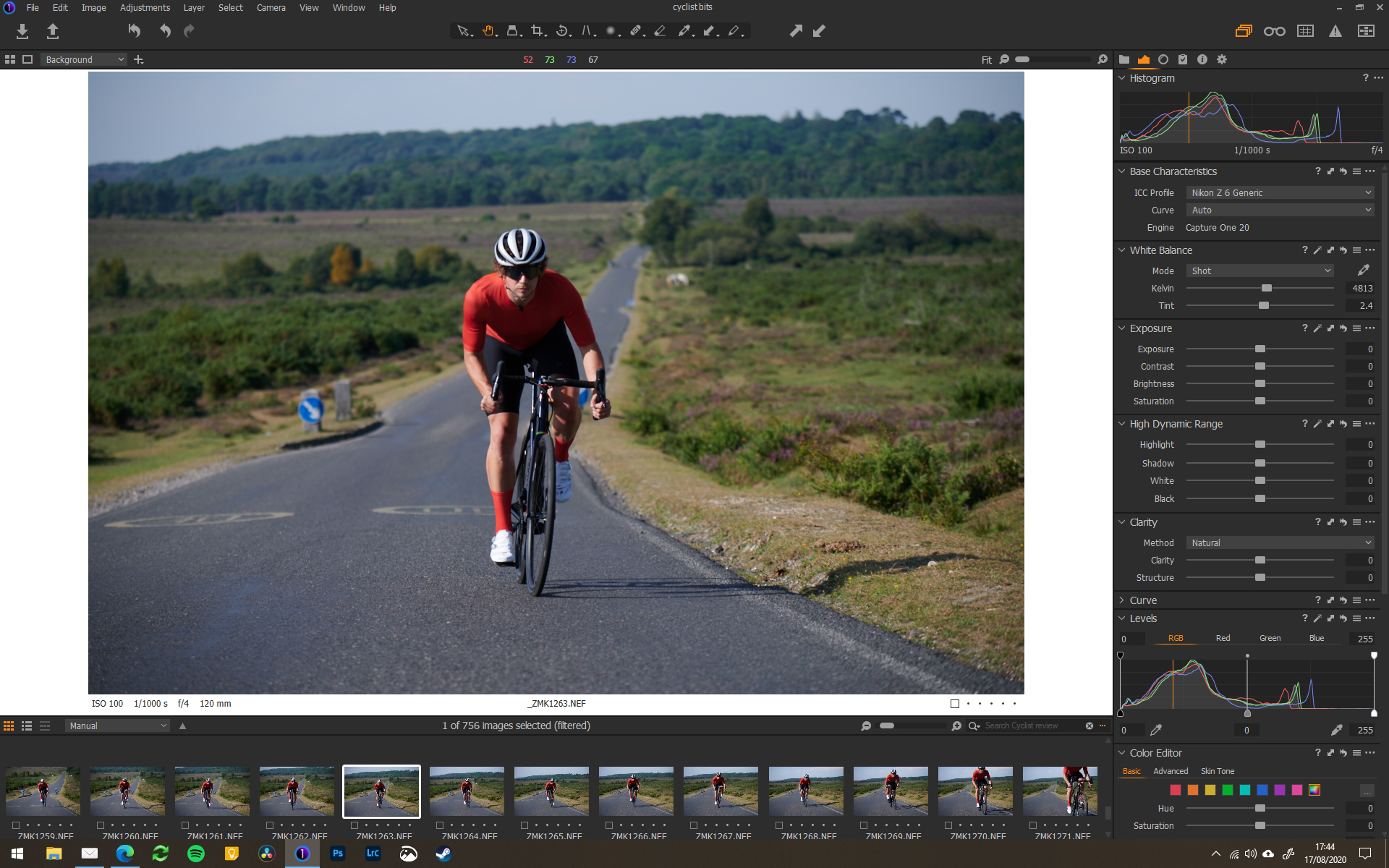
I'm afraid that I've tried all of what you've mentioned and its stubbornly staying greyed out. Grid view is similar to Filmstrip but it doesn't scroll in the same way and doesn't seem to preview crops as it does in your screenshot.
Mike
 0
0 -
It certainly should show the crops either way. (Lots of users say they would like to see the cropped version in the browser, instead of seeing the crop on the full image, but are always told it can't be done, so I don't know why you don't see that.)
The only differences I can see between your set up and mine are
- tools on the right not the left - shouldn't make a difference
- sort order Manual instead of something like Name or Date - I don't know whether that makes a difference.
- Windows instead of Mac - possibly it's a Windows-version glitch?
Ian
0 -

Hi,
I run Windows (7) and have never seen a situation where film strip mode was not available to select for the browser, no matter where things are positioned on screen.
Very strange.
Out of interest what filtering are you doing at that point?
I cannot think of anything that would affect the output but I suppose it is a variable that is worth investigating.
0 -

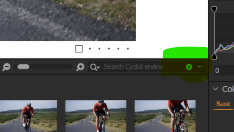
I found out why it is inactive. It is also visible from your screenshot. You have active filter.
 0
0 -
Jan,
I do not think it is a filter issue - at least not unless there is something very obscure involved in the anomaly.
I have tried with filters and sort order (note that Manual sort order was applied) and nothing made any difference (on my system) to the availability of Filmstrip mode.
Perhaps a temporary glitch in a use config file?
Michael has not posted again for 2 months so perhaps he found the reason or the problem went away?
0 -
Hi all, thanks so much for your comments. It looks like it is indeed a small glitch in the config file. I'm still having a few issues with this problem on and off but I find that restarting the software solves it.
Many thanks!
0

Post is closed for comments.
Comments
7 comments