ユーザースタイル消去について

スタイルの中にコピー項目があり消去したいのですが
どうしたら良いですか?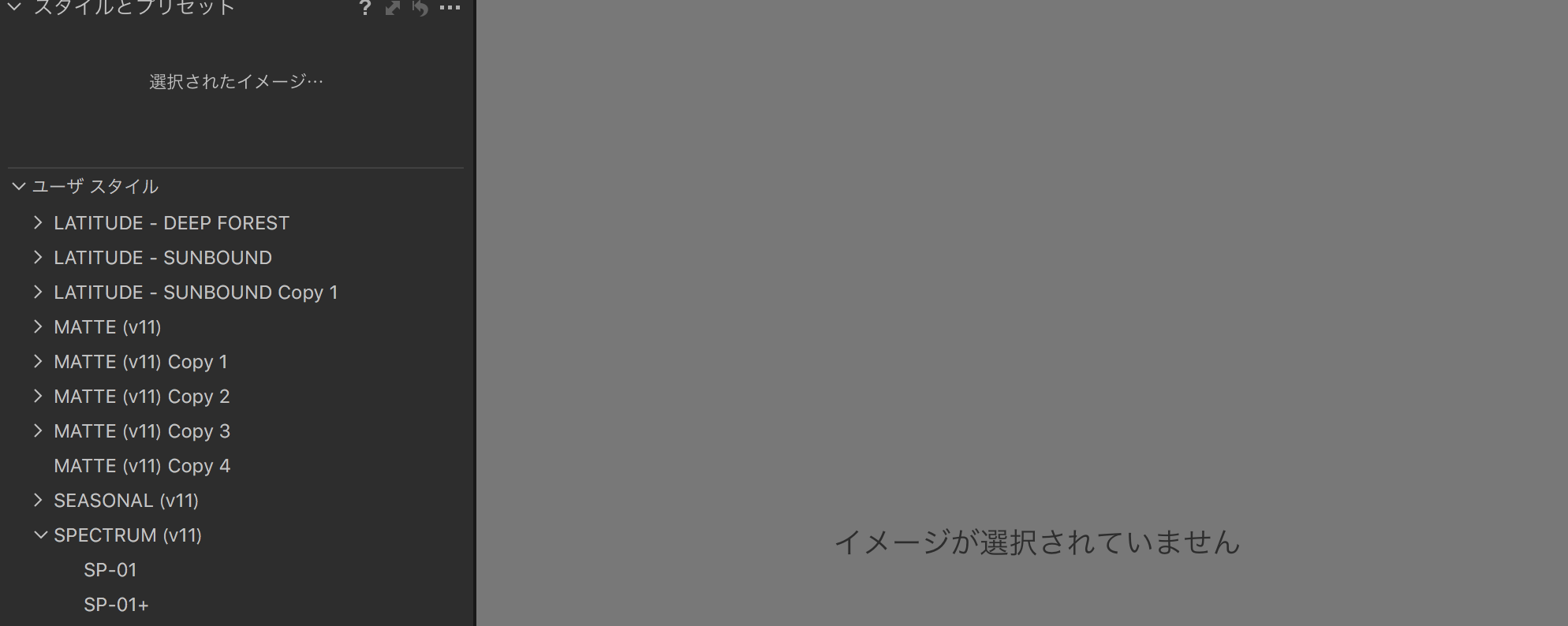

-

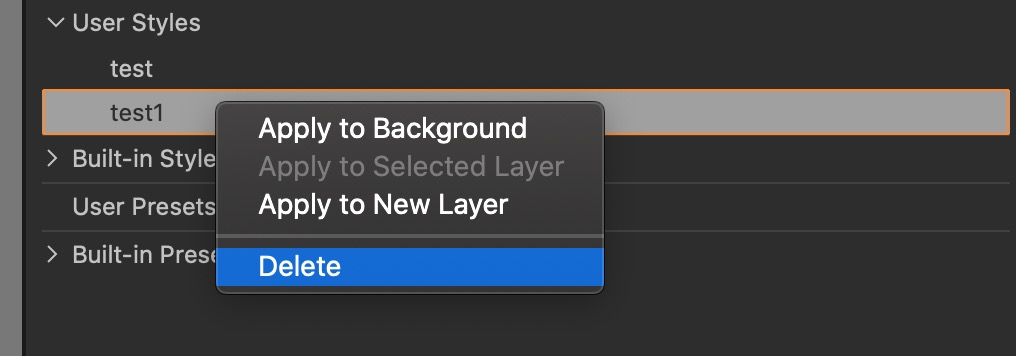
I'm very new to Capture One but it appears that control or right clicking on the unwanted style will give the option to delete it.
0 -
試してみましたが正気の項目が表示されません
クリックしても反応がないです
0 -
試してみましたが消去の項目が表示されません
右クリックしても反応がないです
0 -
Hmmm - sorry that didn't work. I will have a further look and see if I can work out what will work.
0 -
ありがとうございます!
0 -
I just created 2 styles - 'test' and 1test1'. I deleted 'test1' first by right clicking and selecting delete. When I tried to perform the same procedure on 'test' it appeared not to work but after quitting and re-launching Capture One the style was gone.
 0
0 -
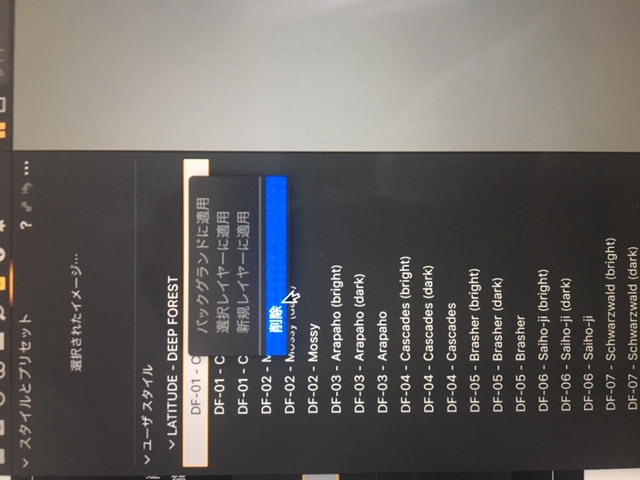
消去したいのは中の部分ではなく
LATITUDE-DEEPFORESTの項目なんです。。。。
1 -
Ah - I understand. I think to do that you may have to try and contact Capture One Support. If you manually remove it by going into the package contents you may damage the program. Good luck.
0 -
サポートの問い合わせ場所はどちらでしょうか??
0 -
I'd try here;
they have an email on that page also.
0 -

私も同じ原因で悩んでおります。
解決方法を教えて欲しいです。
0 -
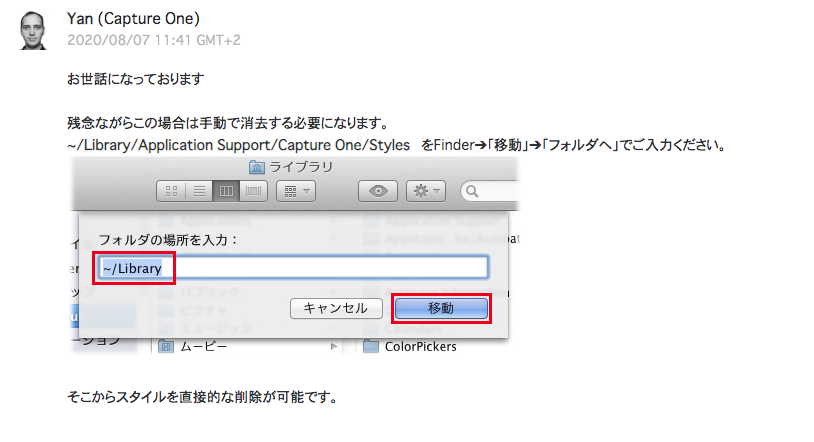 1
1 -
これで解決しましたよ
0 -
ご連絡ありがとうございます。
申し訳ありません。手順をもう少し解説いただけますか、、、
フォルダの移動というのは、どこに移動されるのですかね、、、
0 -
移動ではなくライブラリーから順に入っていき最後stylseの所にスタイル名があるのでそのフォルダーを削除すれば良いです
0 -
解決致しました。
誠にありがとうございます。
大変助かりました。
0
Post is closed for comments.
Comments
16 comments