C1 13.1.2.37 Browser

It was sometimes in the ver. before, but now new RAF are seldom seen in the browser as pics, only frames. Sometimes they come later (or again not).
-

Consider sharing more details about your setup and workflow. I am afraid your brief description won't bring you much help.
0 -
Hi, Paul. There is no hope to get help here. Only the staff can do it I think next ver.. The bug came first up in the ver. before, now it is worse.
I did not change the settings... Best, lars
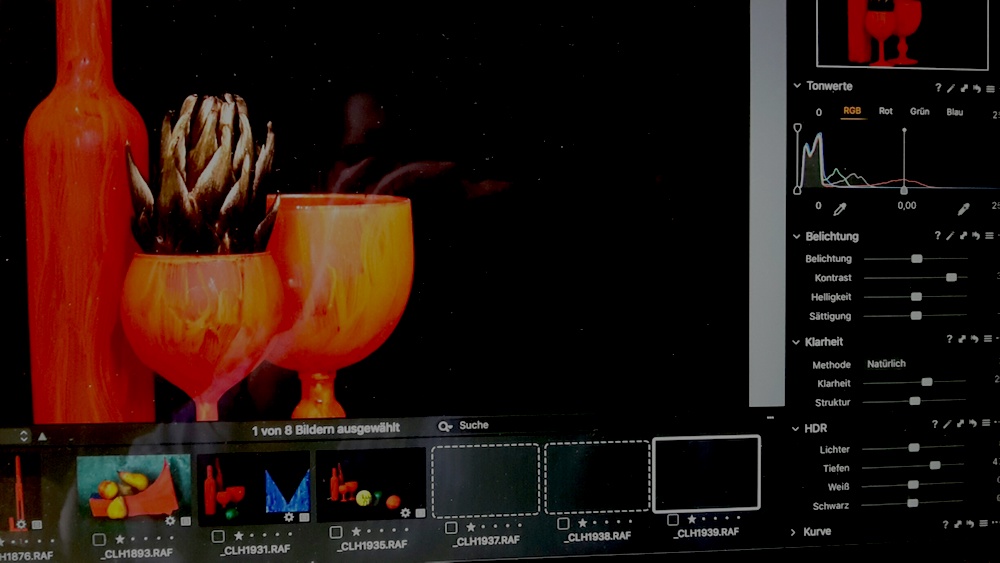 0
0 -
The way to make previews to the browser is not to make previes new but to sort the browser for a moment.
0 -

Lars,
When the thumbnails are loaded they have current edits and system settings, - -for example whether a Proof Profile or Watermark is in use) applied to them within the system.
If for some reason that process is interrupted or fails to write to the scree then you will just see the placeholders for the images not the final presentation of the thumbnail. This can happen form time to time depending in what else the system may be doing and how well internal memory and disk use is being managed by the operating system as well as by the application in use. All of this assumes that spare "cache" disk capacity and available free RAM memory are not nearing or beyond availability limits.
You could try closing everything down and rebooting your Mac 2 or 3 times (without opening any applications in between boots) as this can sometimes help the system to "clean up" internal memory and disk usage using code that works at startup. See if that improves things.
Scrolling and sorting, as you have discovered, can introduce new "refresh display" instructions which will also have a good effect but if that works but the problems persist later the chances are that some sort of internal space management activity (or similar) may benefit from the re-boot process.
0 -
Hi SFA. Thanks. This is the result after four times restart. I could change the pics in the main field, but all the same in the browser. Only the first three pics are shown. Sort from manual with sequenz ID (the next) shows all quick.
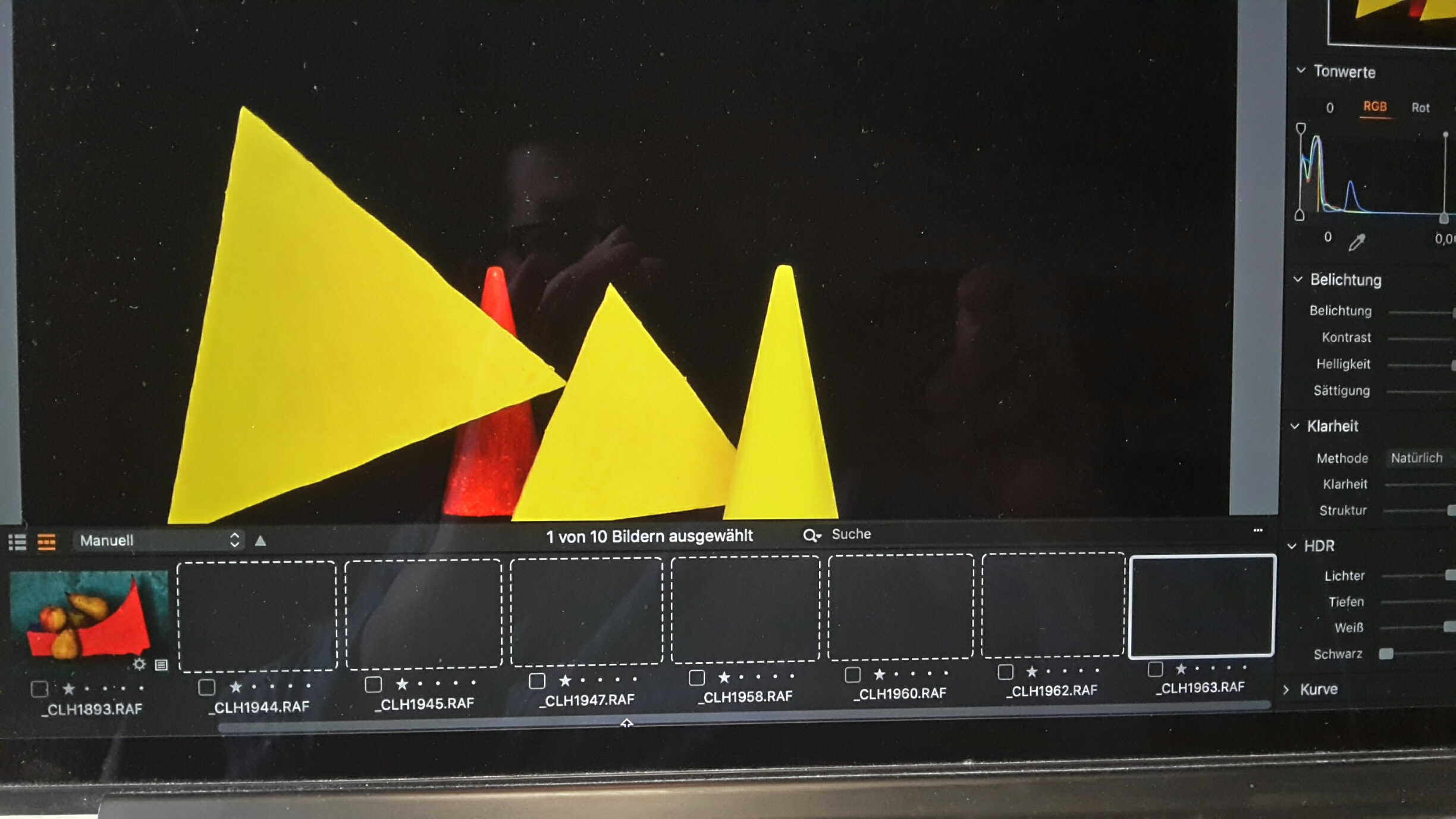
But Interesting is: after using C1 some times, the workflow, first the import frame becomes slower, restart makes it fast again. But it comes up with C1-12... DDR 3 : 16 GB; flash free 250 GB. Reg. lars
0 -
Lars,
Some further thoughts.
You have a Manual sort setting for the browser in the most recent screen capture.
If you choose a different sort option does that change the way the thumbnail display works?
With RAF files there are some additional considerations for processing involving Film Simulation settings. I don't have a Fuji camera to experiment with but it may be worth considering whether the film simulation setting set in the Camera when the image was taken might be having some effect on the presentation of the thumbnail. It seems unlikely because the Preview appears to be OK? However it is an additional step that not all cameras will require when their thumbnails are being processed. It is also an areas of functionality where there may have been some changes for certain Fuji camera models with recent Fuji (and therefore also C1) enhancements.
Most likely it is not a factor but may be worth considering if only to decide that it is NOT and influence.
0 -
Hi, it happens with sort Date too. After Quit and newstart it is allways the same row: the three first pics with low numbers are shown, the others not; some numbers fails. May be it shows the pics after moving the slider too. To import new pics with higher numbers shows not a clear result, sometimes no pics, sometimes they come up after a very short time.
So there is a good way to do my work let us stop searching. I will see what will happen... Thanks, lars
0
Post is closed for comments.
Comments
7 comments