processing image changes colors

This is a problem I have had for years and never have been able to figure it out. I process the image and it changes the colors in the photo. I try the proofing view and nothing changes like you would expect. I reset the process recipe tool. And it still changes the photos from how they look in the program. Right image is in Capture one. Left photo is how it gets processed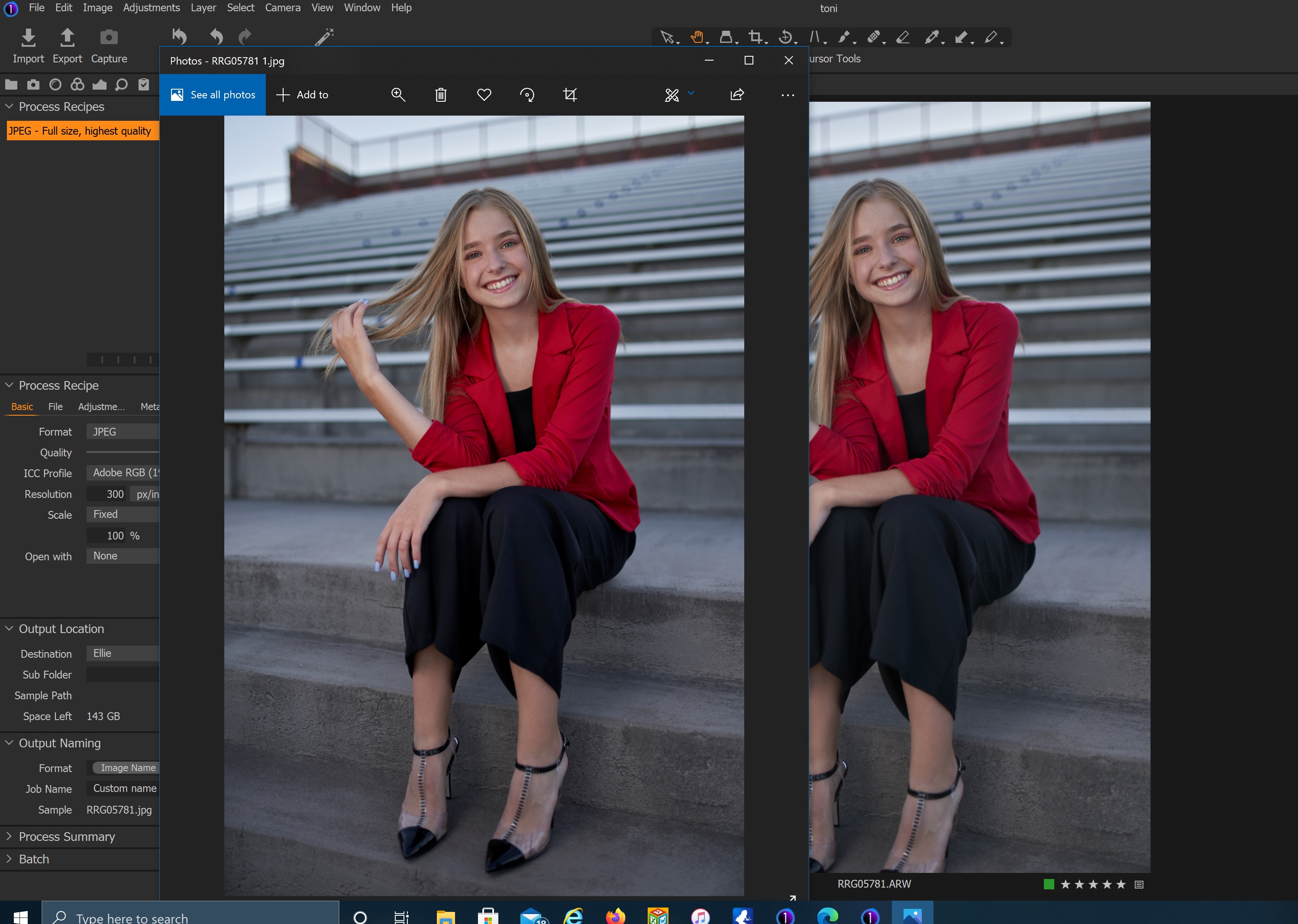 Side note, why are there 2 process recipe tools?
-

Windows Photo may not be color managing properly.
How does it look in Photoshop or other app with proper color management support?0 -
I don't have Photoshop, but when I post them online or view them on another computer (my MacBook pro, my Dell 4k 2 in 1, or on my phone\tablet screen. They are very obviously wrong. And I use a Benq color calibrated monitor. What should a standard process recipe setting be? Srgb? Adobe? sharpening/ no sharpening? I'll see if I can find some video tutorials.
0 -

You look like you are assigning the Adobe RGB profile to a jpg. No problem if the application it is viewed on is a wide gamut monitor and the application is colour managed.
I suggest that you use an output recipe with a sRGB colour profile. Use soft proof with this recipe to see how it will look. sRGB is generally the default choice for web, sharing etc. Use sharpen for screen if that is the viewing mode people will be using.
Ian
0 -
I’m pretty sure I have used srgb and adobe rgb with the same results. I’ll try again and verify.
0
Post is closed for comments.
Comments
4 comments