help - losing star detail on output

astro shot sony RAW, all edits / adjustments are fine. however when I export, I am losing quite a bit of star detail in the sky - stars are smaller and some no longer visible. I've tried to sharpen the output in the process tool but to no avail. I know the detail is there and feel I should be able to export a jpeg which essentially matches what I see on my edit screen.
I've tried all jpeg variations and even exporting a TIFF and pulling into PS to create the jpeg, but even the uncompressed TIFF doesn't show the detail.
I can see the detail if I magnify my jpeg however at fit to screen, it disappears.
I've also tried to reduce the scale when I create the output so that stars will be visible when the image opens without zoom.
But I have no luck at all. Can anyone suggest anything I can try? THANKS IN ADVANCE
-

The one thing I would say is that jpeg is 8 bit, so something is going to be lost in the conversion. I sometimes shoot Astro and do use quite a bit of clarity and structure to bring out the stars when editing in C1. I do notice some loss when converting to jpeg, but no more than any other editor I have used.
Paul does some good edits of Astro using C1, check out the below.
https://www.youtube.com/watch?v=TdD2HSfjHO4&t=1099s
0 -

David,
In addition to Mark's good advice bear in mind that at full screen you are dealing with all of the data that the camera can provide but at smaller sizes, whether screen or print by pixel dimensions, the system has far less data to work with. When you are dealing with small spot points in the first place this can be rather limiting. And further limited by the capability of the human eye doing the viewing, perhaps.
0 -
Thanks both. I love Paul's tutorials! I could watch them all day (literally). Had seen about 2/3 of that one. I get what's happening in the jpeg encoding too. Not sure if the uploads below will show it but the stars are losing a little of their size and definitely brilliance in the jpeg conversion when I view the full image at a similar size as to the C1 preview.
What I'm after is a jpeg that renders full size at the C1 preview size that also shows the brilliance I see in C1. If I take a screen shot of the C1 preview and crop out everything but the image, I'd have what I want. But I'd like to let C1 create the jpeg for me if possible. That's why I was changing the output sizing of the jpeg, sharpening output, etc. -- anything to try to get the jpeg engine to do what C1 is doing easily in the editor (showing my raw file at 72dpi with the star brilliance). But no matter what I do, the jpeg and even TIFF conversion is dimming the brilliance - I can't seem to get it to get me a relatively low res but clear image which shows what I see in the editor. (yes I realize the photo itself isn't a stunning astro photo, but I have to get there in steps!).
I've done a lot of video encoding over the years so have some background, and this one really has me stumped. Even if I don't like the C1 jpeg encoding I should be able to export a TIFF (or even raw) and then let another tool create the jpeg but that's not working either! Any further suggestions more than welcomed!
(ignore the creative - was somewhat of an artistic exploration on the color curves as you can see)
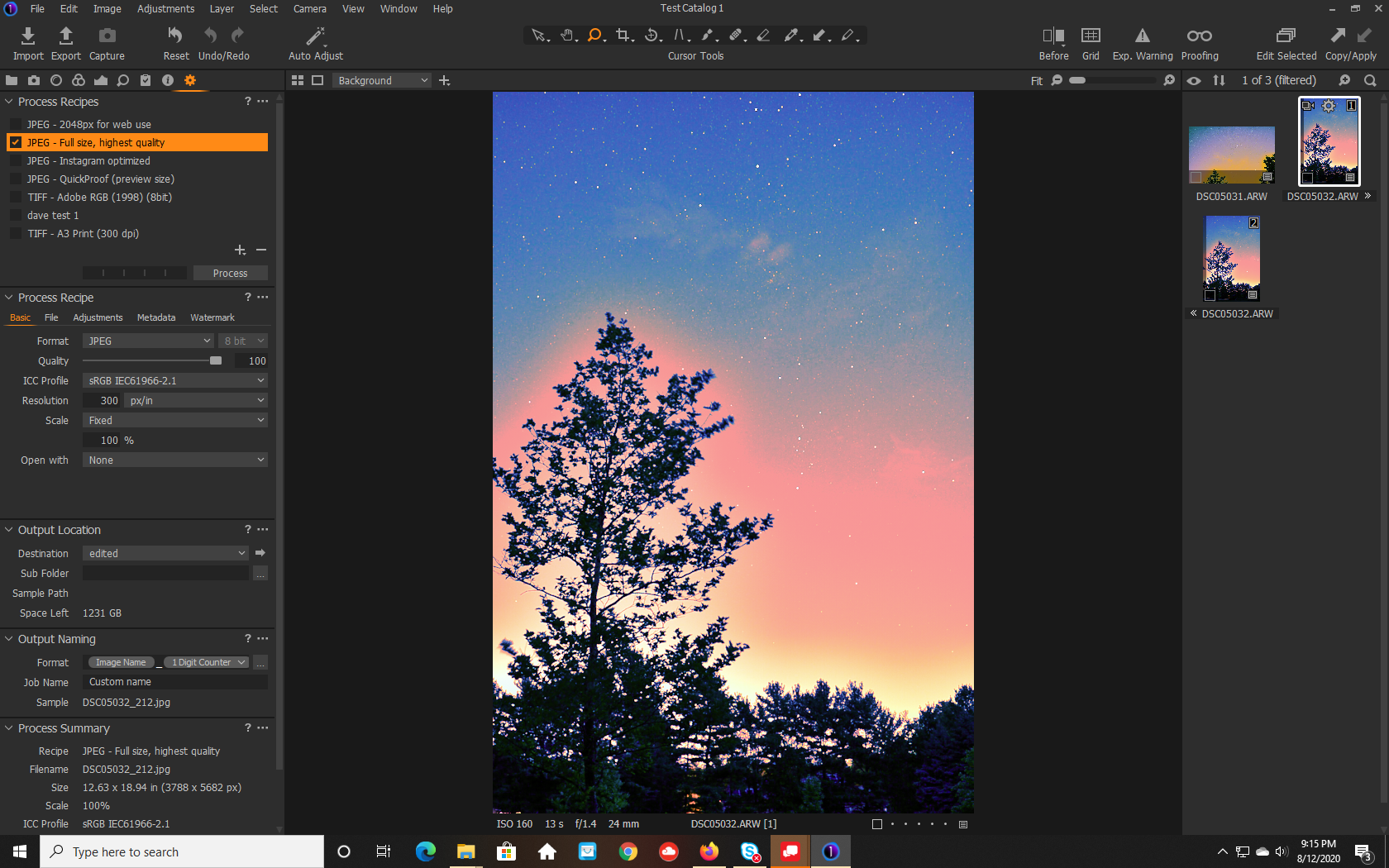
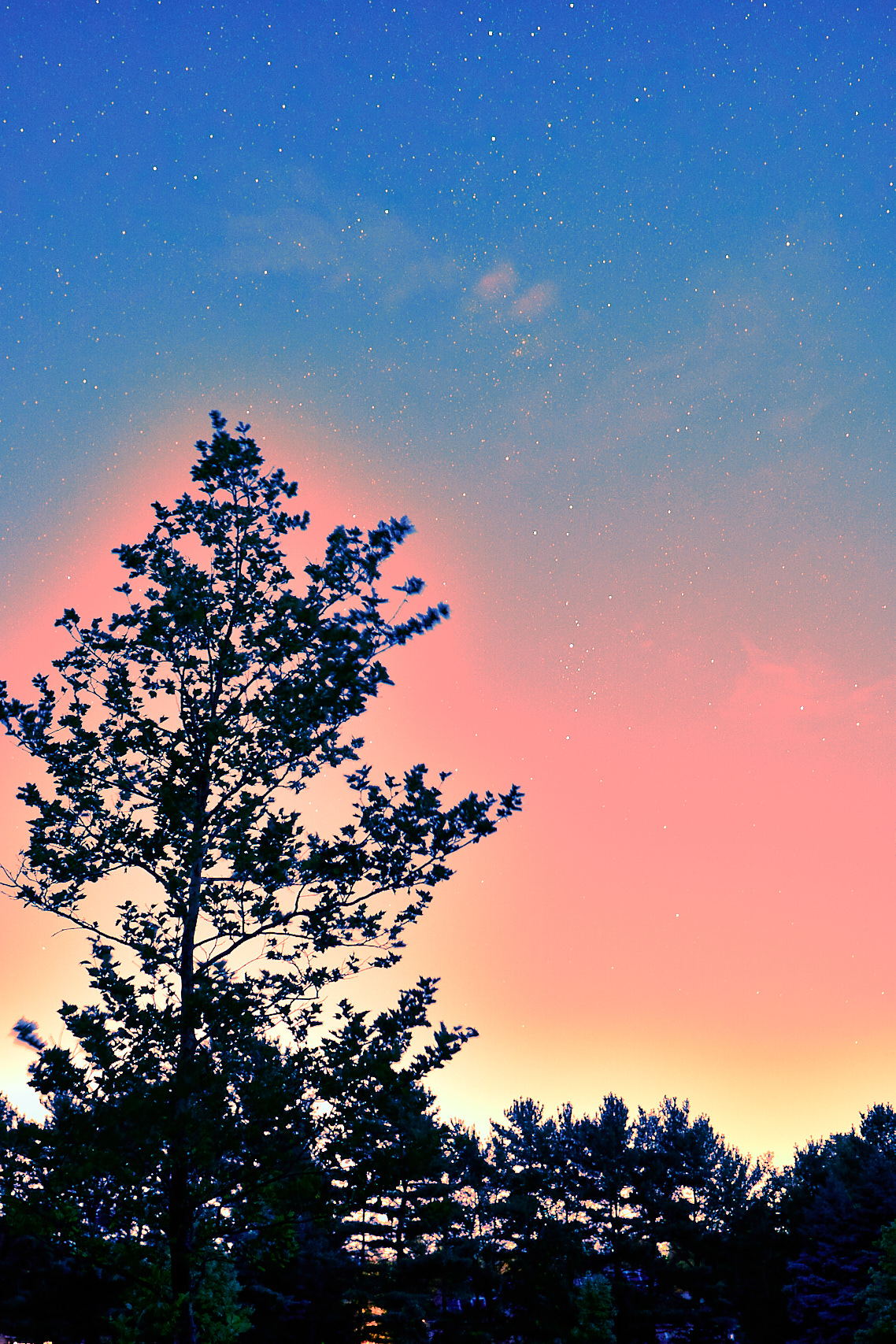 0
0 -
see below - is slightly compressed (jpeg of a png screen shot) but shows side by side. I think what's happening in the jpeg is that it's too large so when a viewer reduces the physical size, the star brilliance is reduced. I'm thinking that if I can get C1 to create a jpeg that at 100% is similar to the on-screen size, it might show closer to what the C1 preview shows. But, so far it hasn't no matter what I do. :-(
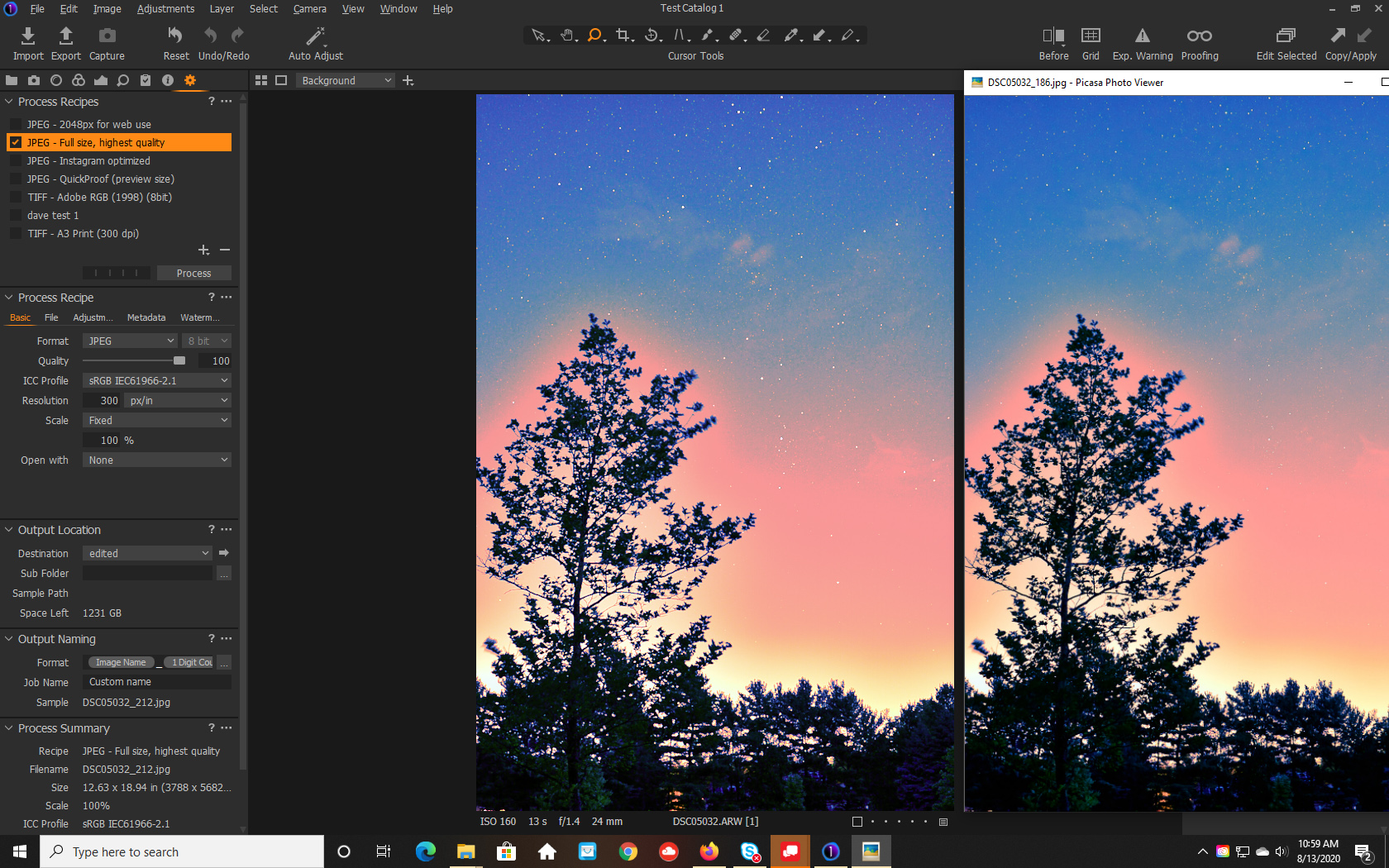 0
0
Post is closed for comments.
Comments
4 comments