Open With does not work as expected

I created a process recipe which creates the jpeg then passed to external editor (photoshop e.g. using droplets to add borders) and the output to be saved at a specific location.
In my case, the file processes, opens in photoshop using droplets, but capture one does not wait for the process to complete and saves the file without photoshop returning the image.
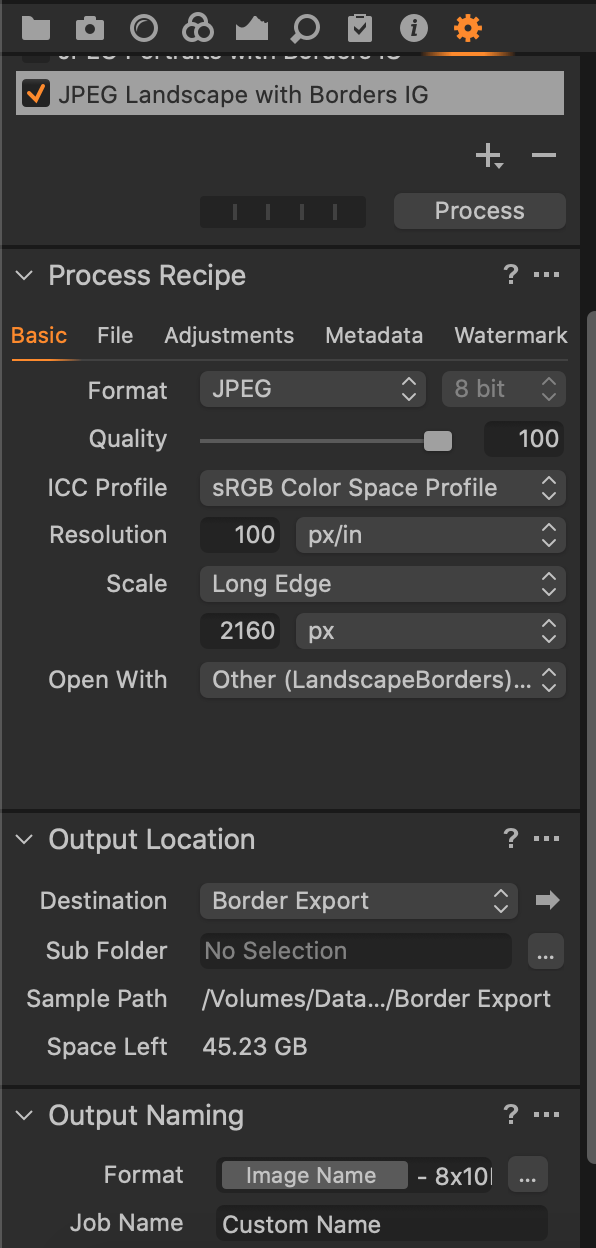
Please guide
-
I think, perhaps, that you are expecting the wrong thing to happen. I don't much use Open With in the output recipe. My understanding is that it is just a way of moving an image on to some other app for further work, not of round-tripping. If I wanted to round-trip an image to Photoshop, I would use the "Edit with" feature on the Image menu (NB: not Open With, which opens the unadjusted raw file in another app). You can specify whether Capture One will create a JPG, TIFF or PSD file, and various parameters when it sends it to Photoshop. It should add the JPG, TIFF, etc to the catalog (or session) an update it after you have finished working with it in PS>
Ian
0 -
Thanks Ian, I am trying to do the the following as mentioned in the link Tuto : how to add a border with Capture One Pro • Laurence ...blog.laurencebichon.com › Home › Tech
As per the YouTube tutorial the process is straight forward and non-interactive. Somehow I am unable to achieve the same.
0

Post is closed for comments.
Comments
2 comments