Batch Rename still crashing the app v: 13.1.1.24 — Solved Issue, Thank You!

… just tested the latest v.13.1.1.24 and no improvements on this issue.
-
Have you followed this up with Support? It certainly doesn't crash the app for all of us: I use it fairly frequently without problems, so I assume that some other factor is at work in your case. Support may be able to help you track that down.
Ian
0 -
I did Ian.
I was told to COMPLETELY deinstall and start from scratch
but to no avail.
It was great 'til 12.
Things got messy with the first version of 13 and still are.0 -

Catalog? Did you do a verification? Try with a different catalog or session.
Are images on an external drive? If so, try with images on the internal drive.
Like Ian, I also use Batch Rename on frequently and have not encountered crashes.
0 -
Hi Paul,
I only work in session and I just created a new test session
and as soon as I press the rename button… crash!0 -

I used batch renaming sometime years ago, I usually don't need it. Out of curiosity I have just tested it once and it worked flawlessly and quickly.
I guess whether your crashes could be caused by write-protected files or missing access rights? It's just an idea but check the properties of the image files0 -
My files have the same privileges than when in v. 12
and nothing has change since then. Same cameras,
same cards, same workflow, etc.0 -

What are you renaming to what?
Any possibility of strange unsupported characters being introduced in the rename?
Bear in mind that all the associated edit files will need to be renamed as well.
What are the log files reporting?
0 -
— What are you renaming to what?
Say the four first character. From DMC_ to B
— Any possibility of strange unsupported characters being introduced in the rename?
As you can see, no,
— Bear in mind that all the associated edit files will need to be renamed as well.
I've been using CO since v. 7 successfully. This is the ABC… but good you check.
— What are the log files reporting?
To Apple? I don't know.
This file was just generated… this is chinese to me!0 -

You've a task on your system that keeps firing (and dying?). Probably has nothing to do with your crash on rename, but may be robbing you of some performance. At some point you installed Synium CleanApp. Do you still use it? If not you might want to look into how to *completely* uninstall and delete the app.
I see a handful of Capture One crashes in that log. They look like this:
Aug 20 21:43:22 imac com.apple.xpc.launchd[1] (com.captureone.captureone13.114872[39342]): Service exited due to SIGABRT
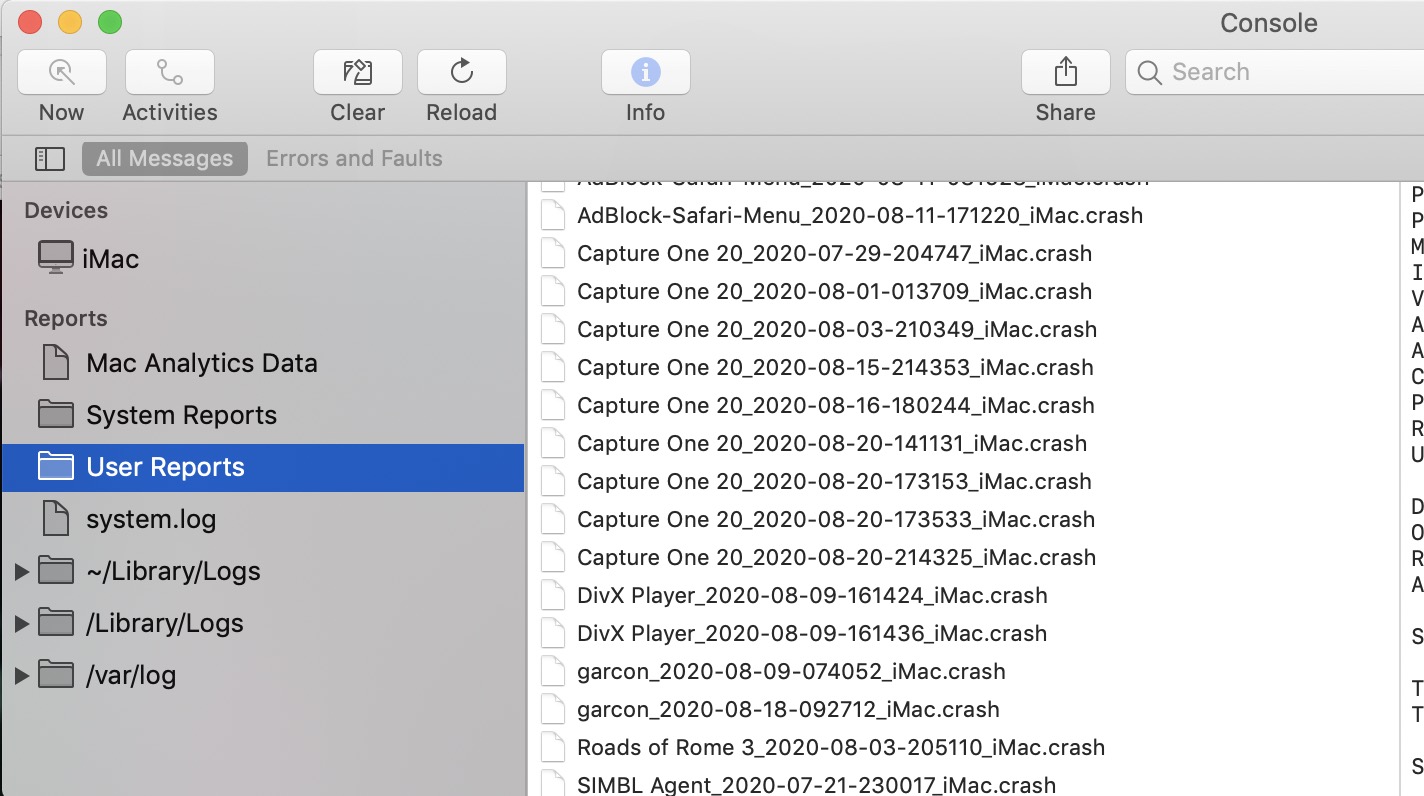
A crash dump might give you more information that the log. Launch Console. Click on Crash Reports in the sidebar. Look at one of the capture one crashes. Maybe it will be all greek, maybe something there will be interesting. I'd hope that you submitted a crash log or three to support.
0 -
Hey Marco. thanks for chiming in.
I search my machine for CleanApp… no result!?!?!
Do you have TeamViewer or similar? At this point, I am lost.
I don't see Crash Reports in the sidebar of Console! Now is
the right time for me to yell HEEEEEEEELP!0 -
Look in /Library/LaunchDaemons and /Library/LaunchAgents. There is likely a plist in one of those two that is left over from some past installation of CleanApp. It might be called something like com.synium.cleanapp.plist. com.synium should at least be the prefix. Remove it and restart your machine.
Do you have "Reports" listed in the Console App sidebar? If so hover your mouse over Reports and you'll see the hidden button that says "Show". Clicking that button you should show several different report types you can look at. If that doesn't work your crash logs may be in you your user Library folder. Look for the sub-folder named Logs/DiagnosticsReports.
0 -
 0
0 -
Please correct me, if I'm wrong.
Didn't you report the crashing already earlier? https://support.captureone.com/hc/en-us/community/posts/360012947558-ALTOGETHER-VERY-DISAPPOINTED The mentioned CO version was already available at that time.
Were you still in contact with CO support, after there was no change in behaviour after reinstall as you wrote?
Can you give more details? What camera / Raw-Files? Which macOS-version? Which Mac (GPU, Memory installed,...)? Location of the images / SessionDB [stored locally, external drives or over network (LAN/WLAN)]? Etc...
When I made a quick test to batch rename files, it worked for me on a MBP 2019 with CO 13.1.1.. Could you show screenshots of your actions for renaming files? Maybe that helps to narrow down the problem.
Btw., CO 13.1.2 was just released, do you still have the problem with that version after deinstall and a fresh install?
0 -
— Were you still in contact with CO support, after there was no change in behaviour after reinstall as you wrote?
Yes and they told me to leave it with them!!!
— Can you give more details? What camera / Raw-Files? Which macOS-version? Which Mac (GPU, Memory installed,...)? Location of the images / SessionDB [stored locally, external drives or over network (LAN/WLAN)]? Etc...
D850, D810, D3X, D3S, / .NEF / Mojave /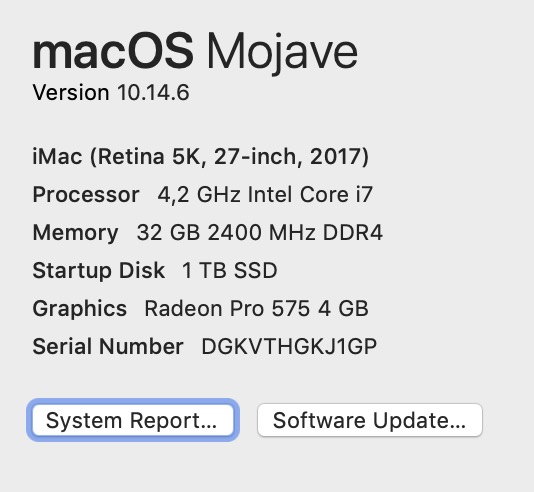
iMac's internal SSD / none but card reader.— Could you show screenshots of your actions for renaming files?
From the card reader to desktop where my shoot stays until rename,
PP, publishing, and only then is it transferred to my ImageBank HD
and BU.0 -
— Were you still in contact with CO support, after there was no change in behaviour after reinstall as you wrote?
Yes and they told me to leave it with them!!!
Ok, what do you now expect from a user-to-user forum?It seems that you might have come across a bug which is not easy to reproduce (and doesn't affect many users?)
0 -
— a bug which is not easy to reproduce
Easy to reproduce, it happens every time!0 -
As I mentioned, I don't seem to have that problem...
— a bug which is not easy to reproduce
Easy to reproduce, it happens every time!
Easy to reproduce with your setup and your specific workflow. but not with other setups/workflows? I wouldn't claim that it is easy to reproduce if it seems to work for other users. Therefore it would be important to give as many details as possible...Again, what do you expect from other CO users concerning your specific problem?
0 -

Just wondering if you have created a new test user account and seeing if the behaviour still persists? It may be worth a try. I'd also try and track down any cleaning apps that may be on your disk. Some of them cause problems in some cases by incorrectly deleting or moving files that are needed.
0 -
Also, Phil's suggestion prompts me to wonder whether any anti-virus software is interfering with renaming if it sees it as suspicious activity?
Ian
0 -
— … what do you now expect from a user-to-user forum?
All users who chime in with apparently "off the wall" ideas are,
in my case, the most precious avenues ahead since no solution
was found with the help desk of the app maker.
And the wonder happened.
Some suggestions were not taking me anywhere but I inves-
tigated every lead. Then Marco Said something about Conso-
le — that I never approach before… and something about an
app cleaner. That got me fully busy thinking and I realised that
I never downloaded such app knowingly. Well, what is it doing
there? I read Marco's post over again.
I got rid of that AppCleaner and Batch Rename is working well.
What ever one may expect from a user-to-user forum, please
don't stop to contribute, as I will try to, cause some may have
great — though possibly indirect — solutions.
Thank you Marco and y'all of course…
Have a good day gentlemen!0 -
Fantastic! And to be perfectly honest I really didn't think that the AppCleaner stuff I saw in your log messages had anything to do with your Capture One crash. It is just the kind of thing that annoys me when I look at my logs and I did think it might be having a impact on your machine performance.
0 -
Like I said: off the wall leads!
 0
0 -
Resetting the Plist thru Terminal fixed my Batch Rename crash problems. This resets the program to factory settings (maintaining your own settings)
This worked. Easy.
Every time I tried to complete a batch rename CO 20 crashed. My Digital Tech friend had a simple solution....see here:
Resetting the plist thru Terminal:
0

Post is closed for comments.
Comments
23 comments