Folder structure Exporting

Hi Guys,
Only very new to C120 and love it so far.
Just working through a small issue and want to see if anyone has a solution.
I do lots of mini sessions, when I copy the files to my computer I set the folder to date then the customer name.
Inside the folder, I will have another folder called raw. I cull the raw and create a new folder called best. These are the ones I edit and want to export to the primary Folder (Date-CustomerName) in a folder called Hi res and another called lores.
Is there an export function that I can set up to do this or is it a manual process to choose the correct Root folder.
Cheers Chris Epworth
-

For each batch that you export you can specify the primary folder (output location). Then you use two recipes: one for high res images and one for low res images. In each recipe you can specify a subfolder; it’s under the ‘file’ tab in the recipe. When you process the edited images be sure to select both recipes, and your files will go into the appropriate subfolder.
0 -

Take a look at the Token naming options in the Export Variants function.
Better still dig into the Output Processing options where you can set up outputs with even more controls and run batches with multiple output recipes (i.e different sizes and locations and naming conventions, etc.) as a single activity.
0 -
That’s awesome, thanks for the hints. Will dive a little further.
0 -
Do you have some links or some recipes/preset that might help with this, I cant get my head around getting it into the folder structure I want.
0 -
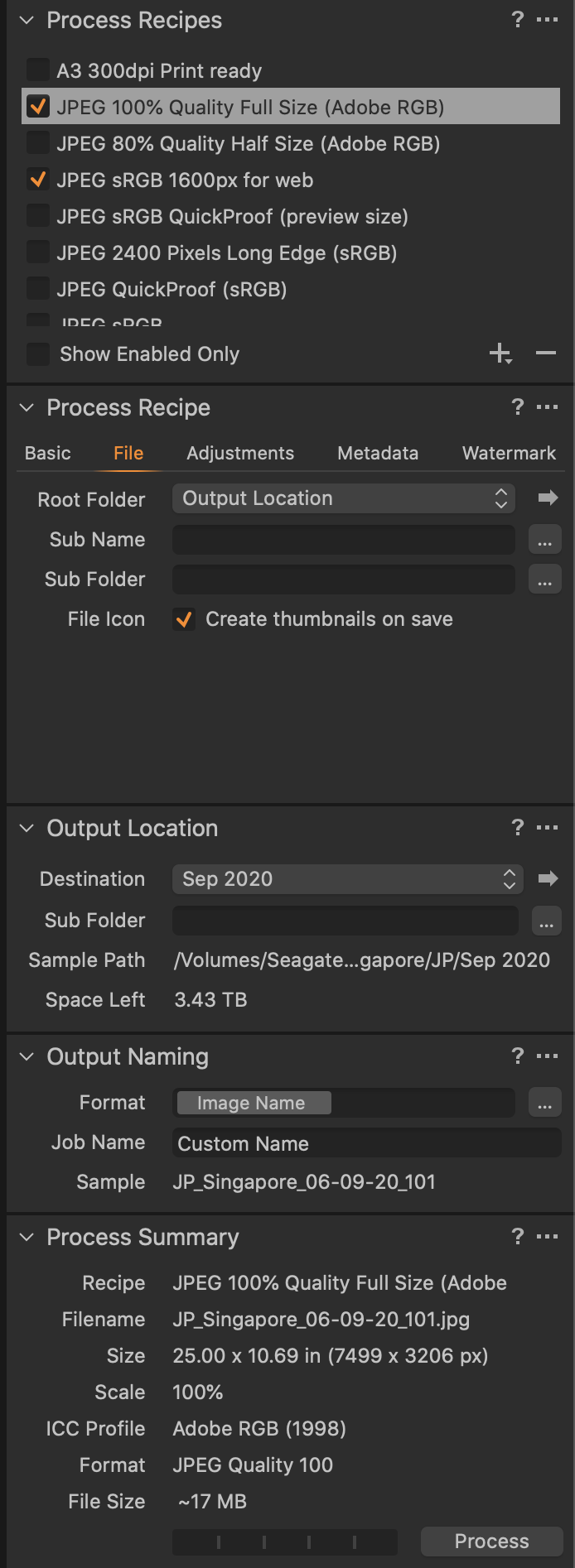
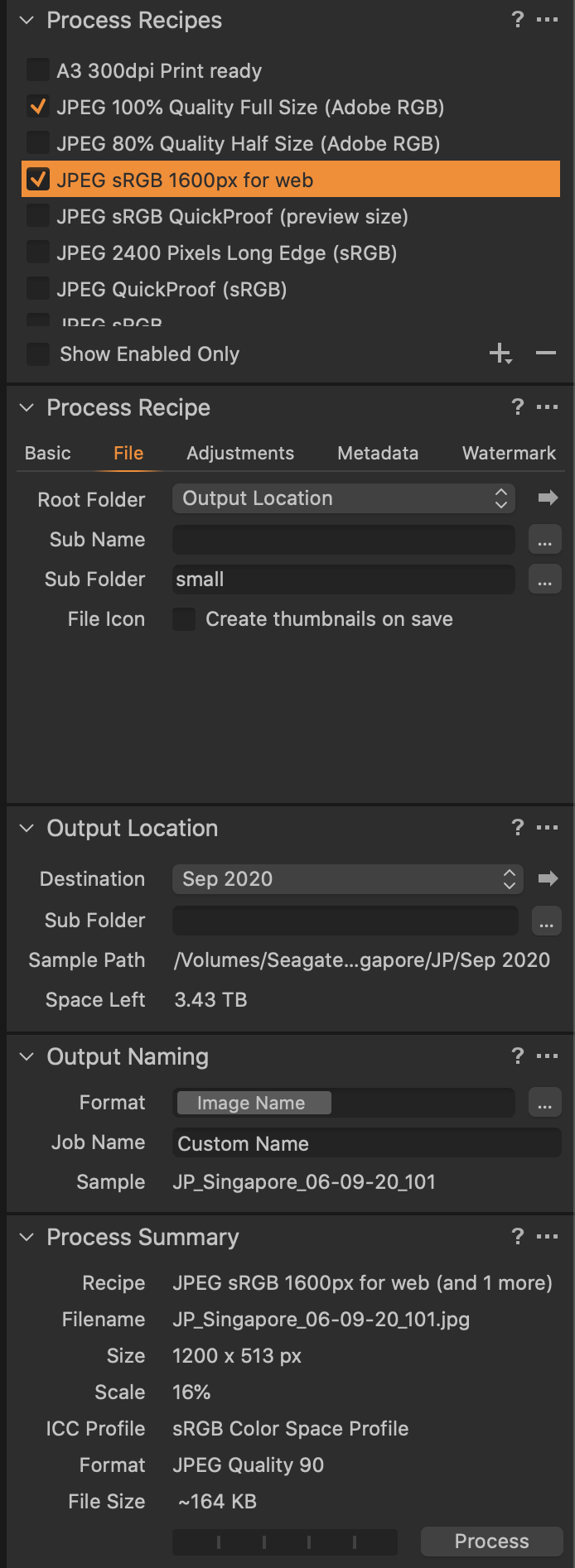
Here is how I do it:
Root folder: Sep 2020
Sub folder: small
Full size JPGs --> Sep 2020
Small sRGB JPGs --> Sep 2020/small
Sceen shots for the two process recipes are below. Note how under 'Process Recipe' there are tabs (Basic, File, etc.); it's the 'File' tab that you want to use.
JP
 0
0
Post is closed for comments.
Comments
5 comments