Spot removal areas exporting 20-30% darker than original.

For some reason Spot Removal areas have have started exporting 20-30% darker than the original photo. Seems to happen particularly bad in bluer areas.
Photos below showing the spots in C1, and the same as it's exporting as JPEG.
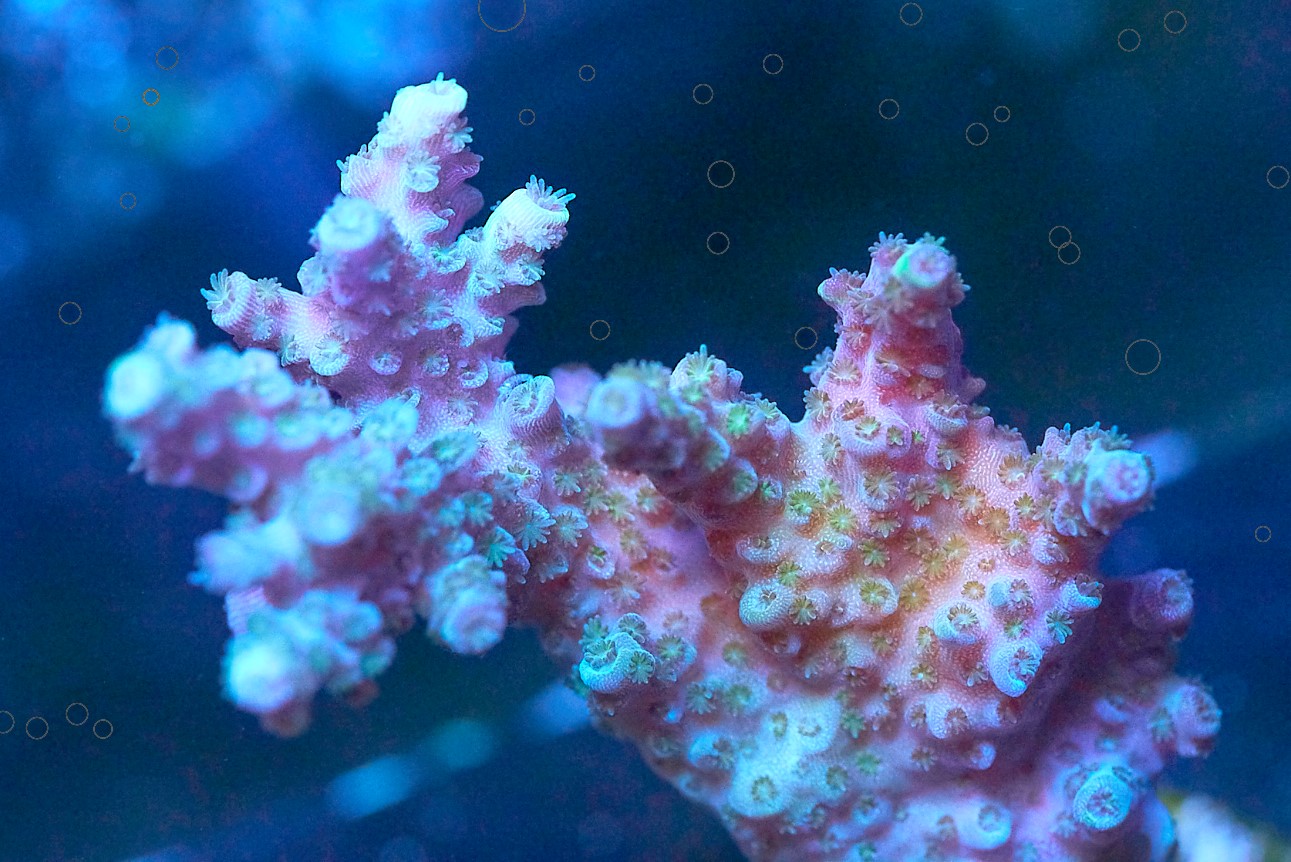
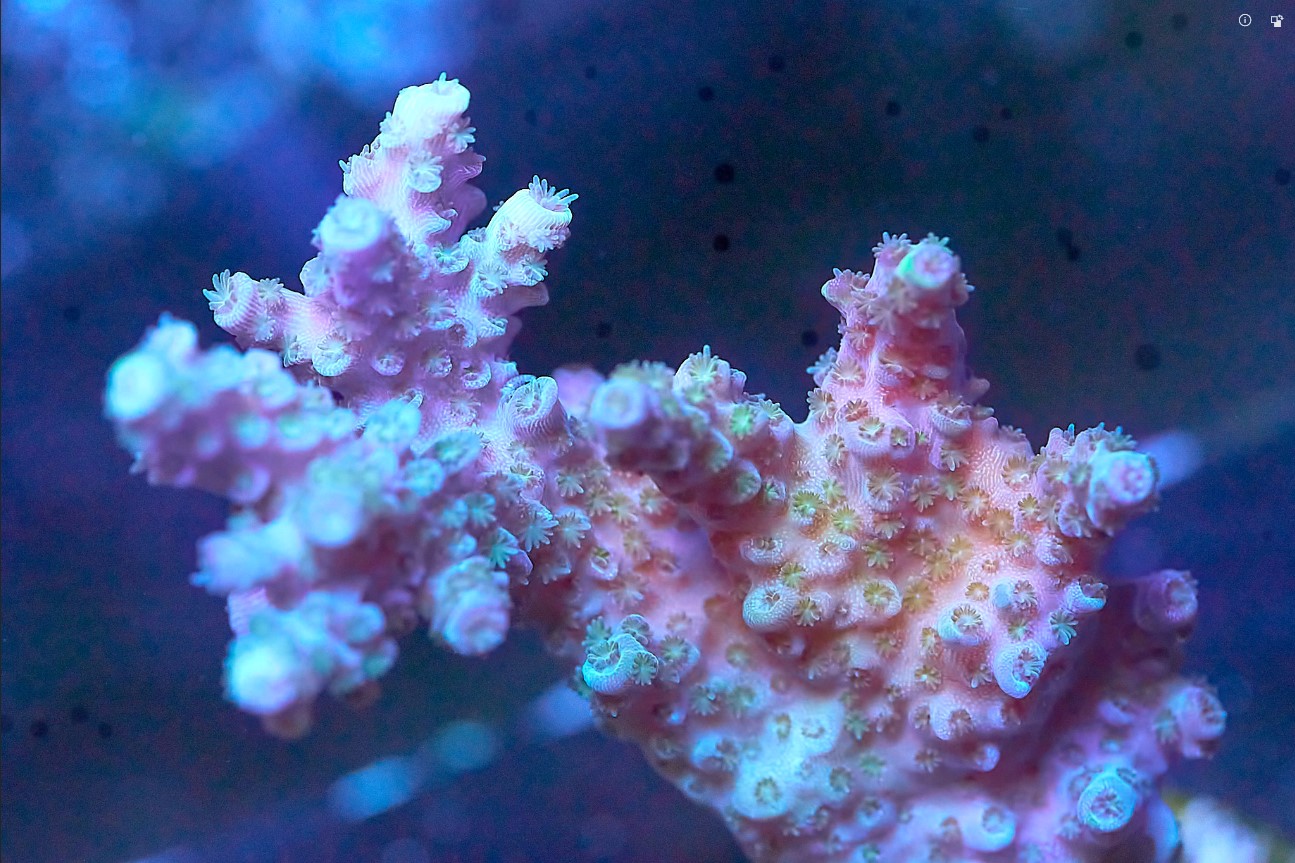
-

Possibly related: I've noticed the Clone tool sometimes goes significantly darker than the source area, for example when trying to remove something in a sky by copying from an adjacent area. Just doesn't work. Haven't found a workaround.
0 -
Yup. I've only noticed it since v20.
I've switched to using the new Heal tool for cleaning spots and such and that doesn't seem to have the issue right now.But that doesn't make it right or acceptable.
1 -
Yes "Heal" seems to work reliably.
Very disappointed that I can't rely on Clone, the improvements to which were a major feature of the last upgrade. It means I still have to edit an exported JPG with PSE.
I haven't tested this theory, but I suspect the Clone tool is sometimes ignoring adjustments we've made, and pulling pixels from the unmodified original.
0 -

Have experienced the similar behaviour.
Reported here... https://support.captureone.com/hc/en-us/requests/49915
0 -
"Look at all these new cool tools that are part of C1 v20, subscribe now!"
aaaaaand, those cool tools don't export correctly so you can't use them.
0
Post is closed for comments.
Comments
5 comments