Capture One connects to adware and marketing sites upon launch?

Ok. I understand why the Capture One app needs to connect to a few domains when launching (such as to check for updates). But why on earth does it need to connect to all of these domains every time I open the app?
appcenter.ms
captureone.pro
cloudfront.net
doubleclick.net
getdrip.com
google-analytics.com
google.com
googleapis.com
googletagmanager.com
hotjar.com
onfastspring.com
phaseone.com
typography.com
ub-analytics.com
ubembed.com
zdassets.com
zendesk.com
zopim.com
I was really surprised (and disappointed) to see all of these connections being made. Can someone from the Capture One support team please explain?
-

they not only connect you to a lot of server they monitor everything you do and send it to external companies. even adobe gives you the option to opt out from this data grab . just install a tool like little snitch https://www.obdev.at/products/littlesnitch/index.html and get even more surprised...
this is their preferred form of communication they spy on us but don't like to talk or participate in an open dialog.
0 -
I don't know about the others, but captureone.pro and phaseone.com shouldn't be surprising, neither should FastSpring as this is the company through which you buy Capture One, and Zendesk is used for customer support.
0 -

I left only three that are in the list. The others are blocked
and it does improve launch time. 0
0 -
ADDENDUM
Much quicker launch, indeed. Mind you, it was <13s and now <4s.0 -
Rules listed as invalid in Little Snitch are usually rules for applications that have been deleted.
0 -
Really, Thomas?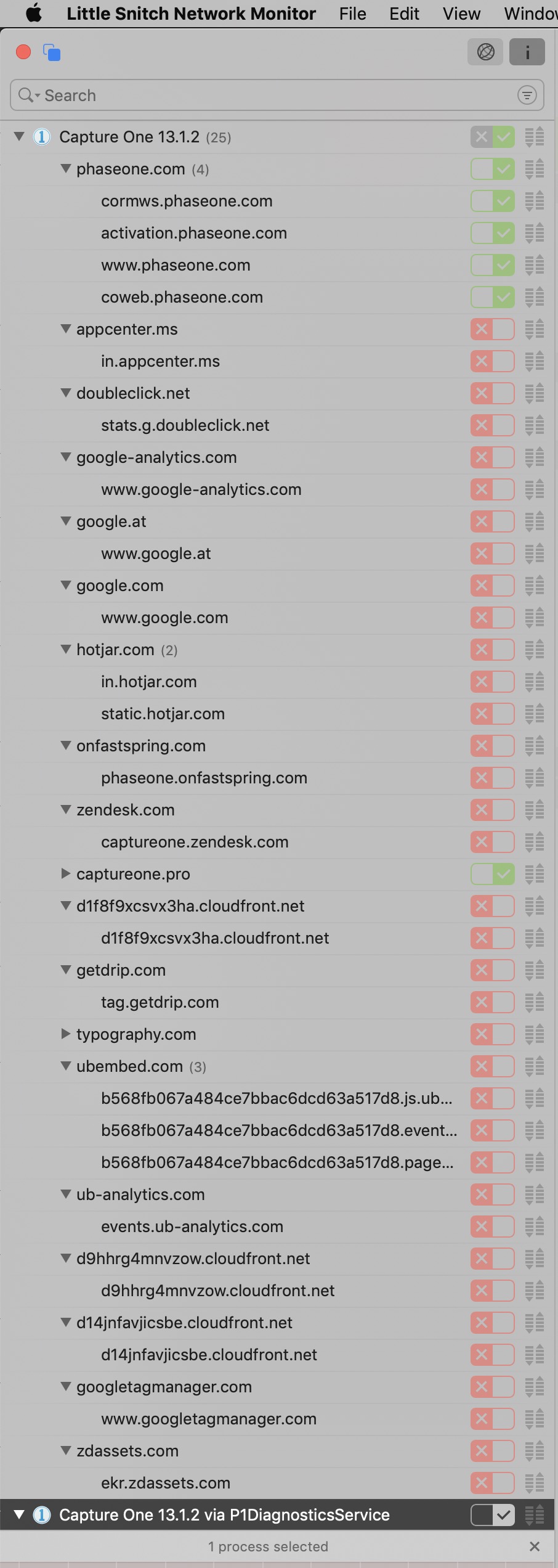 0
0 -
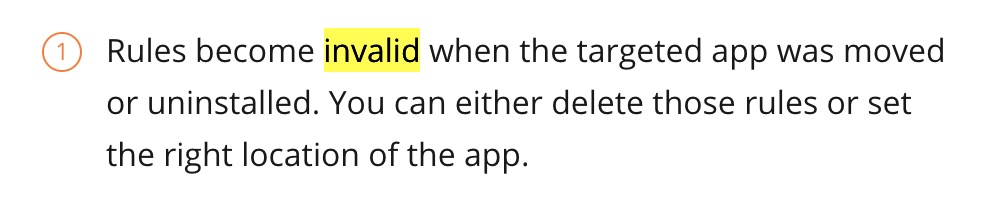
You may have other, valid rules for the same servers.
As it says here:
 0
0 -
???
If there were, they would be monitored, no?
How could I explain the shorter launching time?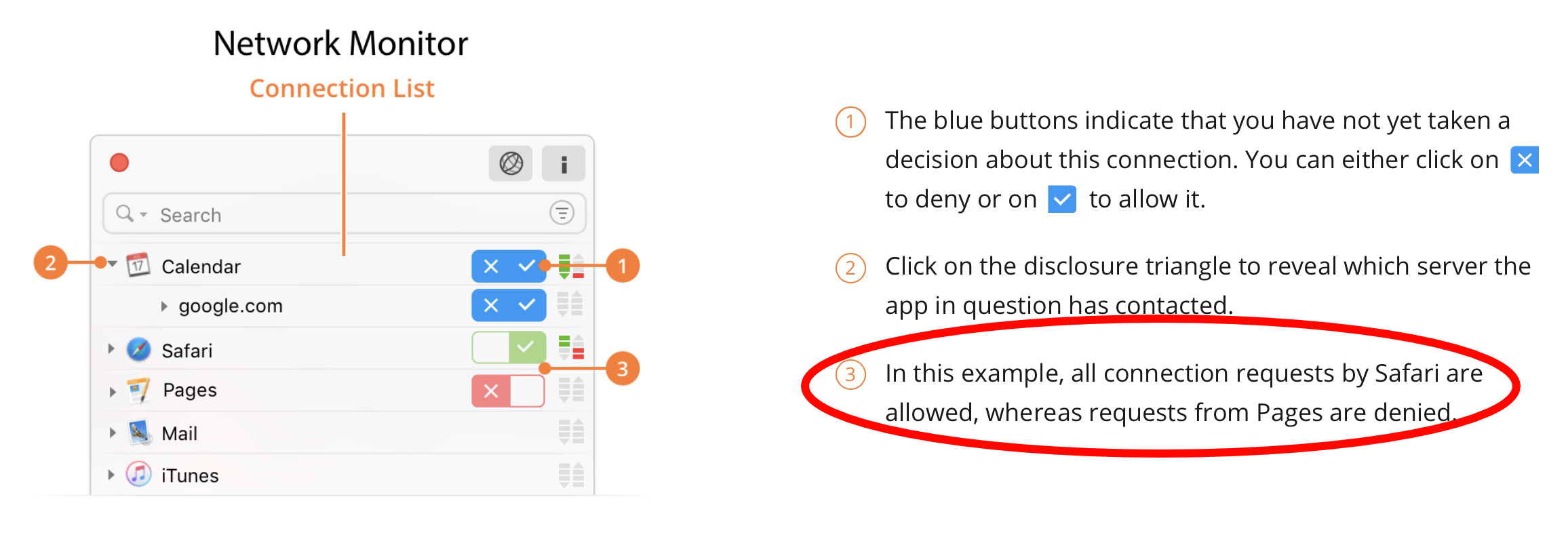 0
0 -
As I wrote above, you may have other, valid rules for the same servers (in addition to the invalid rules).
0 -
These are specifically for CO 13.1.2… all of them and apply
to the connections requests from CO.
All other versions were properly uninstalled and none other
appear in the monitor report.0 -
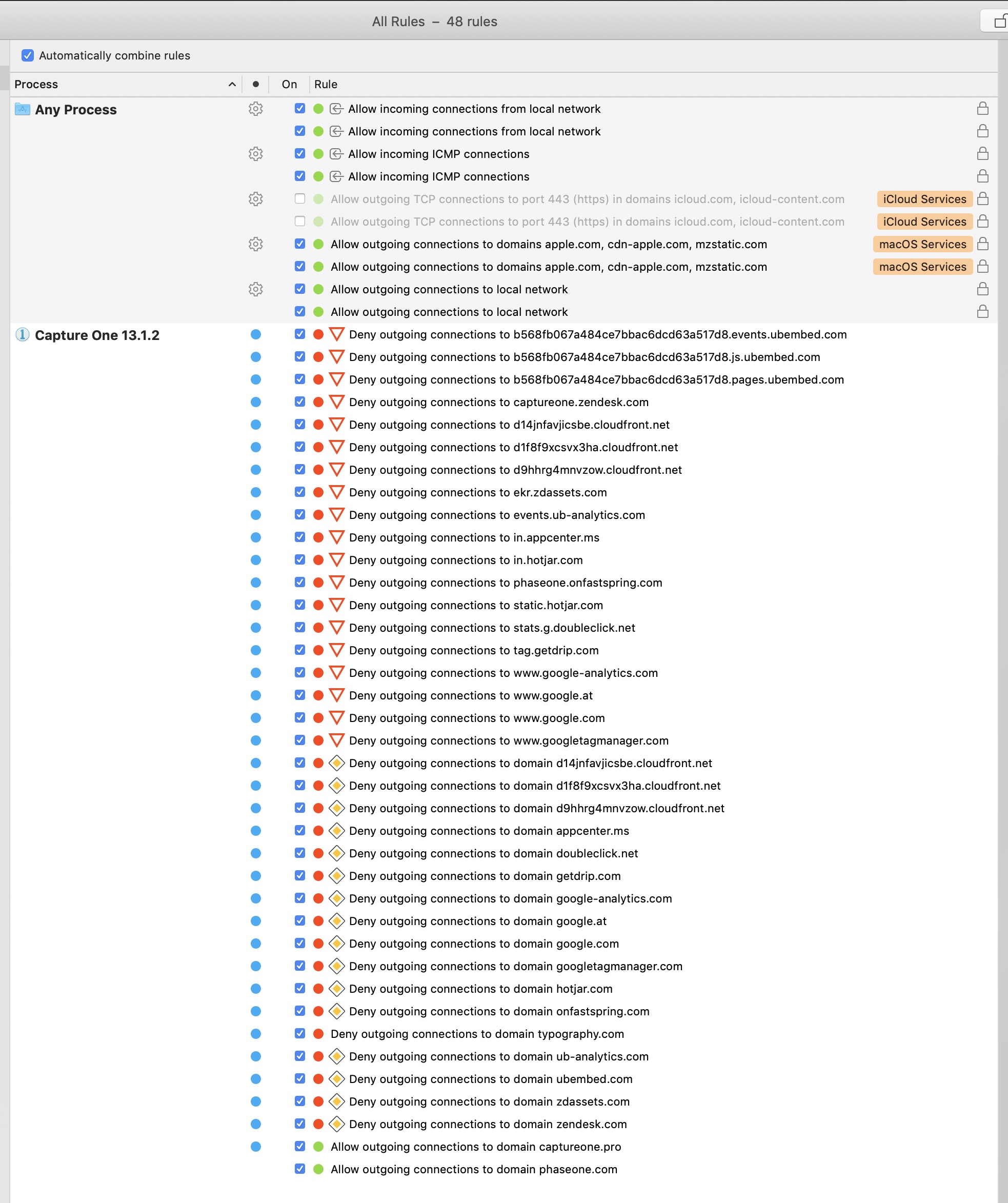
If you search for Capture One in "All Rules", you should be able to see if you have multiple rules for the same servers.
 0
0 -
I did…
 0
0 -
most of the connections seem to be related to the resource hub but 32 connections is not bad , when you close the app another server is connected for diagnostic information too . they monitor our usage but maybe someone can explain what this massive use of marketing tools is good for ?
affinity for example only connects to an amazon s3 server
0 -

Besides that "little snitch" app....what other app are ya'll using that I see screen shots of here?
This is really surprising and infuriating!!
Especially without C1 giving full warning of what they are doing with monitoring and giving out our personal usage information, etc.
How did ya'll find out specifically what C1 was connecting to? I'd be interested in learning about this myself.
Is there a way natively on OS X to set firewall rules to block these without having to buy 3rd party apps?
Thanks in advance,
cayenne
0 -
I am not aware of an other app than the snitch
and certainly not of one that is as flexible.
All screen shots are of little snitch.0 -
@cayenne, yeah, c1 is a spy wear, this was already an issue years ago and staff joined the discussion to calm things down, reassuring us that no personal data is transferred but I very much doubt this claim.
it is also interesting that with this complete user surveillance they are unable to fix bugs faster.
little snitch is the best option don't know other tools which do the same.
0 -
@cayenne
— Is there a way natively on OS X to set firewall rules to block these without having to buy 3rd party apps?
Mail has its own but it is limited to em@ils.
Again, I am not aware of an other app.0 -
the real problem is that this is very much all within legal boundaries, but we don't know what kind of data is really collected and transferred to server outside the EC, in the US it would be possible to connect all information and ignore european privacy laws.
0 -
… and since ".com" can be anywhere,
I am very happy with the snitch.0 -
c1 is the only software I use which does not offer me an option to opt out from user data collection. as much as I understand the value for the developers this is a total disrespect of their customer but very much in line how I see this company.
0 -

1. Dave, how did you notice these connections? Little Snitch or some other way?
2. For those of us who do not need to link to files via internet, why not just turn off the internet while using C1? I did this, but unfortunately, did not see any change in launch time.
0 -
Jerry C -- Yes. I noticed all of the connections using Little Snitch on a Mac.
0 -
@ Dave and Jerry
I systematically monitored my machine some time back and for a week.
Every app launch was scrutinised and discovered strange things.0 -
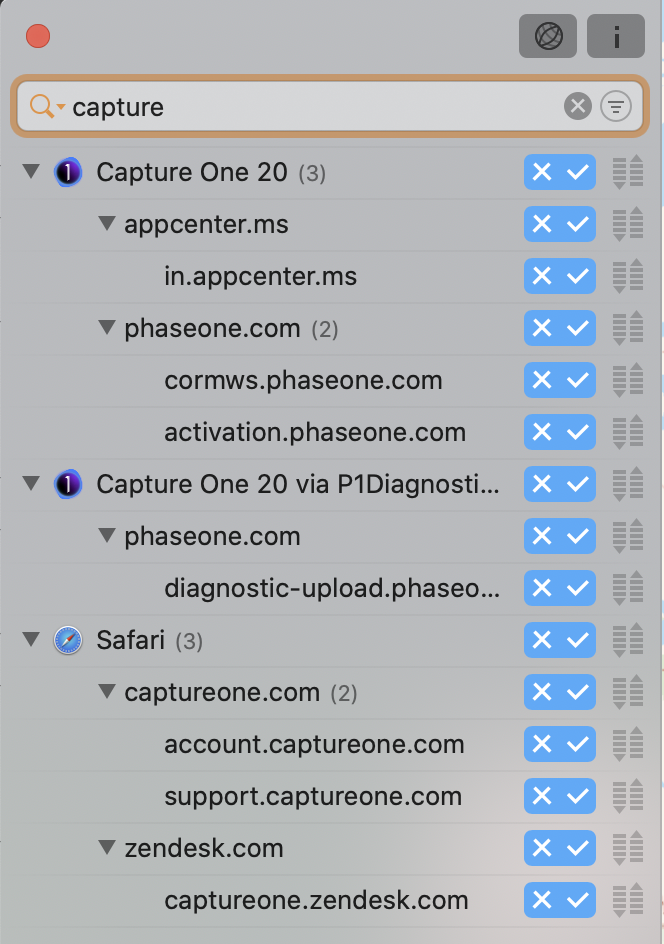
Just want to add my observations. When I read here that Capture One connects to adware servers, I was very frightened, because I didn't think that paid software would tracking me. As I'm very privacy sensitive I today purchased Little Snitch to see which connections are going outside of my Mac I'm not aware of.
I launched Capture One 20 and observed the connections Little Snitch reported for the app. As you can see in the screenshot it established only 4 connections which I assume are going to Capture One/Pase One. There are no connections to ad servers.
I don't know where this difference to your observation comes from. I don't have installed any 3rd party plug ins to C1. As the GDPR of the European Union requires a privacy statement in understandable words, I searched for and found it on the Captureone.com website: https://www.captureone.com/en/terms-conditions/privacy-policy
Herein you can find the clear statement: "Third-party analytics technologies are integrated into our Software and Services, so if you do not want to be subject to these technologies, do not use or access our Software or Services."When we installed the software we had to accept some longish cryptic legal notices to continue and I think with this we accepted the third-party analytics.
Despite the statement in the privacy policy, the GDPR states that no personal data may be collected without the explicit consent of the person concerned. In this respect, the GDPR gives us the right to be informed about which data has been and will be collected.
So if Little Snitch reports connections to tracking and ad servers to me in the future, I will send an official request to Capture One. Anyway, I already wish that tracking could be disabled in the software's preferences.
 0
0 -
Which of the servers listed in the initial post are actually ad servers? I'd assume that doubleclick.net is, but I'm not sure.
0 -
What tool(s) did you use to block these outgoing connections you found?
Did you have to do this on your router, or did you set up firewalls on your computer? (IPtables, etc)....
I'm asking especially for the OS X users....
Thank you in advance,
C
0 -
Most people here appear to have used Little Snitch.
0 -
Oh..I was under the impression "Little Snitch" was only a sniffer to find out the connections.
I didn't realize it also had firewall adjustment capability?
I'll try to look for the official link and read up on it.....but I was assuming it only found the connections, I didn't think it was also constructing firewall rules.
TIA,
C
0 -
You can use it to block connections too.
0 -
The beauty of Little Snitch is that it offers three features.
It monitors the connections, creates the fire walls and in-
dicates the activities in real time in the menu bar.0

Post is closed for comments.
Comments
33 comments