Color issues after exporting. Color profile problem.

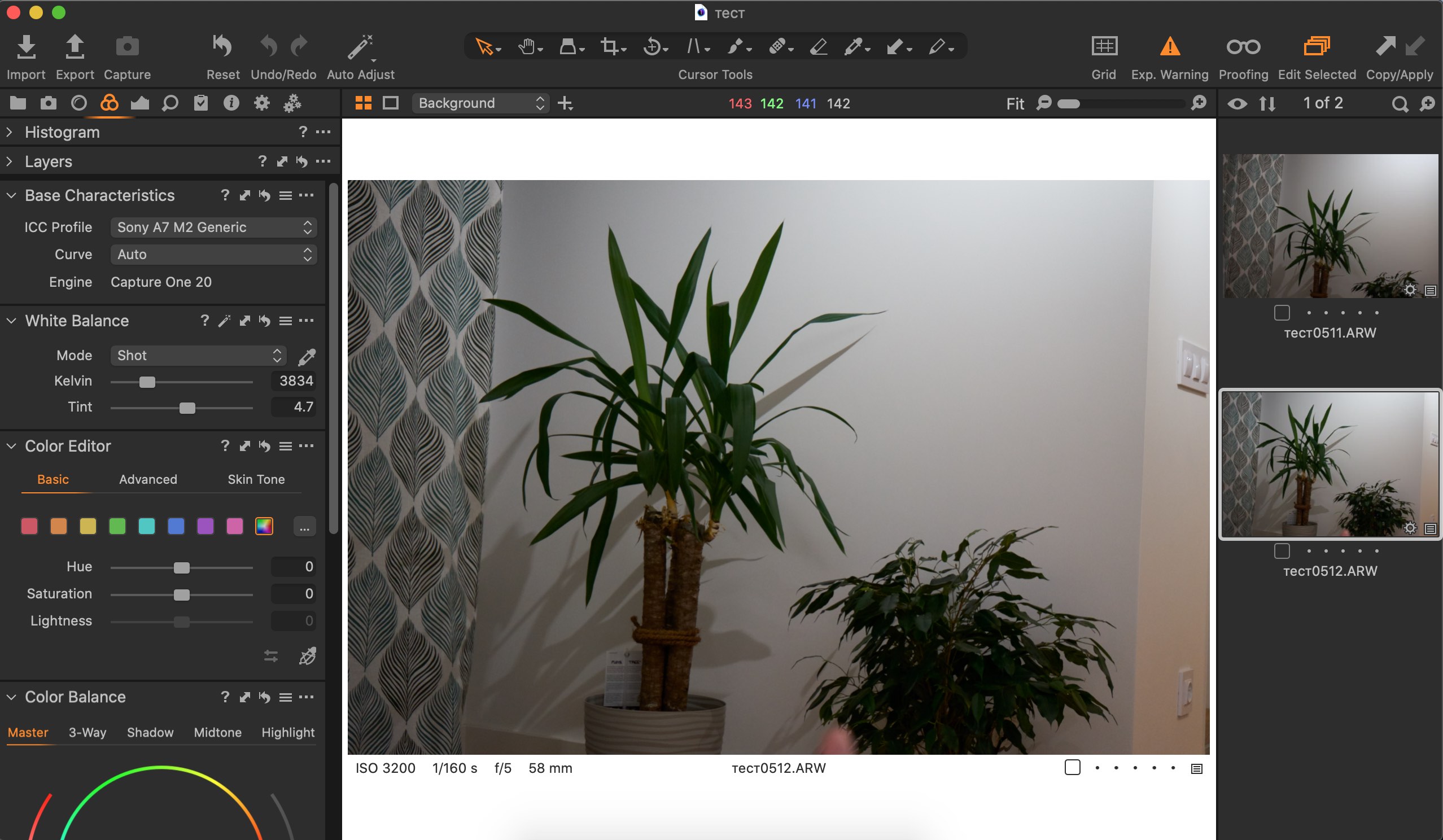
Everything was fine before I updated to the latest C1. After update my photo looks fine in C1, but after exporting to JPEG I see multiple image issues - noise. See attached screenshots.
Environment:
- Macbook Pro 13 2015, MacOS 10.15.6
- Camera Sony A7II
- C1 13.1.2.37
1. How photo looks in C1
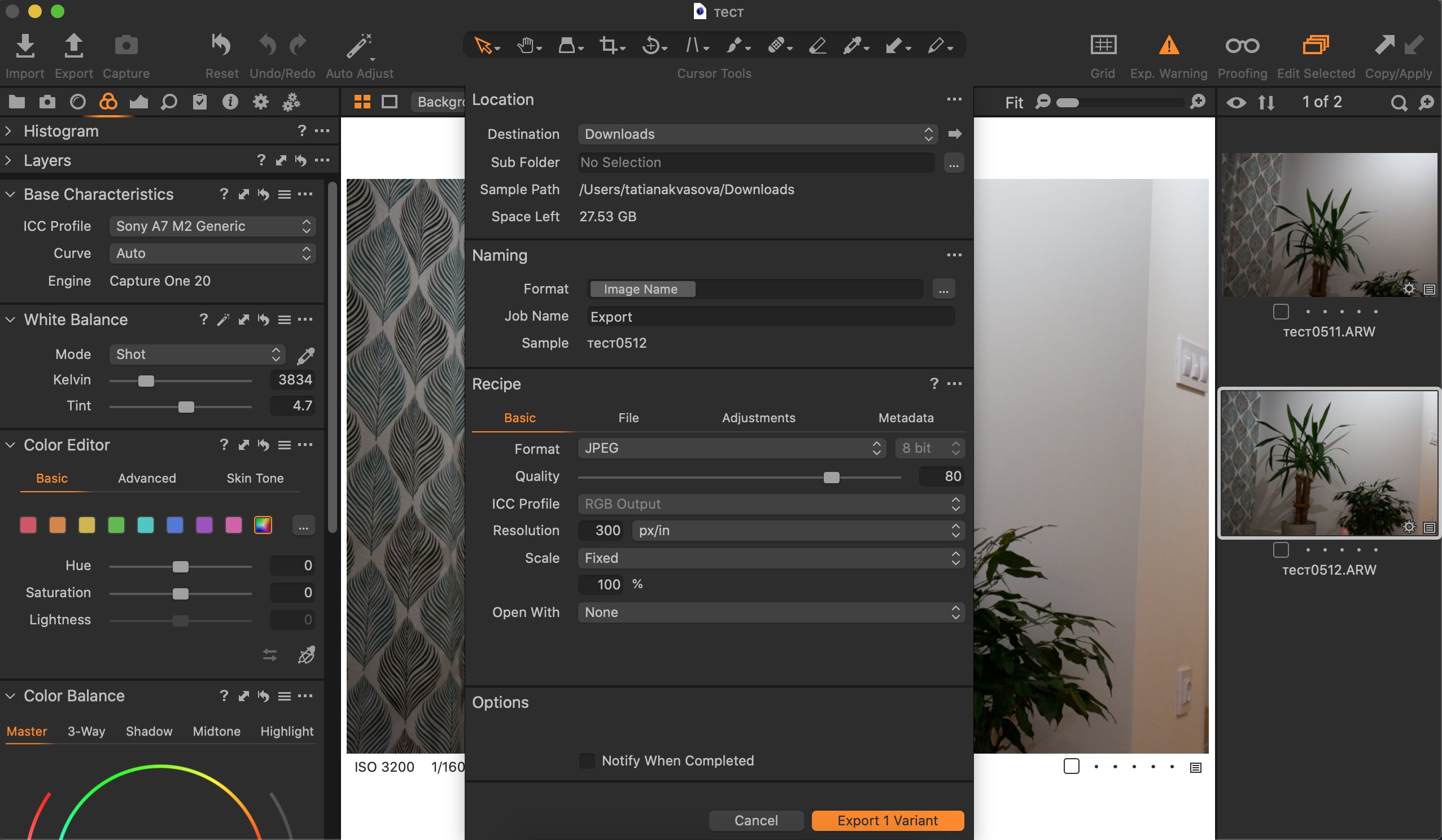
2. C1 export settings
3. How photo looks after exporting
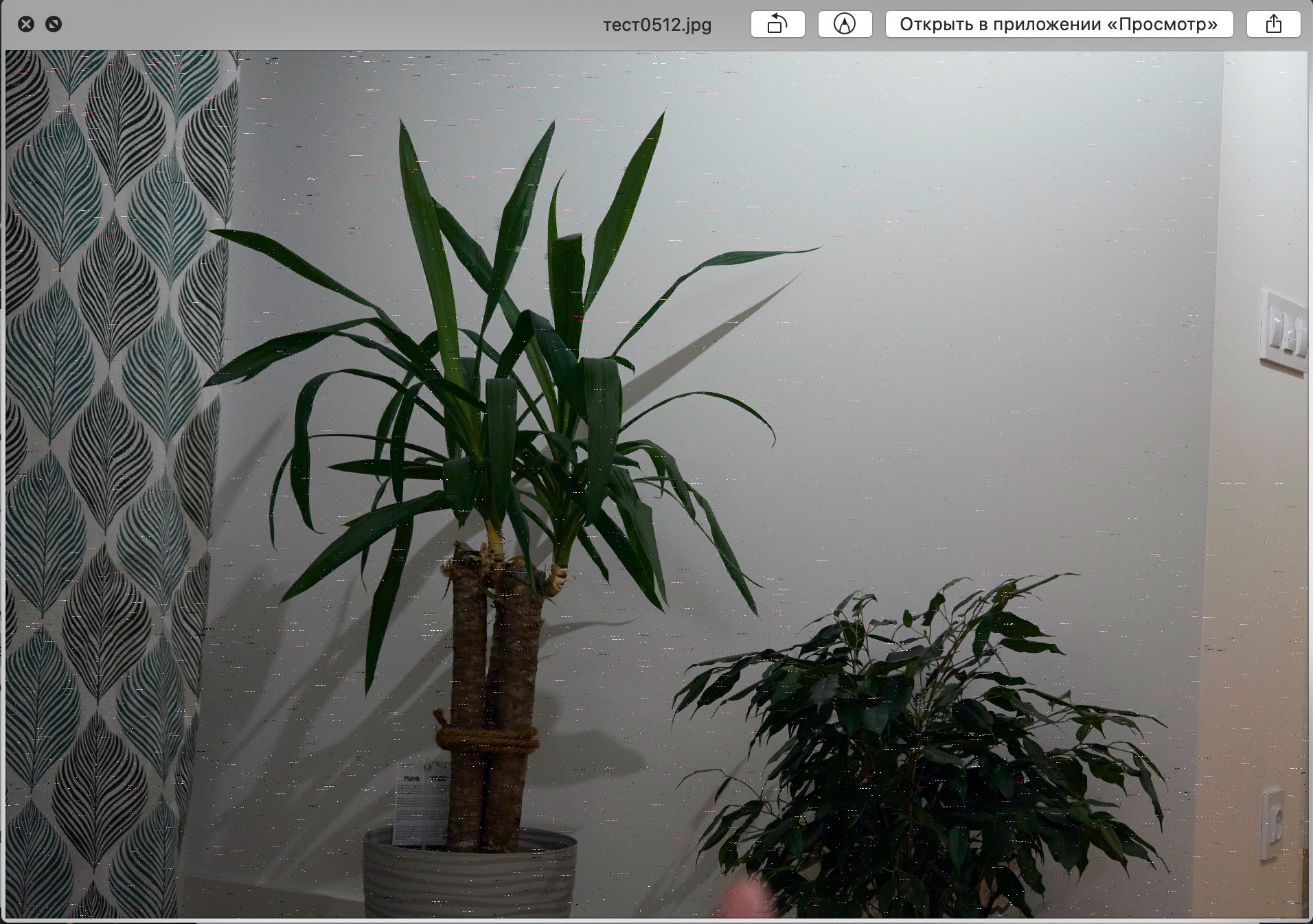
I believe this is Color Profile issue. I tried to play with different color profiles, but no luck. Any ideas? Thanks!
-

I don't think the artefacts you get are related with color profiles but rather with a bad export processing. Try disabling the hardware acceleration (Open CL) in the Capture One preferences.
1 -
Robert, I disabled hardware acceleration and now it works just fine. Thank you for help!
0 -
I am glad you've solved your problem.
0
Post is closed for comments.
Comments
3 comments