Where are my Images?

Hi, I reactivated my account and had a shoot today. I saved my catalog to a folder on my desktop. When I returned from the shoot, I went to back up my files and I can't find them. They are not in the folder on my desktop nor are they in the pictures folder. I was able to export my raw file as a tiff and jpg, but I can't find the orginal files anywhere. I have done multiple searches for raw file names and nothing. Help! Thanks.
-

I have no experience of this, but it is possible to save your files within the Capture One catalog - as opposed to C1 simply referring to image files somewhere on your Mac. The fact that you can export from your catalog suggest to me that you've done this.
When you open the import dialogue, what is selected as the destination? It could be current location, Inside Catalog or some other folder.
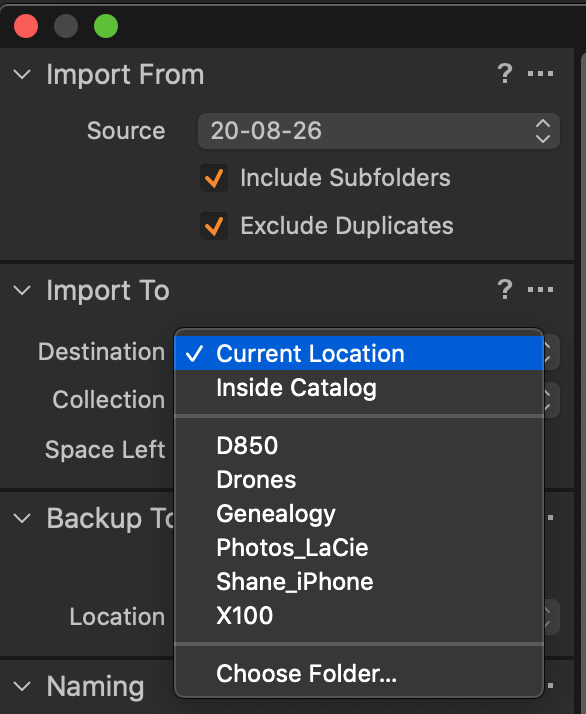
You could also check from within C1 to find your images. As a first step, if you right click on one of your missing images, you should be able to see "Show in Library" and "Show in Finder".
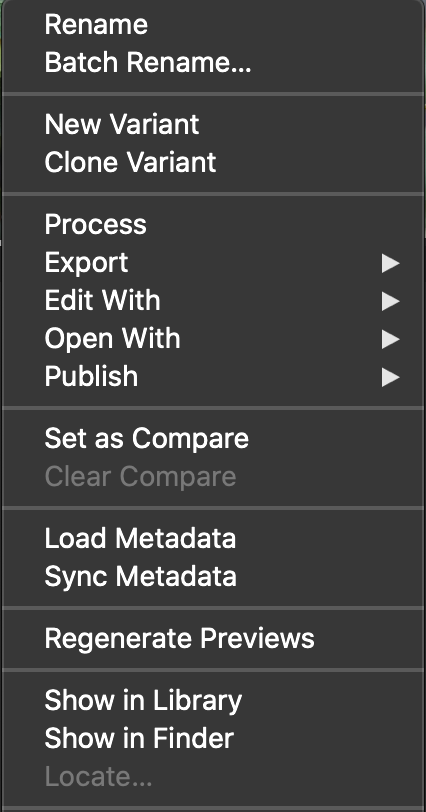
When you do that, what do you see?
0 -
Thanks, Shane. Currently, the images are not missing in the catalog so I don't need to locate them. I just have no access to the RAW files. I can't find the typical Output, Trash etc folders that come with the catalog.
This is what my library window looks like:
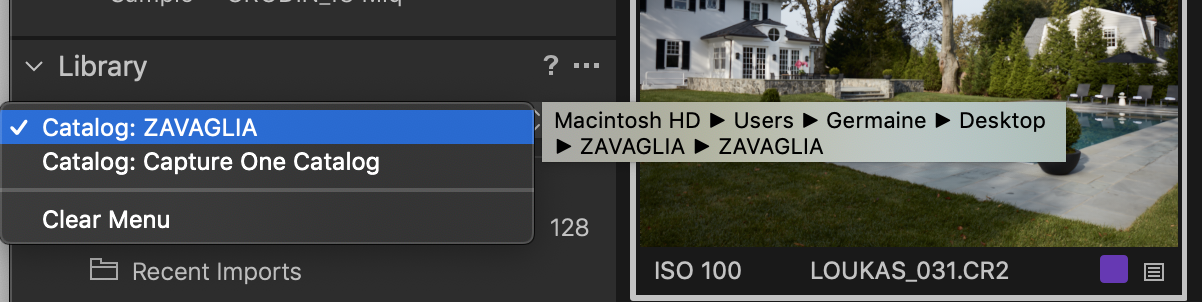
I tried the import button, but the issue is that I don't know where the RAW files are. Is it possible to unpack the catalog?
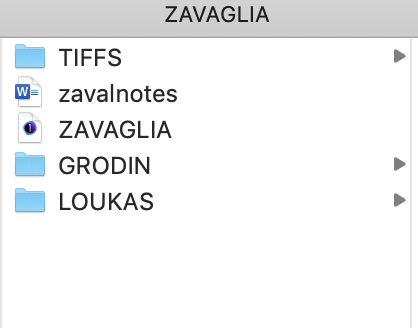
All that saved in the folder is the catalog (I made all the other folders):
 0
0 -
Gidday Gigi
Hopefully, someone who knows what they're talking about will chime in in a moment, but in the meantime - what happens when you right click on your image Loukas_031.CR2?
There should be a "Show in Finder" option (see my previous post). If so, that will show you where that image is sitting on your Mac.
The thing is that the C1 catalogue is probably referencing the files, so they aren't necessarily located in your folder on your desktop, but will be located wherever they were downloaded by C1. Show in Finder will show where they are.
0 -
This is so bizarre! I only have the option to "show in library". Show in finder is greyed out.
0 -
Show in Finder would be greyed out if the image is stored inside the catalog rather than outside in the file system. If you use "show in Library" where does it say it is?
Ian
0 -
I can't find the typical Output, Trash etc folders that come with the catalog.
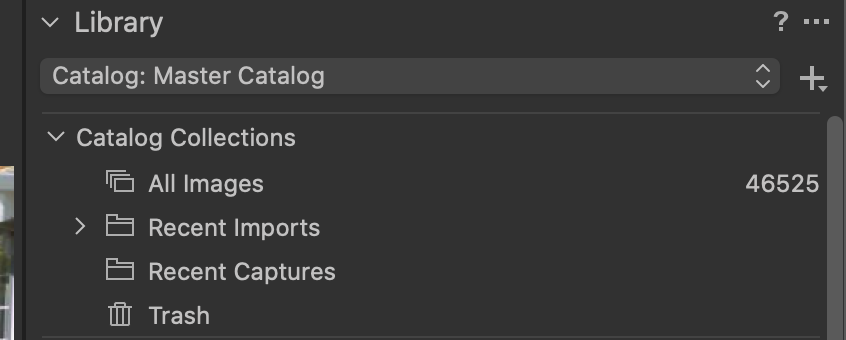
Output folder comes with sessions, not a catalog. Your Catalog Collections at the top of the library pane should look something like this...
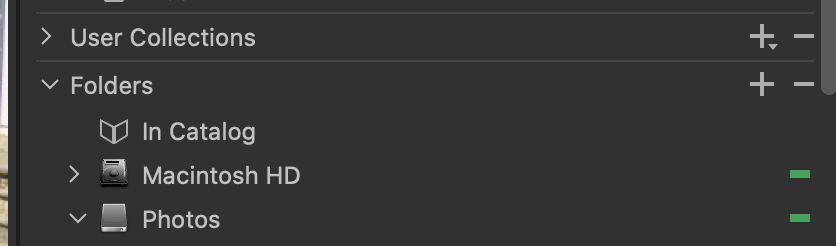
Under the "Folders" section you should have an entry named "In Catalog". That is where Capture One puts your original images if not using referenced files. Mine is empty. I'm guessing yours is not.
 0
0 -

https://support.captureone.com/hc/en-us/community/posts/360013278957/comments/360003329818
You can right click on C1 catalog and select "Show Package Contents" in Finder.
If you imported raw-files inside catalog so you will find them there.
0 -
Hello again Gigi
Someone recently posted this link showing how to move image files out of the C1 catalogue into a Mac folder of your choice: https://support.captureone.com/hc/en-us/articles/360003213058-Changing-images-from-Managed-to-Referenced-or-vice-versa
Depending on what you find after following Ian and Marco's advice above, I guessing you might need to do this.
0 -
Yes! Marco, Max and Shane THANK YOU so much.
I unpackaged contents and can see that the raw files were indeed inside the catalog.
I am nervous to move them, but now I know how.
Thanks so much everyone.
0

Post is closed for comments.
Comments
9 comments