Export bug in capture one 20 fujifilm windows

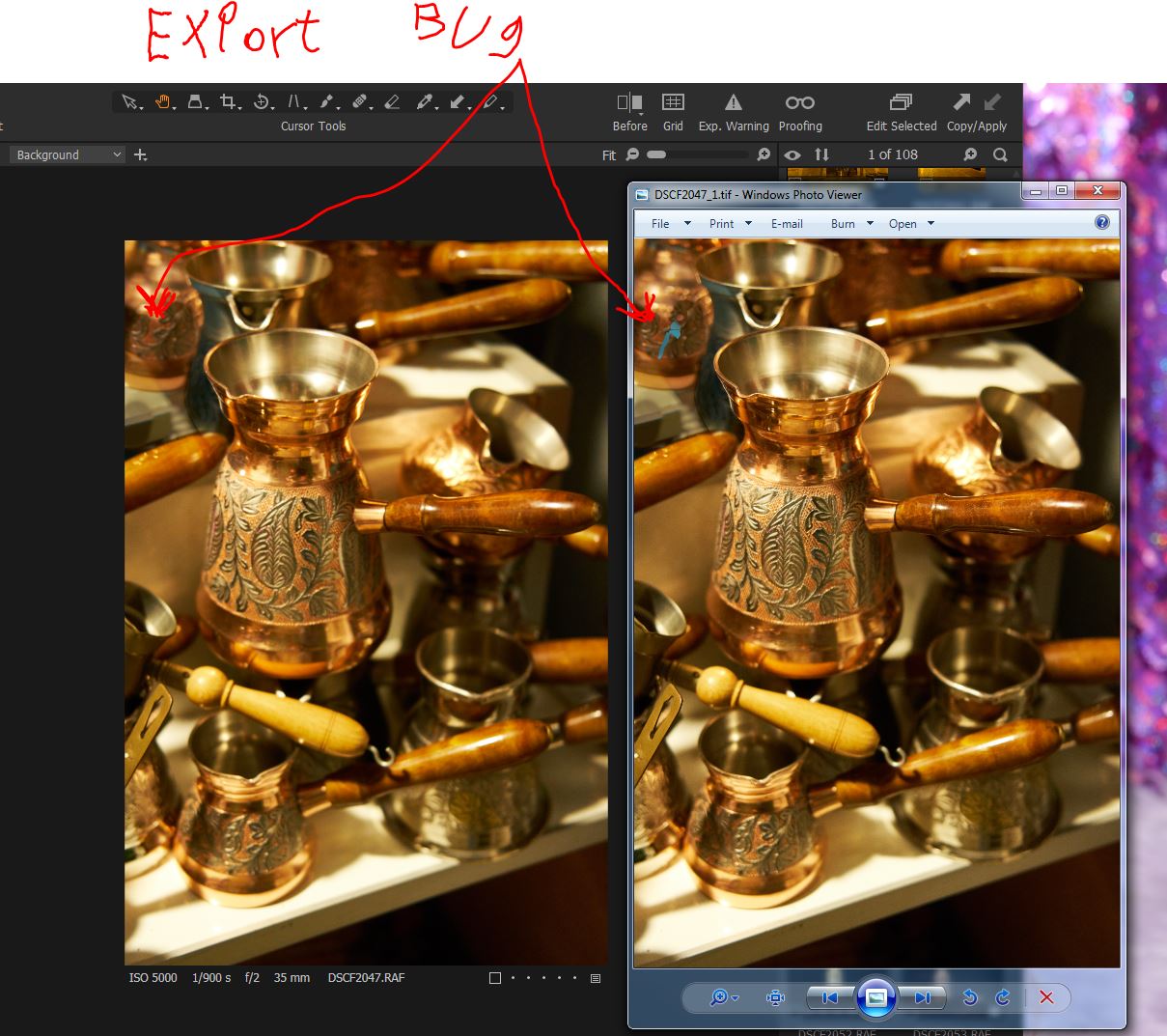
I have performed cloning in the left upper side (left picture). When exporting, part of the original blue basket appears in the exported picture (Right picture).
Capture One 20 Fujifilm
Version build - 13.1.2.35
-

Have you exported the image or processed it?
When exporting you can choose to use the original, unedited file. Processing it (via the processing tab) always gets you the edited image.0 -

Alon,
In the Preferences turn OFF the "Use Hardware Acceleration" option(s) and try the output process again.
If that works than you may have a slight problem with the driver for your Graphics card.
If it makes no difference that must be some other problem.
Either way once you or have not identified whether it makes any difference use the "Submit a request" option to create a Support Case and obtain personal assistance from the Capture One Support team.
0
Post is closed for comments.
Comments
2 comments