Artifacts When Transferring to Photoshop

Shooting on Fuji. Since the most recent update, when I edit my raws in C1 and then transfer to Photoshop for skin retouching, I get a faint black line across the width of the photo in the upper third. It's shown up almost every time I transfer a photo.
This line does not show up in my raw file on C1, just after transferring. I am contacting adobe for the same issue, but honestly have not been able to find anyone else describing a similar problem, so I'm posting here too.
The image with the artifact is in photoshop. without in C1
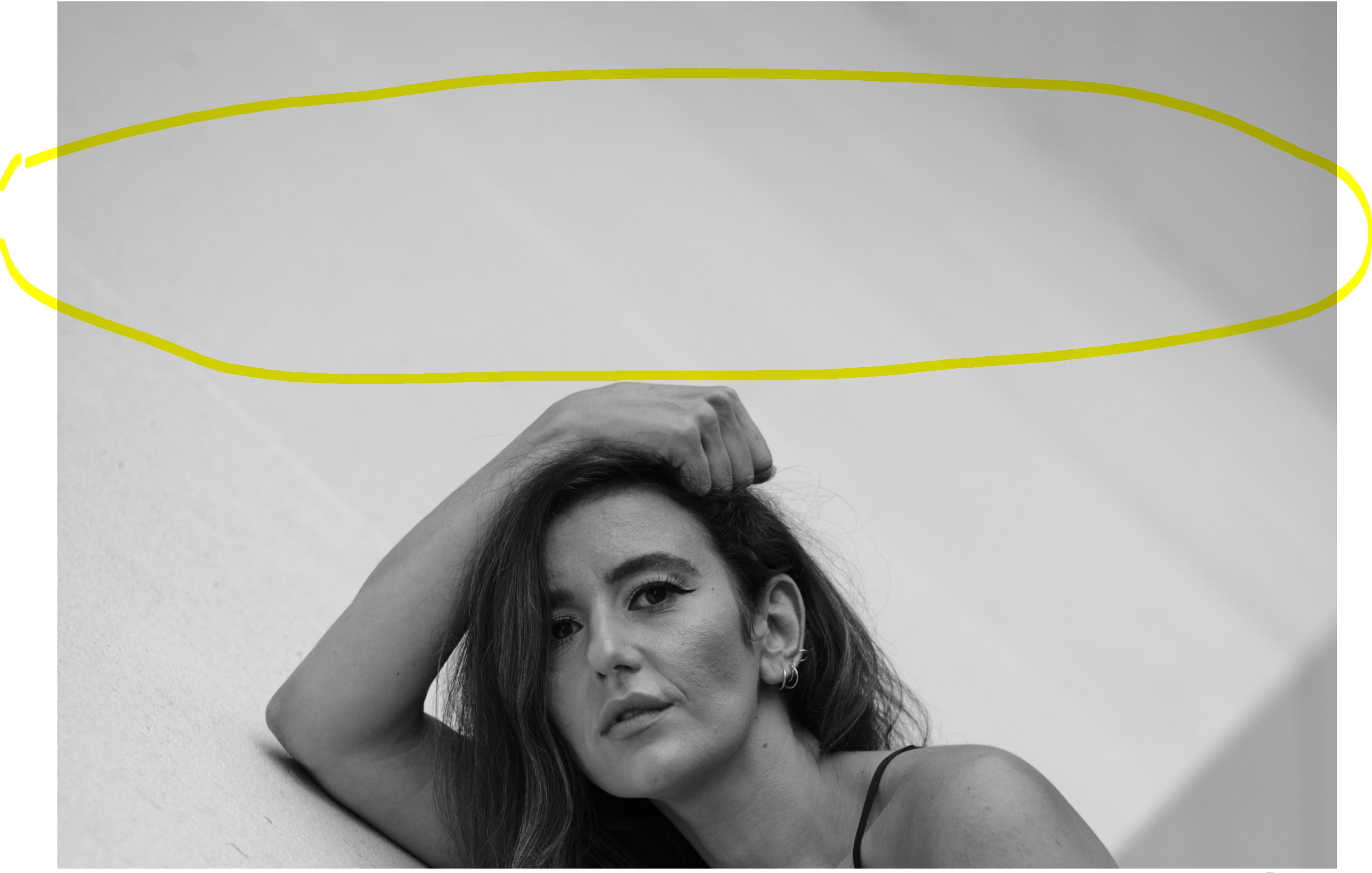
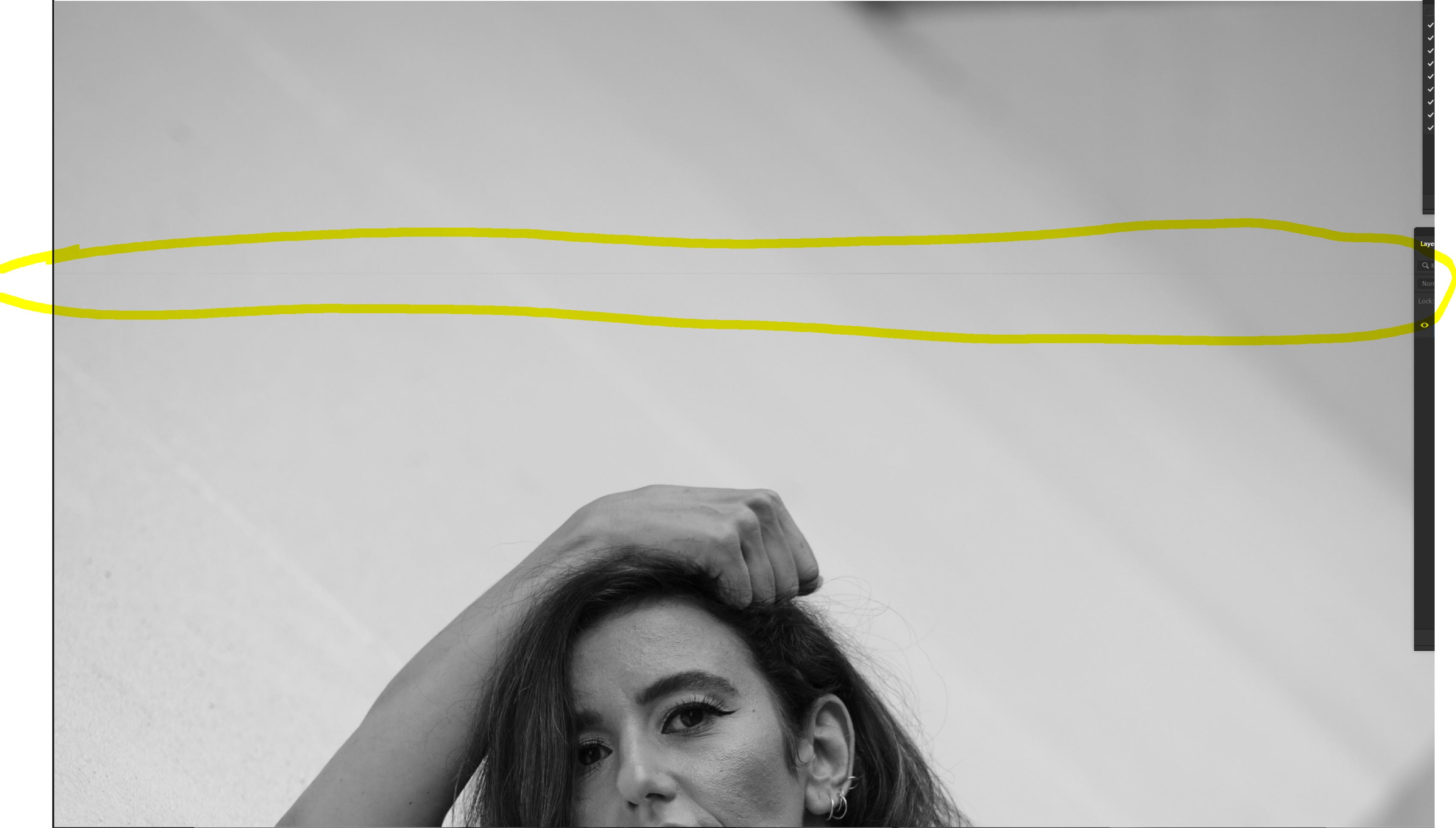
-

As an experiment try setting the Preferences value for "Use Hardware Acceleration" to "Never" for Output so see if there is any difference in the resulting output file.
0 -
Way ahead of you on that. no luck.
0 -
Thank goodness for that!
It gets really boring bringing up that idea all the time ... perhaps we are nearing the point where everyone knows about that test!
There have been a handful of very similar posts in the past. Not being a Fuji user I have not followed them to their conclusions. There may be something in them to help you if you search for them.
Meanwhile I would suggest you use the "Submit a request" option that appears at the top of most Community pages to raise a personalised Support Case and seek advice from the C1 team.
0 -
This thread seems quite similar as far as the problem description goes.
But maybe not the solution? You have tried that already if you restarted C1 as part of your test.
0 -
Intel graphics driver issue. drivers updated and new copies don't have this issue, so far
0
Post is closed for comments.
Comments
5 comments