exporting raw to any image file png/jpeg etc.. causes purple fringe on exported image

Does anyone know why this happens. When ever I export a variant, the exported image has a purple fringe to it. example image is below. The raw image was set as default/undedited and then exported. the jpg is the exported image.
I'm trying to find to see if there's some of setting I might have messed with but I am not seeing anything. Does anyone have any clue? This doesn't happen on capture one that is installed on my Surface Pro. Only happens on my main desktop pc.
Version 11.3.1 build 11.3.1.4(bc7e920) (sony version)
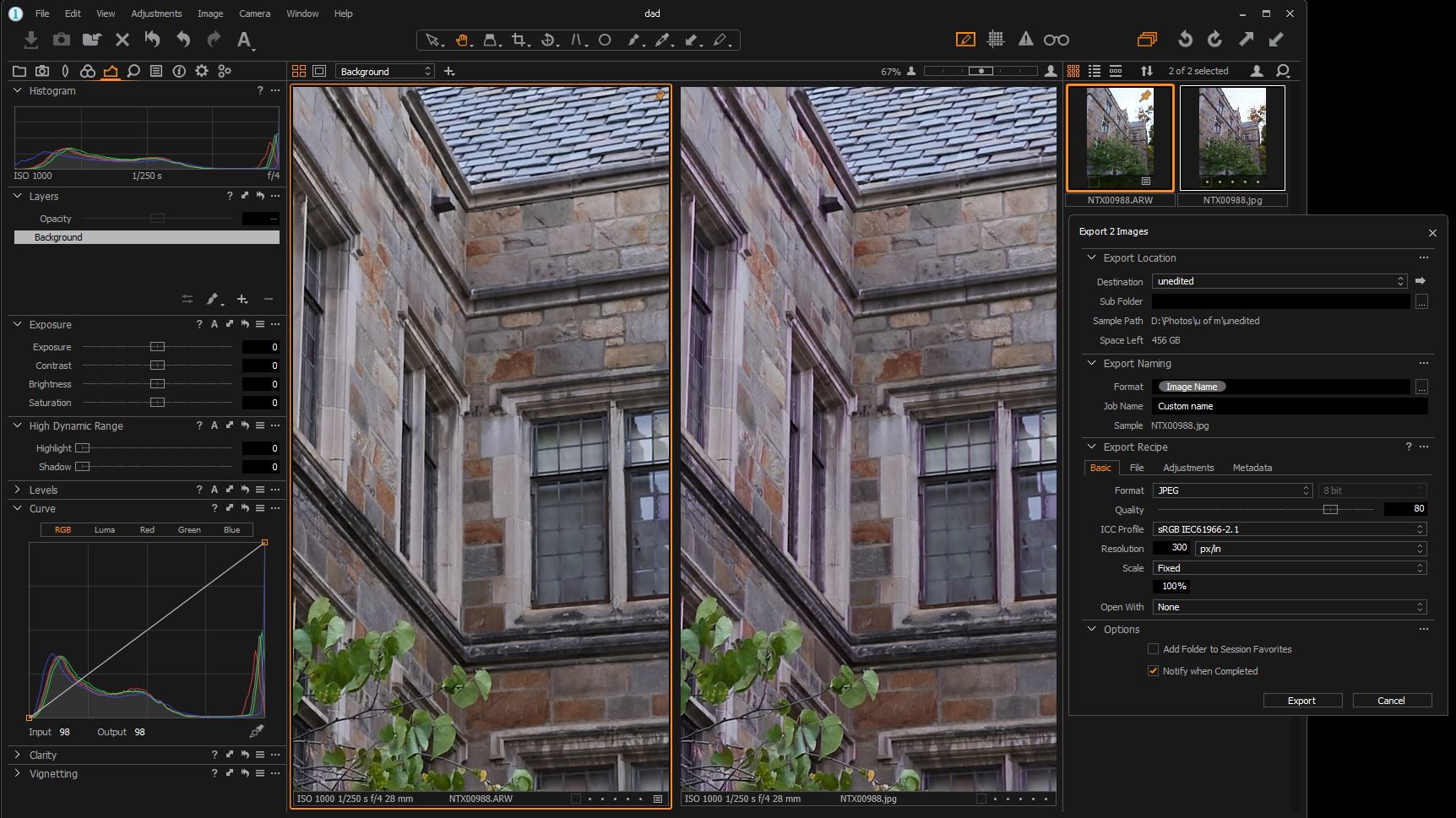
-

Same version of Capture One?
Same settings for all tools?
0 -
Figured it out, seems to be AMD driver issue or at least an Open CL. Having hardware acceleration for on auto caused the fringing, turning both off seems to have fixed it. having any hardware acceleration option on auto will also cause it, both had to be turned off. I will do more testing later but at least for now its working.
0
Post is closed for comments.
Comments
2 comments