Canrast to harsh - Canon R5 w C1

Hi all,
We’re using two new Canon R5:s with the latest C1 and we’re noticing that the contrast controls are way to sensitive. The images quickly becomes very harsh. It also seems that when lifting shadows, C1 raises to much of the tones in the middle too.
Have anyone else experienced this?
All best,
Patric
-
Have you tried lifting just the blacks instead of the shadows? The blacks control should affect roughly the lowest 5% of the tonal range, while the shadows should affect roughly the lowest 25% of the tonal range (including the blacks). I sometimes use a mixture of the two.
Ian
0 -
Thanks for the response Ian! I guess that is the way to go. Still, the contrast is a bit problematic, not least since we can’t use our saved recepies anymore. Now, things always changes a bit when you change cameras etc, but this feels “to much” of a change.
/P
1 -

Patric,
Is it just a camera change or did you also update Capture One?
Are you possibly applying any adjustment settings on capture/import that were set up for previous cameras?
Have you run an experiment using the "Linear Response " curve to see if that changes the sensitivity you are experiencing?
0 -

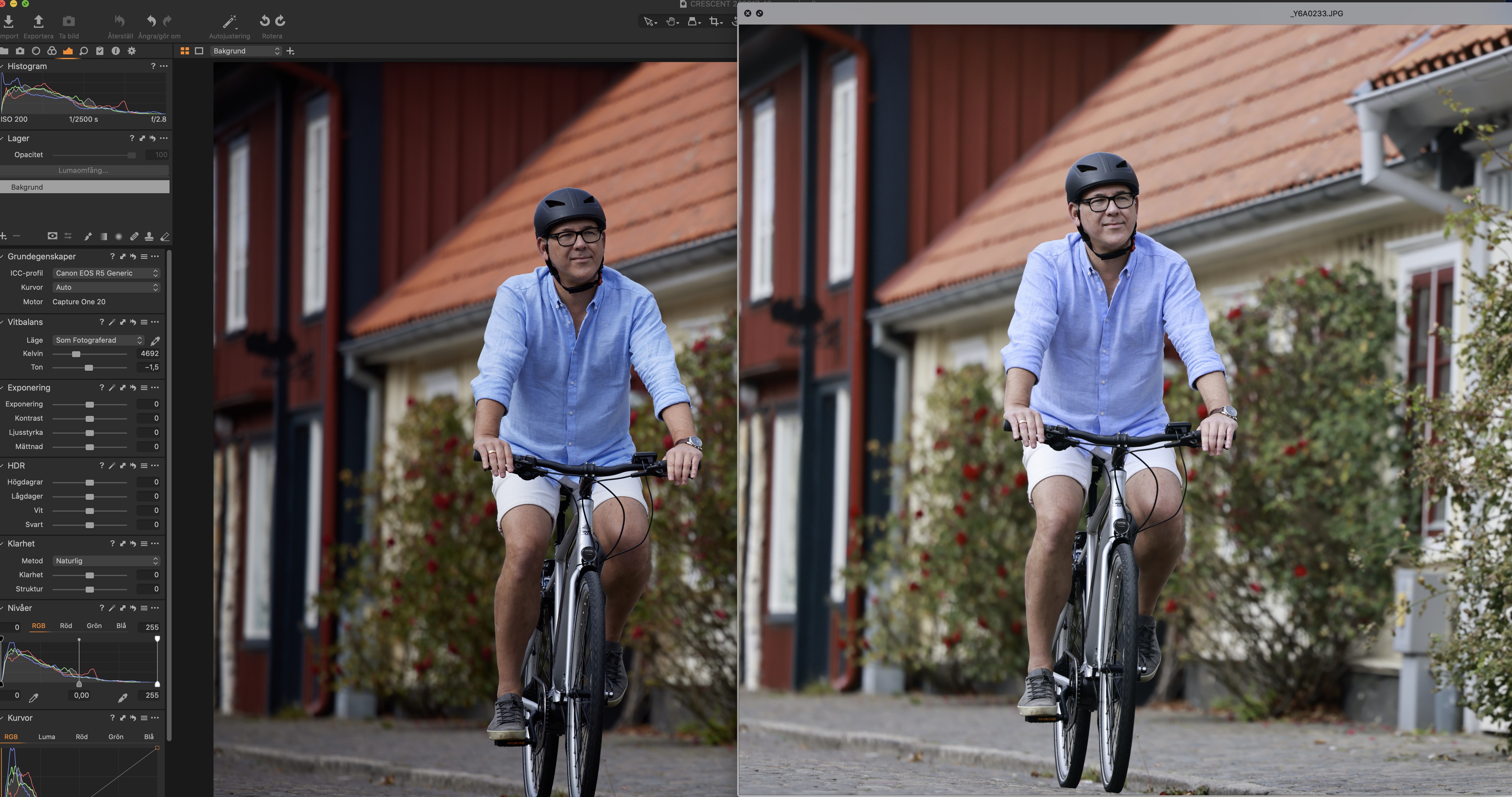
I also don't like the profiles for R5. Files render to dark and to saturated. I prefer to apply my own settings, therefore I use C1 :)
Below unedited in C1 (pardon my Swedish) and JPG straight out from the R5 with I guess "Standard" or "portrait" style.
 0
0 -
Vignetting also vastly different - more like any other software it's darkening the corners but not that soft sweet C1-vinjetting-look anymore.. :......(
0

Post is closed for comments.
Comments
5 comments