Exported JPEGs look bad

Hi, I processed RAW files in Capture One which look fine on the screen, but when I export the files as JPEGs at a reduced file size the images don't look like the processed RAW image. They appear fuzzy or out of focus. I tried applying some sharpening on export but they still don't look like the original processed RAW image. I never had that problem with lightroom. Am I doing something wrong or is this an issue with Capture One? BTW, I am on a Windows 10 computer. Thanks!
0
-

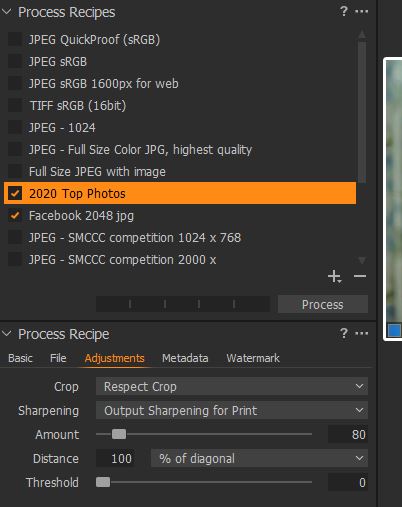
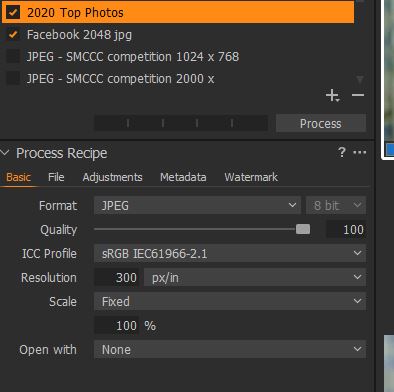
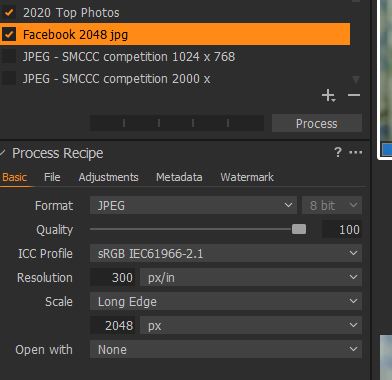
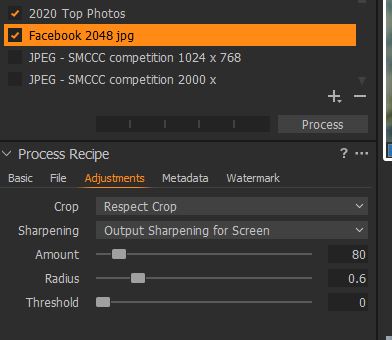
I do not "export" to a jpg. I use the Process Recipes and I have several for various sizes of jpgs. Here are some examples. I have not experienced anything but exact duplicates.
 0
0
Post is closed for comments.
Comments
1 comment