Weird artifacts on Canon 5D Mark IV photos

Hi,
I shot an event in the beginning of the month in RAW (.CR2) on my 5D Mark IV. When I try to process the photos, Capture One gives me very weird color patterns that I can't describe (see the example). Tried different settings but it always gives me an image that's not acceptable with different kinds of artifacts.
Anybody ever experienced this?
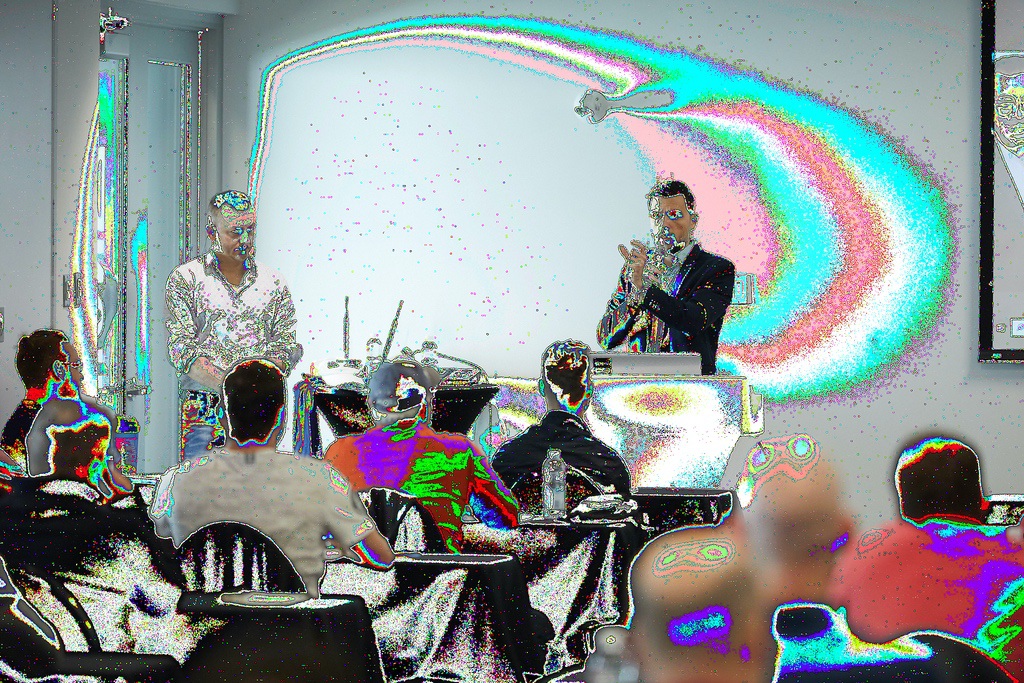
Here are the settings for the photo

You can also find the RAW file by clicking here. My other photos in other libraries don't seem to have any problem.
-

Looks fine on my machine in terms of no artifacts.
Try going into the Preferences table (Edit menu) and setting the Values for Hardware Acceleration to "Never".
If that helps the problem there are some further steps that can be investigated.
You may or may not need to restart C1 after the change - not sure about Macs as I am a Windows user.
1 -

Hi Guy,
It's fine on my machine (iMac 2015, Canon 5D IV, Hardware Acceleration - Display and Processing both on auto.) To further complicate matters I am on the beta of Big Sur so no idea about why that photo is not displaying properly. All my 5D photos display fine for me.
0 -

Looks fine on my 2019 MBP running Mojave and the current version of C1 20. In addition to the above suggestions, you might try if you haven't already:
Regenerate its preview (in the Image menu) (not likely to fix the problem, but easy and not risky)
Reset all adjustments and start over (probably won't fix the problem)
Remove the image from your session/catalog (NOT deleting and chucking into the Trash) and then adding it back to your session.catalog.
Save a copy of the Raw file somewhere safe, totally delete the image from your session/catalog, and reimport it.
0 -

Obviously not a Canon user but I see the artefacts in the first shot!
Unusable I'd say!0 -
Thank you all for the quick help. Desactivating hardware acceleration did the trick and fixed everything.
0 -
Hi Guy,
If you feel like investigating some more so that you can re-establish the use of Hardware Accelerations there are some things you can look at.
Mac is slightly tied in on the device driver side (often part of the problem) whereas Windows users can head off to find possible replacement device drivers and install them to check it the problem can be resolved that way.
As I understand things in Mac world you might need to rely on Apple to provide the revised drivers in a release at some point. The problem might be quite specific to the configuration your Mac came with.
There are some Support Articles that can guide you through some simple diagnostic steps if you want to take things further.
Whether it is significant to do so rather depends on your work flow, usage and output file volumes. For some the additional speed provided by a working, powerful GPU device makes a big difference to their time. For others it doesn't really matter at all.
0 -

 0
0 -
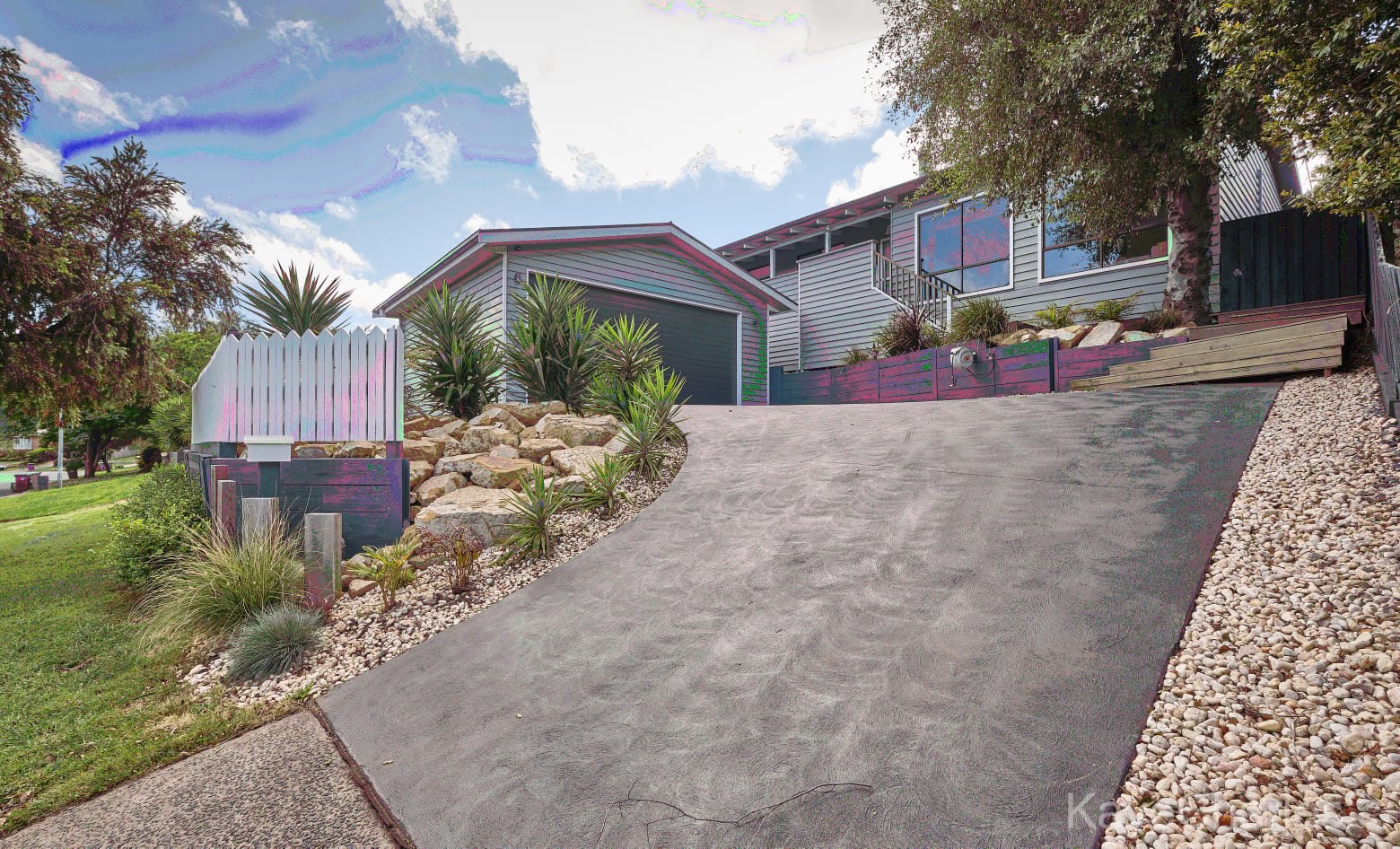
Hi, i have the exact issue as well. I am using capture one on Mac desktop Majove. All looks ok when editing and no matter the export setting, whether jpg, tiff, png... they all come out like this. New to fuji and Capture one and will now need to go back to maybe irridient transformer and lihtghtroom as really dont know what else to do. This is for work so no luxury of time to sought out issue. Its a 2014 Mac and no issues with Lightroom. Had i have known the issues i would come across using fuji, i think i would have stuck to canon. What a shame as i love the camera.
Fuji xt4 with fuji 10-24 lens, so one would think it all would be perfect along with Capture One. I have sent them an support email and no response. Now trying to decide whether to purchase a new Windows system. :+(
0
Post is closed for comments.
Comments
8 comments