Not able to import image

Hi Team,
I'm using lastes software of 30 day free trail. I'm unable to import image of any format.Kindly provide me the solution.
Thanks in advance.
Sekhar Mallela.
-
Sekhar, you'll have to tell us a bit more than that if we are to be able to help. When you say you are unable to import images, what procedure are you following to do it? What happens to prevent it? Do you see any error messages, and if so what do they say? Where are the images you are trying to import? Are you using a catalog or a session? Have you watched any of the tutorial videos on the learning hub (or in the Capture One YouTube channel)?
Ian
0 -

As Ian has said, a bit more information about symptoms would be useful.
When you press the Import button:
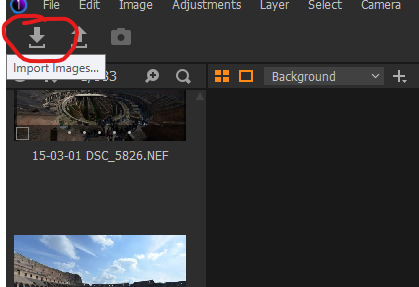
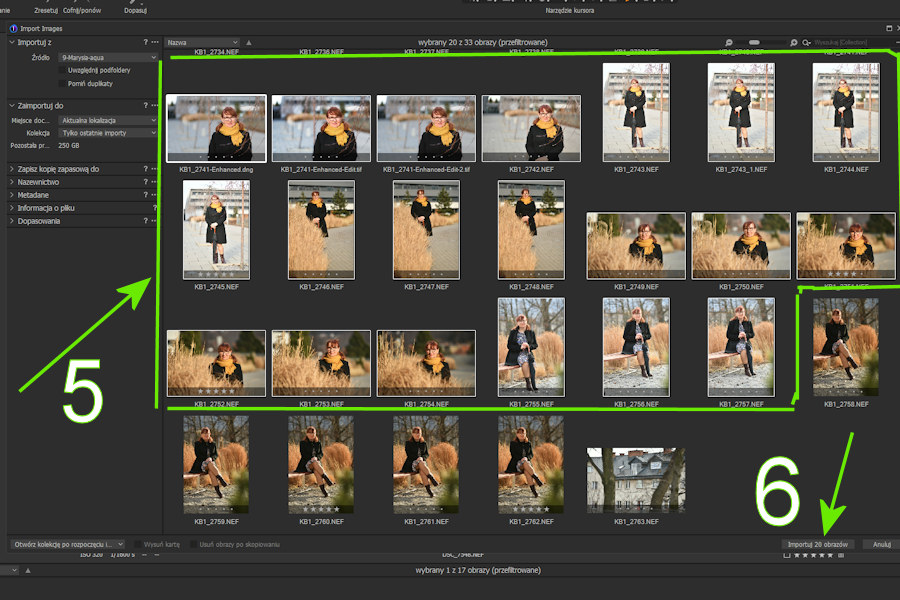
...do you get this window? When you set the Import From Source to the folder containing images, do you see any images to be imported?
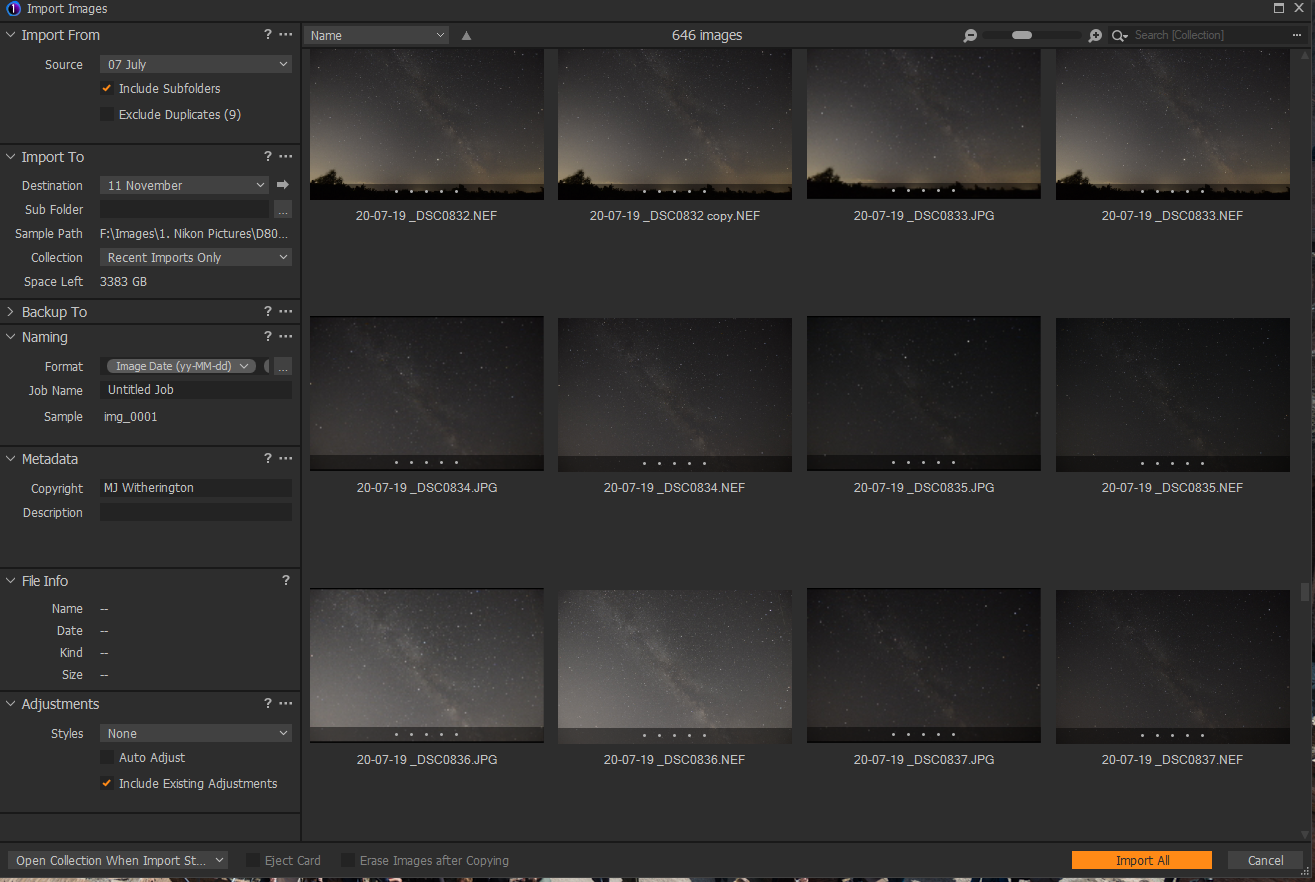
Which version are you trailing, Pro, Fuji, Nikon, Sony?
0 -
Hello Ian,
First I will tell u my system configuration.
Windows 10,64bit,with I5 processor and 12gb ram ,1tb hard drive.
Yes, I have checked YouTube tutorials and I have an idea about capture pro.
I'm using Canon camera and I'm following the same above procedure to import the image.
When I open specific folder to import image I'm not able to see any image in the folder, but images were there in system but not showing when i use Import /open options and I'm trying to import CR3 (RAW) and JPEG images.
Thank you for the quick response :)
Regards,
Sekhar Mallela.
0 -
What camera are the .CR3 files from? Have you checked that it is supported?
https://www.captureone.com/en/resources/tech-specs/camera-support-canon
Ian
0 -

Which trial activation key are you using?
0 -
I suggest you delete your key from your post - you don't want to give it out publicly!
I am not very familiar with Canon models, but I don't see 200D Mark II on that list.
Ian
By the way, I am not part of the support team - this is a forum for users to help each other. If you want to contact the support team, use the Submit a request link at the top right of this page.
0 -
Hi Ian ,
Yes i understood now thanks for the quick response.
 0
0 -
Hi support team ,
Any update ?
Sekhar
0 -
Is your trial activation key for the full Pro release?
If it is for one of the manufacturer special versions CR3 files will not be recognised.
Are there any special shooting modes in the 200D Mk2 that might not be supported?
On the other hand you are saying you cannot import images of any format. Does that include jpgs?
0 -
@Sekhar Mella
This is a User to User forum by intent.
If you need official personal help create a Support Case using this link https://support.captureone.com/hc/en-us/requests/new
If you are prepared to share a sample file using a file sharing service some other users here might be able to test it in their own systems to see what happens.
0 -
For what it is worth ...
I downloaded a 250D RAW file from the DPReview site review samples and is previewed and imported with no problems.
0 -
Hi Team,
yes, JPEG is also not showing.
Sekhar.
0 -
Did you request an activation key for the Pro version or for one of the special manufacturer versions - Sony, Fuji or Nikon?
0 -

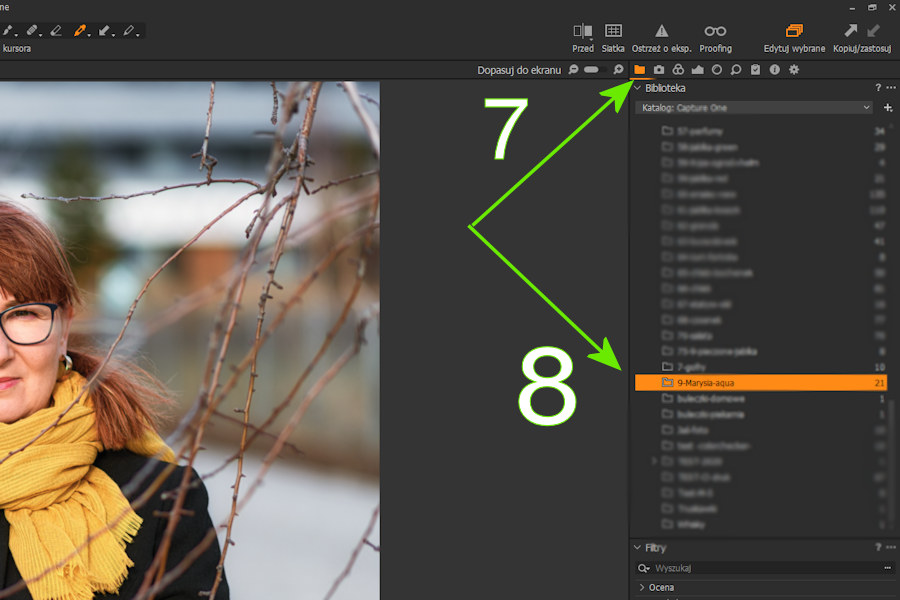
Are you sure you are loading yes? :
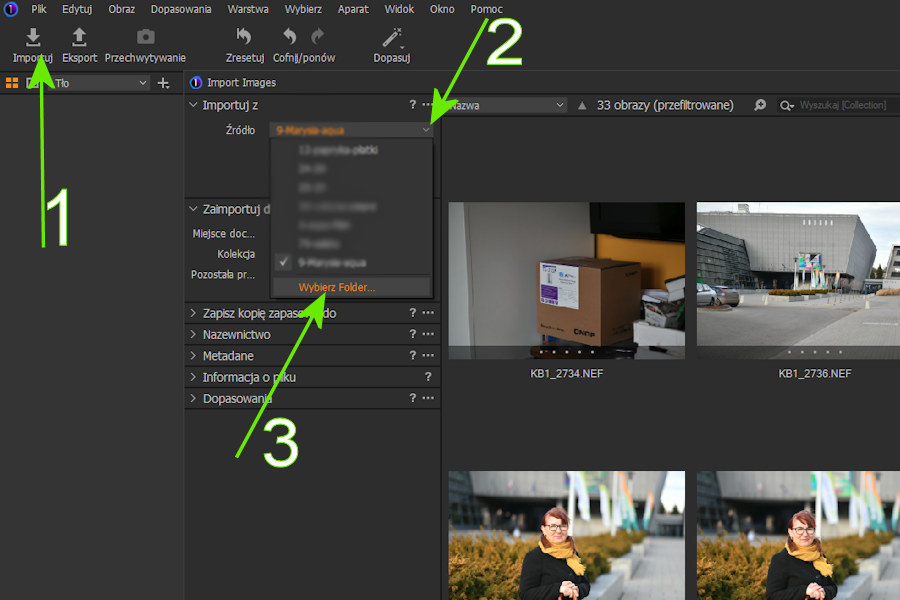
.
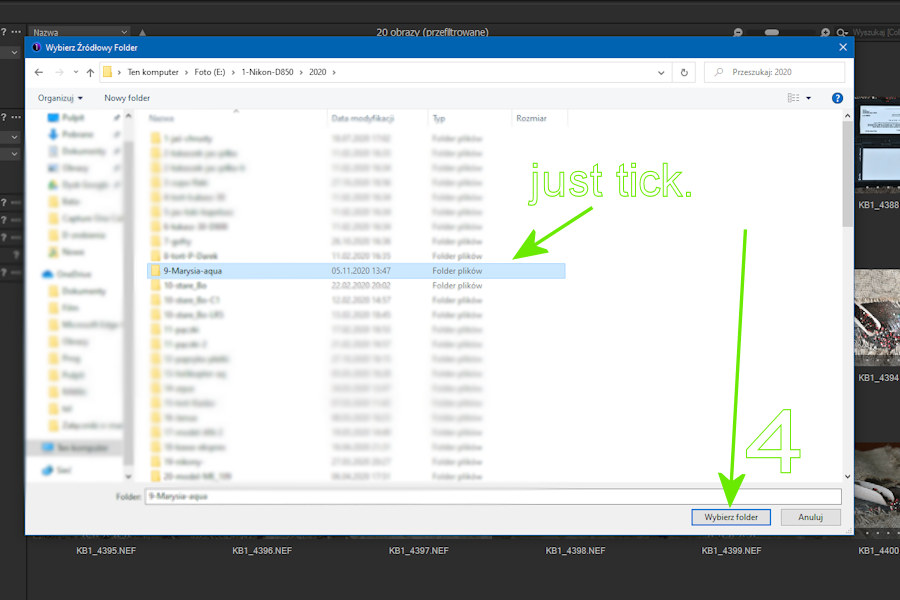
.
.
 0
0

Post is closed for comments.
Comments
14 comments