move object

I want to move an object to a different place on the picture
-

Create a layer and use the clone tool.
You will probably need to first clone the object to create a new location of another copy of the object. Then clone something else over the original version of the object to hide it.
You may find that a pixel editor - something like Photoshop - would be an alternative way to do that.
0 -
I had a photo where I wanted to do that a few months ago - three deer, and I wanted to move the one in the middle to be more central. As an experiment, I tried doing it with three different apps. I was able to produce convincing results with Capture One, Affinity Photo and Photoshop, but PS was the easiest to use for that task as it has a content aware move tool. (Which is not to say that PS is always the most powerful or convenient of the three apps - for some other tasks, I have found it to be less easy to use than others.) In C1, I did roughly what SFA said.
Ian
0 -

Assuming you're actually asking for advice, rather than just sharing a random thought, use Photoshop or similar - Capture One is by no means ideally equipped for the job,.
0 -

As @SFA writes
basic handling can be done very simply.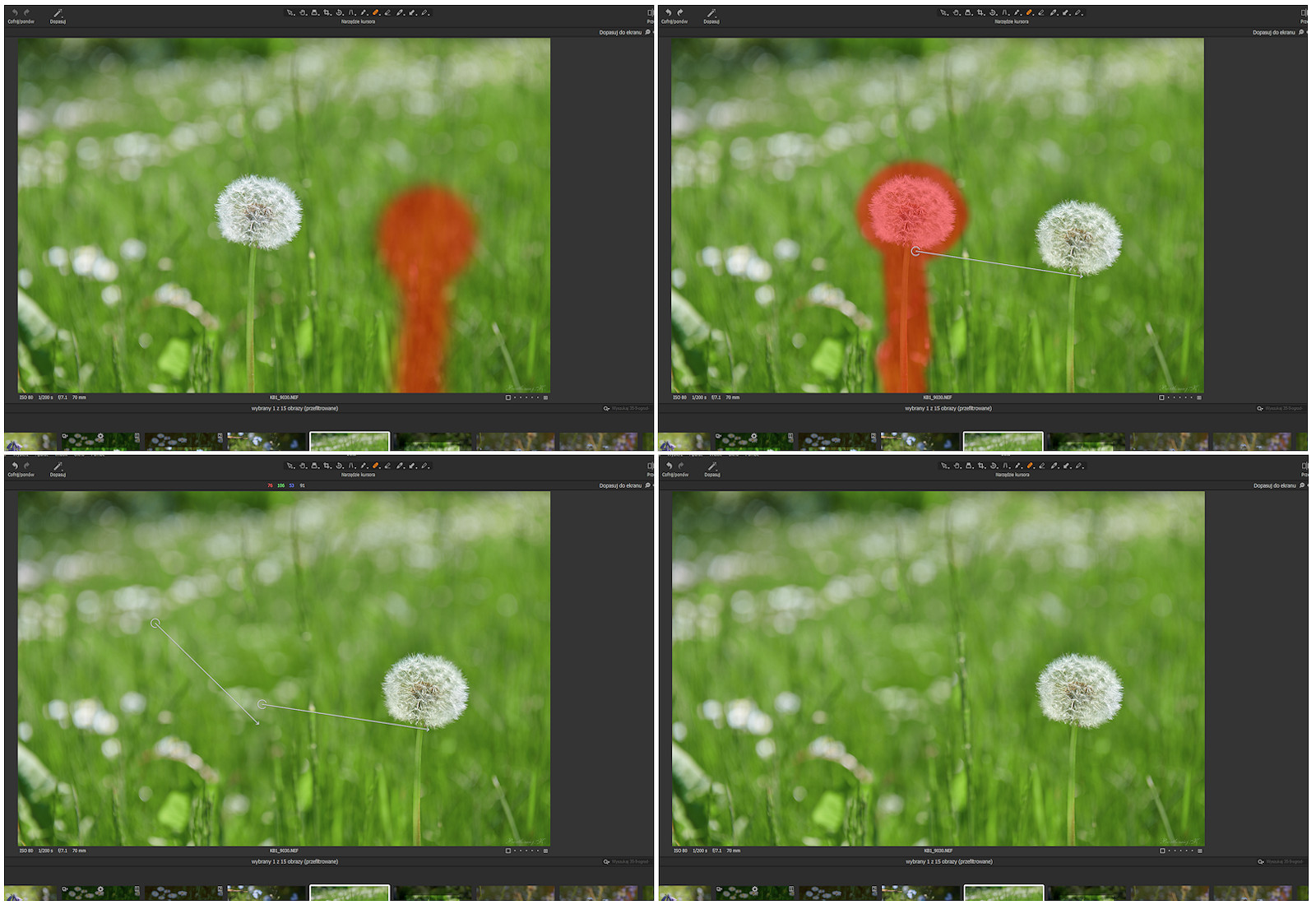 0
0

Post is closed for comments.
Comments
4 comments