Capture One 10.2.1.39, files/session not writable from whole external harddrive.

Hi!
Notice: I have already tried out this guide and variations of the guide, not working: https://support.captureone.com/hc/en-us/articles/360002429658-Why-images-can-not-be-processed-or-edited-after-they-have-been-moved-
I have a problem edit my files through a mounted external drive (LaCie). In all the files from this disk and sessions there is an icon in every preview that is showing a pen with a line drawn over it. This is not a new disk, there has not been any problem what ever with this disk earlier. I worked finely on this yesterday.
I have had this problem before but only in one session, not all the other files/sessions on the same disk. I resolved this by moving the files to a new session. But now this problem have moved over to all the other folders and sessions in the same disk. I have tried to mount another disk, working as normal.
I can freely read, write and edit my images from finder. The disk is fully readable and is not encrypted nor has a password for access, as a reference to the noticed link. I have also checked the state of this disk in disk recovery, and everything working fine.
Any help would be loved, but i probably need to erase the disk and try again.
Simen
-
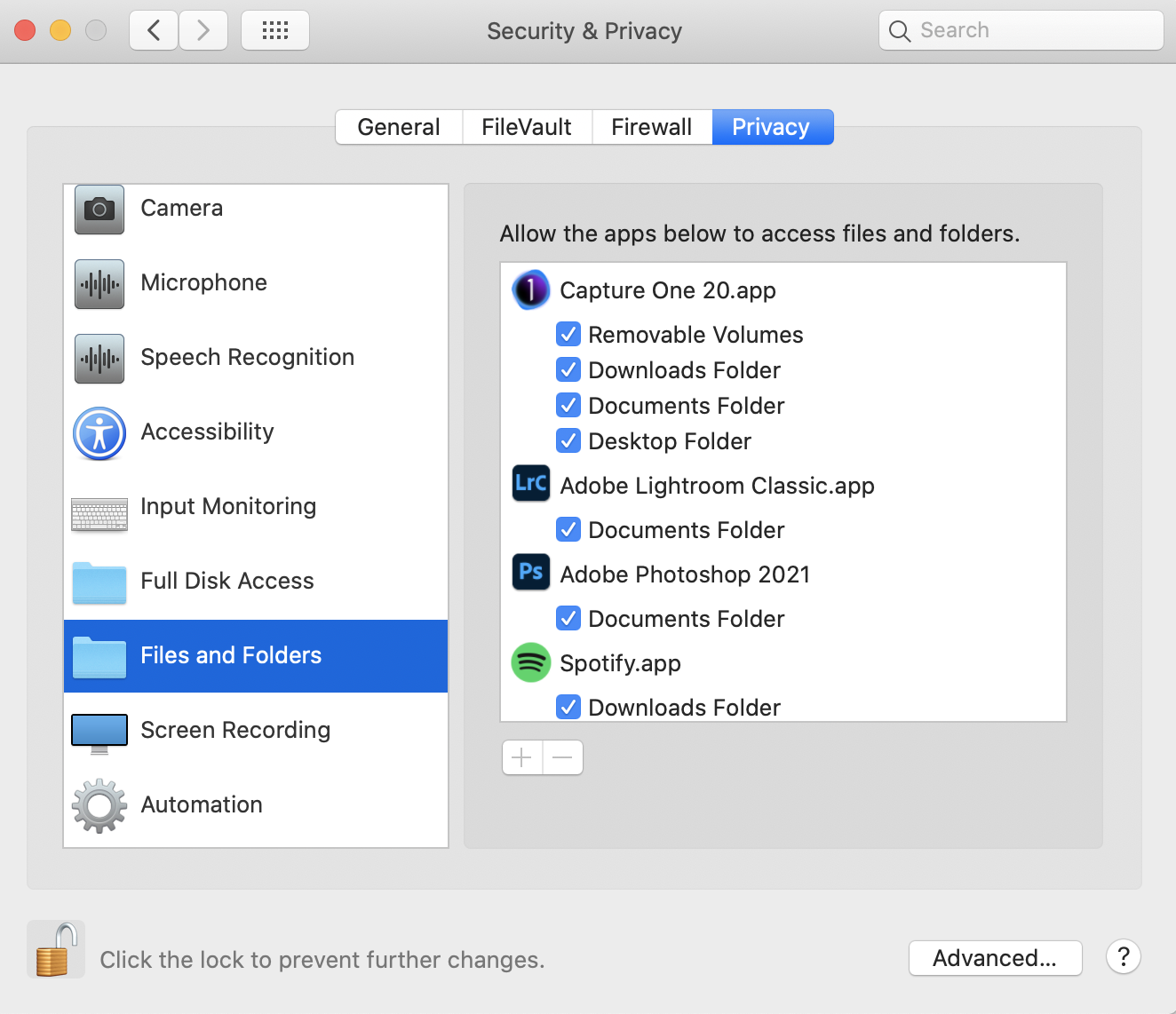
Is this Mac or Windows? Does Capture One have access to the external drive? There is a setting in System Preferences in recent versions of MacOS for giving apps disk access - see screen shot. Does Capture One have the access it needs? (I don't know whether there is something similar in Windows.)
Ian
 0
0 -
Oh, I probably should have informed about that.
I work on an older Macbook Pro 13"(Early 2015), 10.13.6 High Sierra, so no do not have these settings available. (buying a new mac in the near future)
But I tried to download a trail version of Capture One 20, and it works completely fine. I guess there is a bug or something.
0

Post is closed for comments.
Comments
2 comments