capture one 20 export problem

When I export a series of photos from capture one I always have 1 or more photos that are not well generated.
It is difficult to describe, I add an example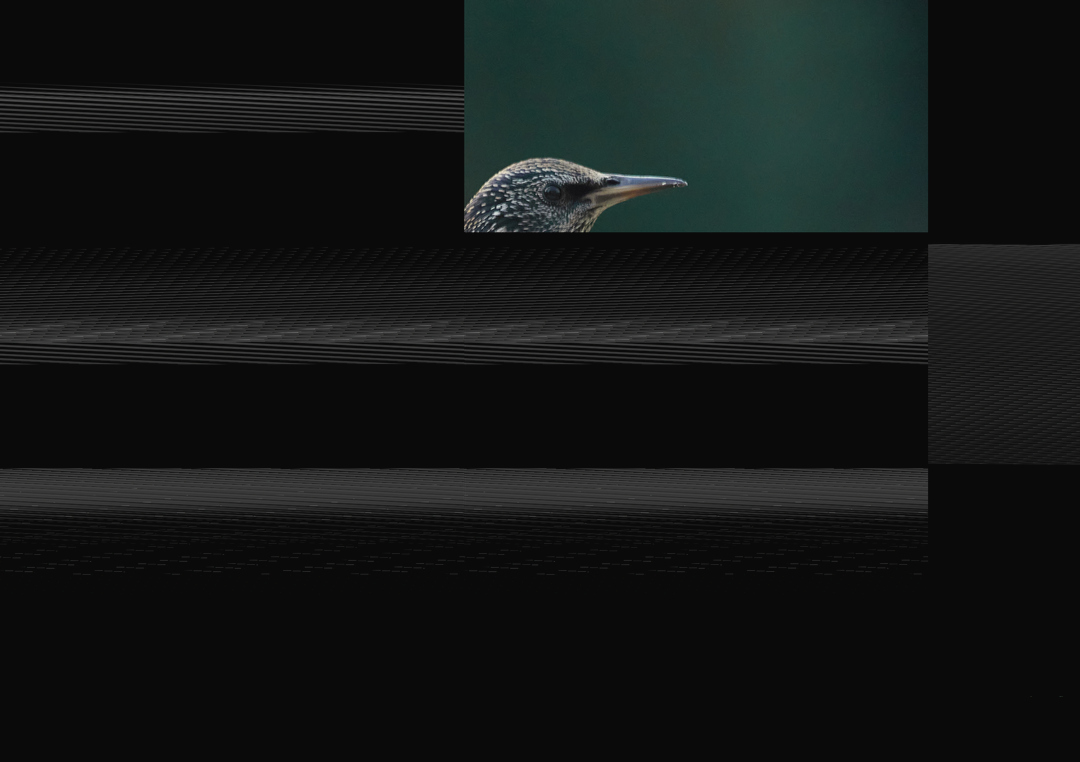
When I export the photo again, it is OK
Does somebody know what is the problem?
-

Something like this is often related to problems of some sort with the GPU processing driver when using the "Use Hardware Acceleration" option. It is turned ON by default.
However, the usual display problem is the inverse of your example - mostly rendered correctly but a few black blocks.
Also hearing that it corrects when re-run is not something often reported.
Did you perhaps restart C1 after the first output and before the second attempt?
There are other things - many other things - that could influence the results including hardware matters and perhaps old temporary files lying around in the Windows temporary file handling system.
It would probably be easier and quicker to assess if the problem was always consistent. Sometimes we are not that lucky.
You could try turning off the Hardware acceleration and also (assuming you are using the Output Processing recipes rather than Exporting) clear the batch history.
If there is any pattern to the problem - for example it is always the 10th image in a batch that is the problem - that might also be useful to know as part of the diagnosis.
0 -
No restart of C1 between first and second attempt.
When I export batches of several hundreds of photos, the failed photos can appear anywhere in the batch.
When doing small batches (5 to 10 photos) it is often the first photo that fails.
I would like to try turning off the hardware acceleration but even in the advanced settings I can't find where to do it.
I read that I should go to the troubleshooter tab in the properties of the adapter but strangely enough the troubleshooter tab is missing.
My laptop has Intel HD grphics 620 + Nvidia MX970 but as far as I know C1 can't use the Nvidia MX970.
0 -

I'm afraid I have exactly the same problem. It has never occurred with any previous version of CO1. I just processed a single image (Fuji GFX100 Raf-file) and the problem manifested itself: I exported an 8-bit Tif. Earlier when batch processing some 30 pictures, one of them got corrupted, a JPG. Re-processing those files produced correct files.
I have now set hardware acceleration to off to see it will make a difference. This shouldn't be necessary though.
Piet Gispen Photography
0 -

Yes I also have this problem. It is when I use process recipe. The output jpg has white and black boxes. The next output is well.
0
Post is closed for comments.
Comments
4 comments