Capture One live view error with Fujifilm GFX100

Please see image below for issue. Worked fine till upgrade.
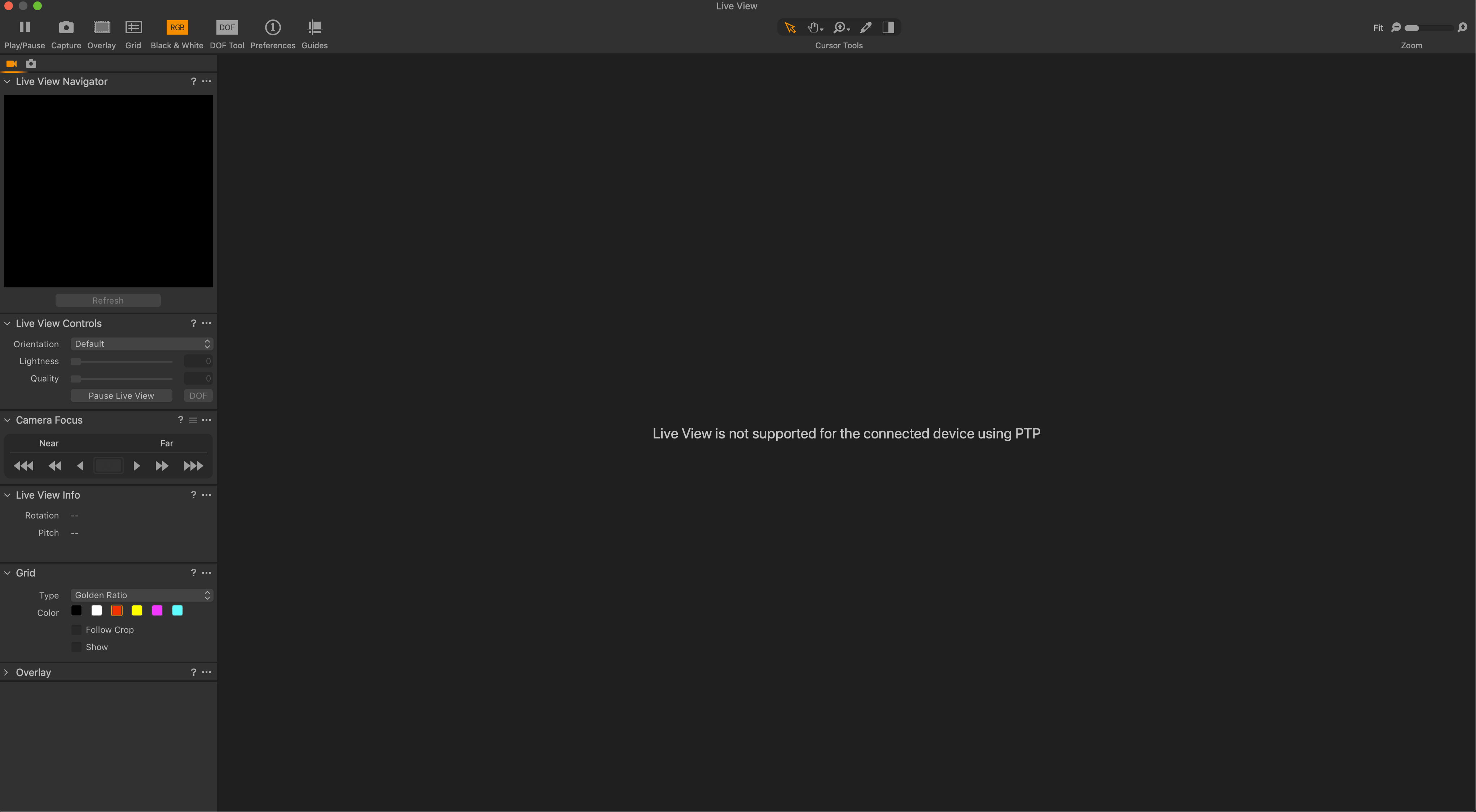
-
Worked fine until what upgrade - an upgrade to Capture One, or an upgrade to MacOS?
Ian
0 -
To capture one.
0 -
Have 2 machines one with Catalina and one with Mojave same issue.
Thanks
0 -

I see the same error message, but when I click the live view icon live view does work - Mac Book Pro with Mojave. Have you tried different cables? Sometimes that helps for me
0 -

What other connection options are there for the GFX100 as an alternative to PTP?
0 -
Will try different cable tomorrow with different machines as well. Not sure about an alternative to PTP. Strange how it just stopped working when upgraded C1 20.
0 -
Yeah, I've had weird weird problems tethering my camera - it would tether to my mac pro running Catalina when using a cable in one direction, but then would stop working and I'd have to flip the cable around.Finally switched to my Macbook which was running High Sierra, and that worked perfectly.
0 -
Generally, I shoot tethered all the time and it works very well, more stable than my Phaseone camera, just the live view that doesn't work anymore. Very frustrating when setting up stills not to have live view.
0 -
Hopefully, C1 21 will resolve the issue.
0 -
Malcolm,
Have you checked to ensure that C1 Preferences settings for the Capture Tab have Fuji ticked for tethering activity? A basic question I know but something that is easy to overlook when seeking a solution for something that have been working.
There are, as I understand things, several options for making a connection to some Fuji cameras (and a few Sonys too?)
It may be worth checking whether another "in camera" connection setting works.
0 -
Thanks, I have checked and it is set to Fuji. I can tether fine a don't have any problem tethering it is just the live view that is not working. I can set all the camera settings from the camera and shoot from the computer.
0 -
Anything in this document that might offer some ideas to try?
Just speculation as I have no direct knowledge of Fuji devices.
0 -
Not really that is for webcam use.
0 -
Indeed it is Malcolm.
I would be surprised if it was not in some way using aspects of Live View functionality. Thus offering an opportunity for something to change within the camera with possibly adverse effects on existing software or the need to select slightly different settings.
That was the reason behind the question.
Obviously if it not an update that you have installed it would be unlikely to have changed anything. However even so the connection types information may be of some interest
The Connection to Camera section may also suggest some things to consider - by exception rather than inclusion maybe? Not being a Fuji user I cannot offer anything specific by way of recommendation about what to check.
0 -

Hello Capture One team...
Can anyone chime in about this? I'm having the same issue (2 GFX 100's, firmware updated. Mojave, Capture 20).
While I also have tethering issues with the GFX (specifically with 33' tether cables), the loss of Live View is detrimental to our workflow.
Will be submitting a ticket.
0

Post is closed for comments.
Comments
15 comments