Dimensions not Displayed Properly

When I go to crop, the width and height on the crop frame both show 0px (in red). I can't change the measurement units in the crop dialogue box (grayed out), size shows 0 x 0. I can do a crop, however the dimensions don't change...stays at 0px x 0px. Default values in process recipe keeps reverting to 0 quality, nothing populated in resolution and scale is fixed 0%. I can adjust values in the process recipe, but this does nothing to change displayed dimensions. Screenshot attached.
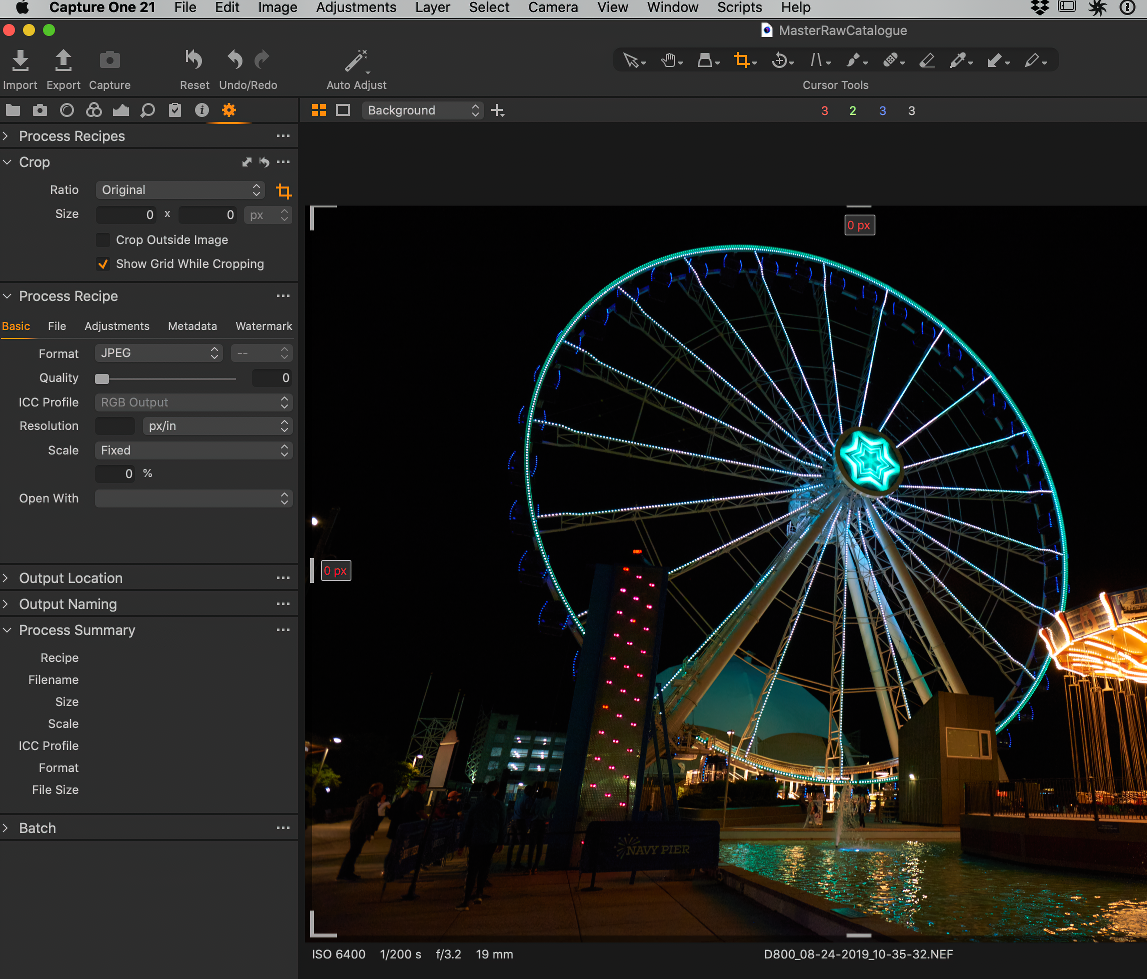
-
The dimensions shown in the crop tool are affected by the process recipe that is selected. can we see a screen shot (or have details) of your currently selected process recipe?
Ian
0 -
Thanks for the reply. Doesn't seem to matter which recipe I have checked off, dimensions don't show up.
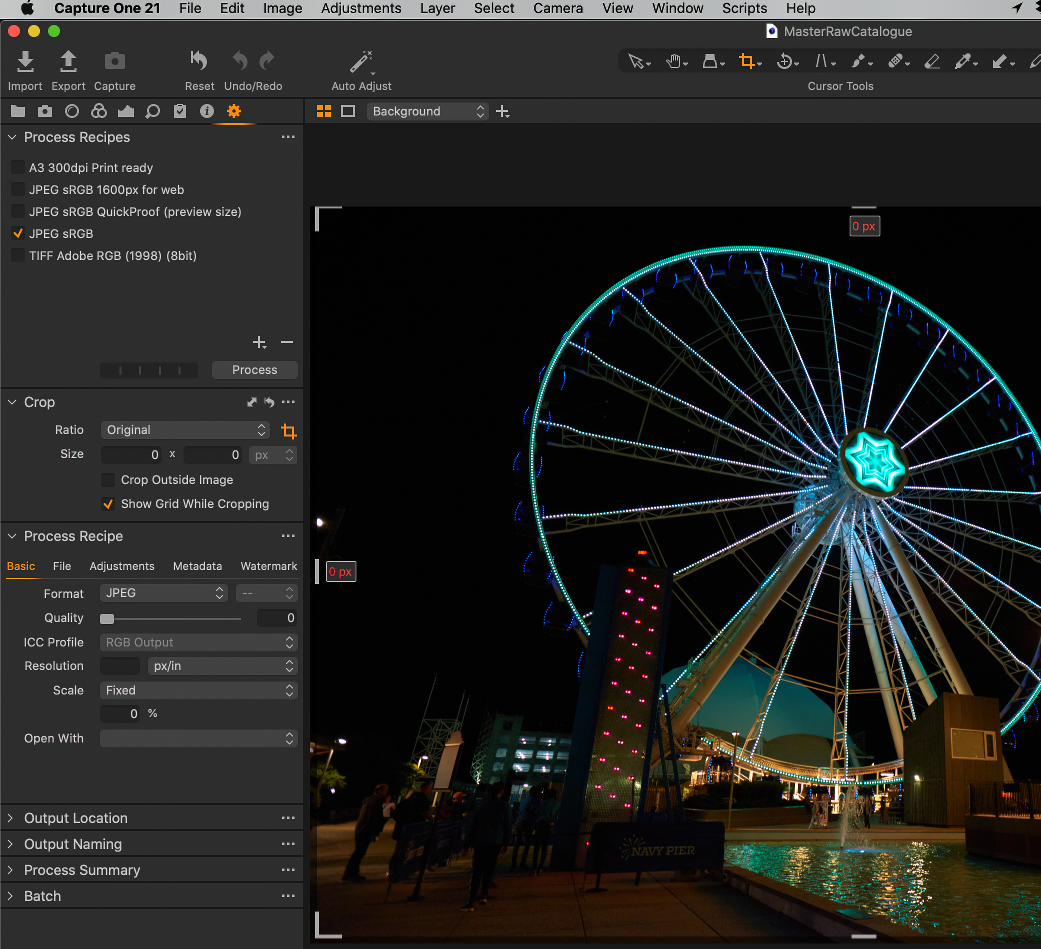 0
0 -
Well, in your screen shot none of the process recipes is selected. (I know one is ticked, but none is highlighted in orange, like this.)
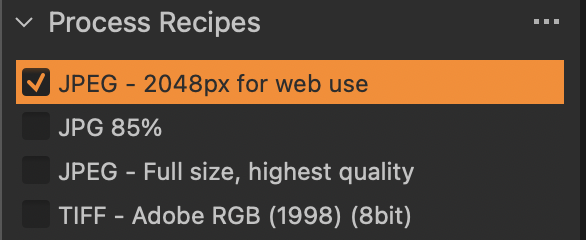
Click on one, then try again. Selecting a process recipe and having one active are not the same thing. You can have more than one recipe selected - for instance I could in my example tick more than one and have Capture One generate both a JPG and a TIFF, or whatever. But the one that is highlighted in the list is the one that will tell Capture One how to display the dimensions when you crop.
Ian
0 -
I'm an idiot. Thanks for pointing that out to me...works just fine now that I've 'highlighted' a recipe. Appreciate the help. RH.
0 -
I know because the same thing happened to me some while back!
Ian
0

Post is closed for comments.
Comments
5 comments