.Cos file location in Big sur?

Does anyone knows where are the .cos files located in Mac big sur?
I'm trying to transfer my .cos files from windows 10 to mac big sur. Is that even possible?
I want to keep the adjustments I did on my images In windows 10 (co 20) and transfer them to my Macbook pro (m1) big sur.
Thank you.
-

Every folder containing images also contains a folder named CaptureOne. The CaptureOne folder contains another named Settingsxxx where the xxx is the version number. For Capture One 21 the version is 14.0 so the folder name is Settings140. There is also a folder named Cache -- you can ignore that one as it will be re-created as needed.
The Settingsxxx folder contains the .cos and .comask files. Example (images are in a folder named 2006)
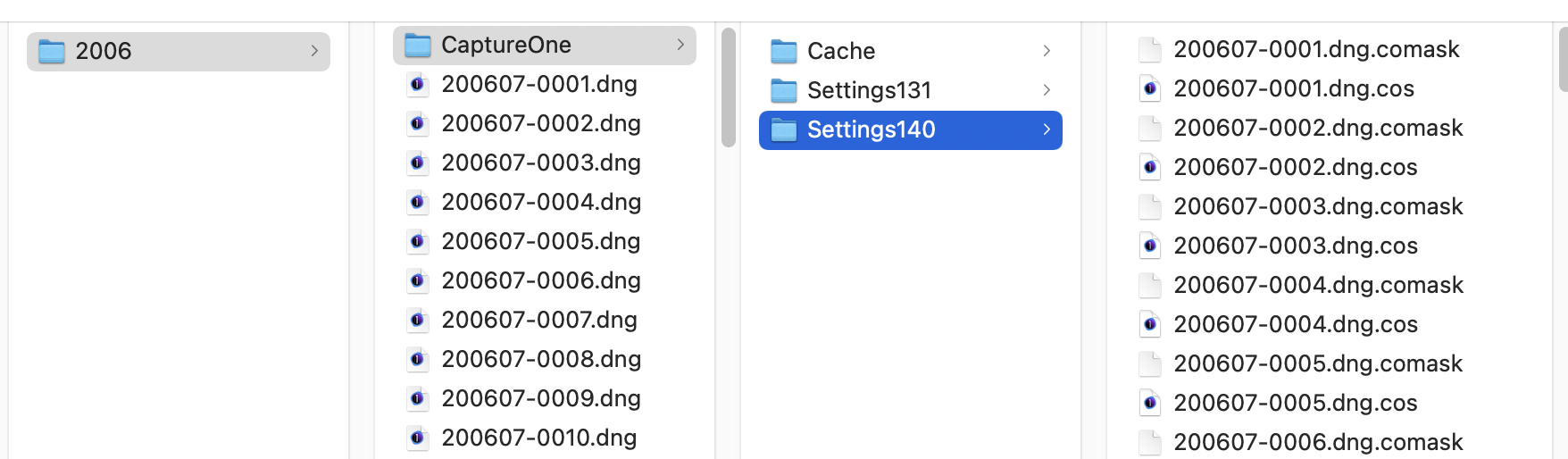
Edit: That is for a session, of course. Catalogs are different.
0
Post is closed for comments.
Comments
1 comment