Export is much darker, crushed blacks. Any Help?

I've been editing some night sky photography, and I'll get it looking right in Capture one and when I export the result is super dark. I've tried playing around with the color profiles in the export menu and no luck 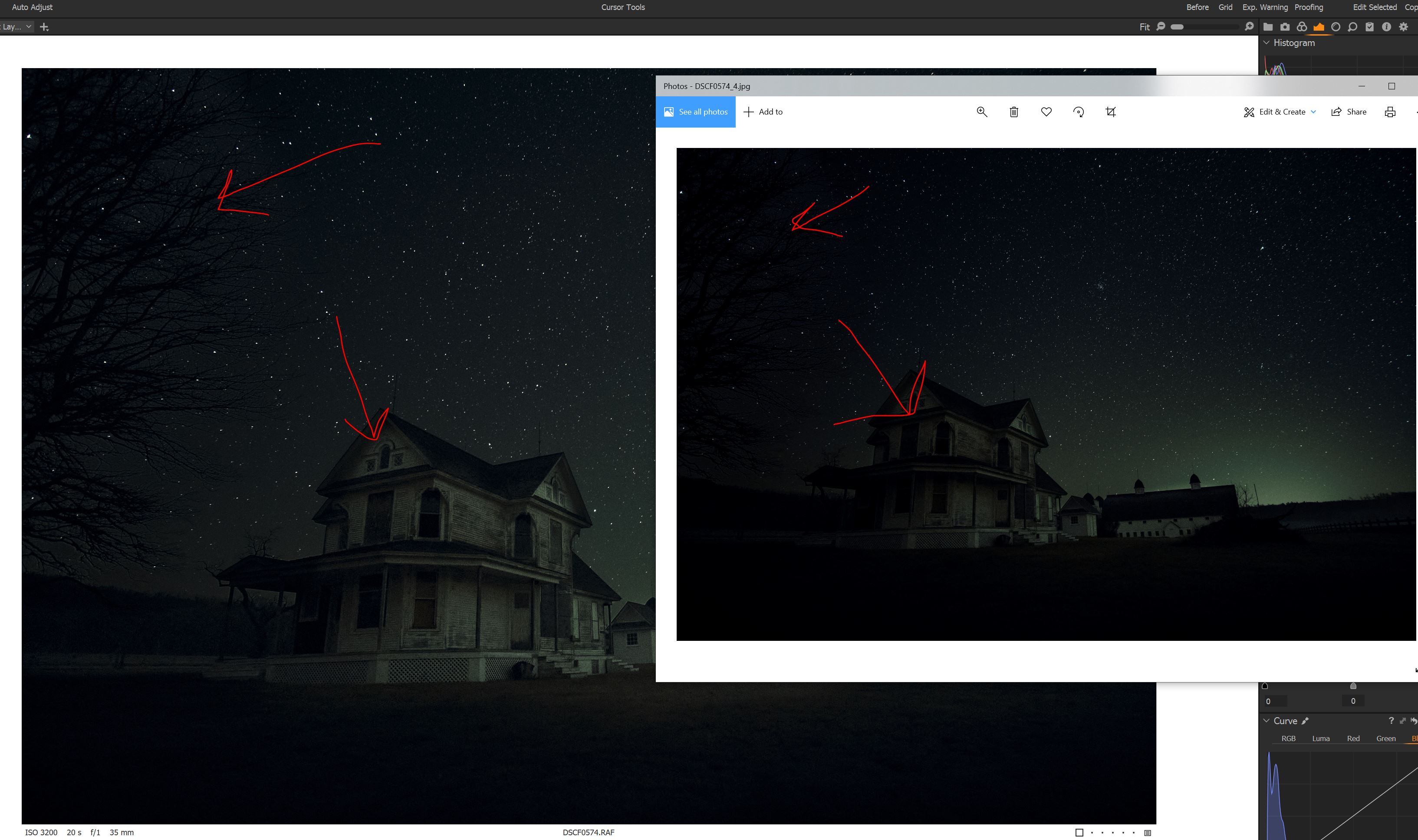
-

Just some thoughts for you to consider.
Are you using a wide gamut monitor? Issues like this are often associated with not using colour managed apps to view output files. It looks as if you are using the default Win 10 viewer which is not colour managed.
The other aspect to look at is that you are taking the raw image view with 14bits available to show tones and reducing this to 8 bits for the jpg. Have you tried having the jpg output recipe selected and soft proof turned on while you edit the file? This will let C1 show you how the output file looks after Export. You may need to open the shadows more in the raw to "see" the impact in the jpg.
Ian
0
Post is closed for comments.
Comments
1 comment