C1 21 - Tool does not show up in open with menu

Hi,
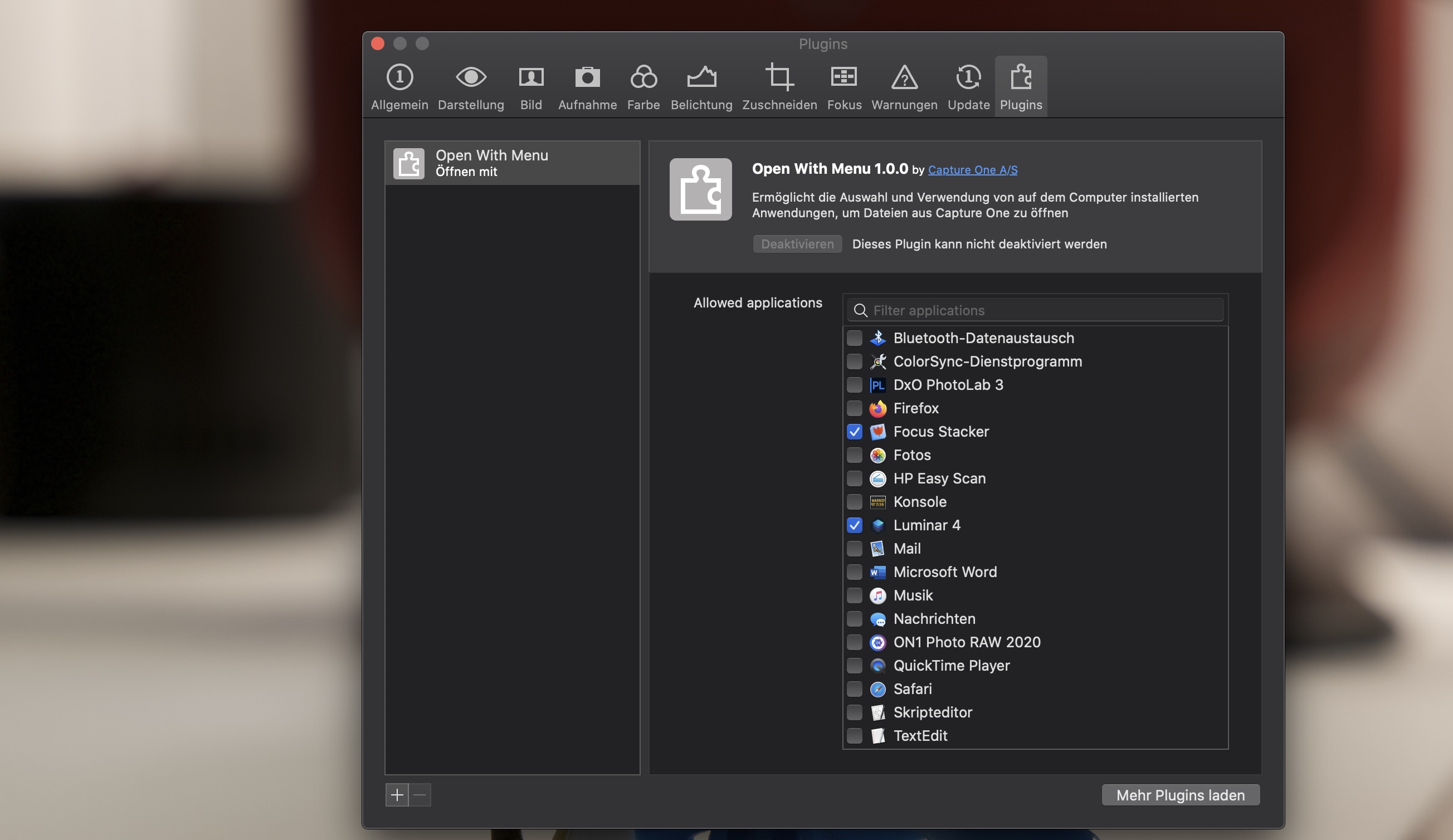
I use a dedicated tool for focus stacking on Mac OS (Focus Stacker). In Capture One 20 the tool showed up in the "open with" menu which made it easy to pass pictures to the tool directly from C1. Since I have upgraded to C1 21, this does not work anymore. The tool is selected in the plug-in section of the preferences menu, but does not show up in the open with menu.
Any ideas? Has things changed here between C1 20 and C1 21 which introduced a compatibility issue?
Thanks,
Michael
-
Do you mean that you use Open With (which puts the raw files into the app you choose) or Edit With (which exports TIFFs or JPEGs to the app?
Ian
0 -
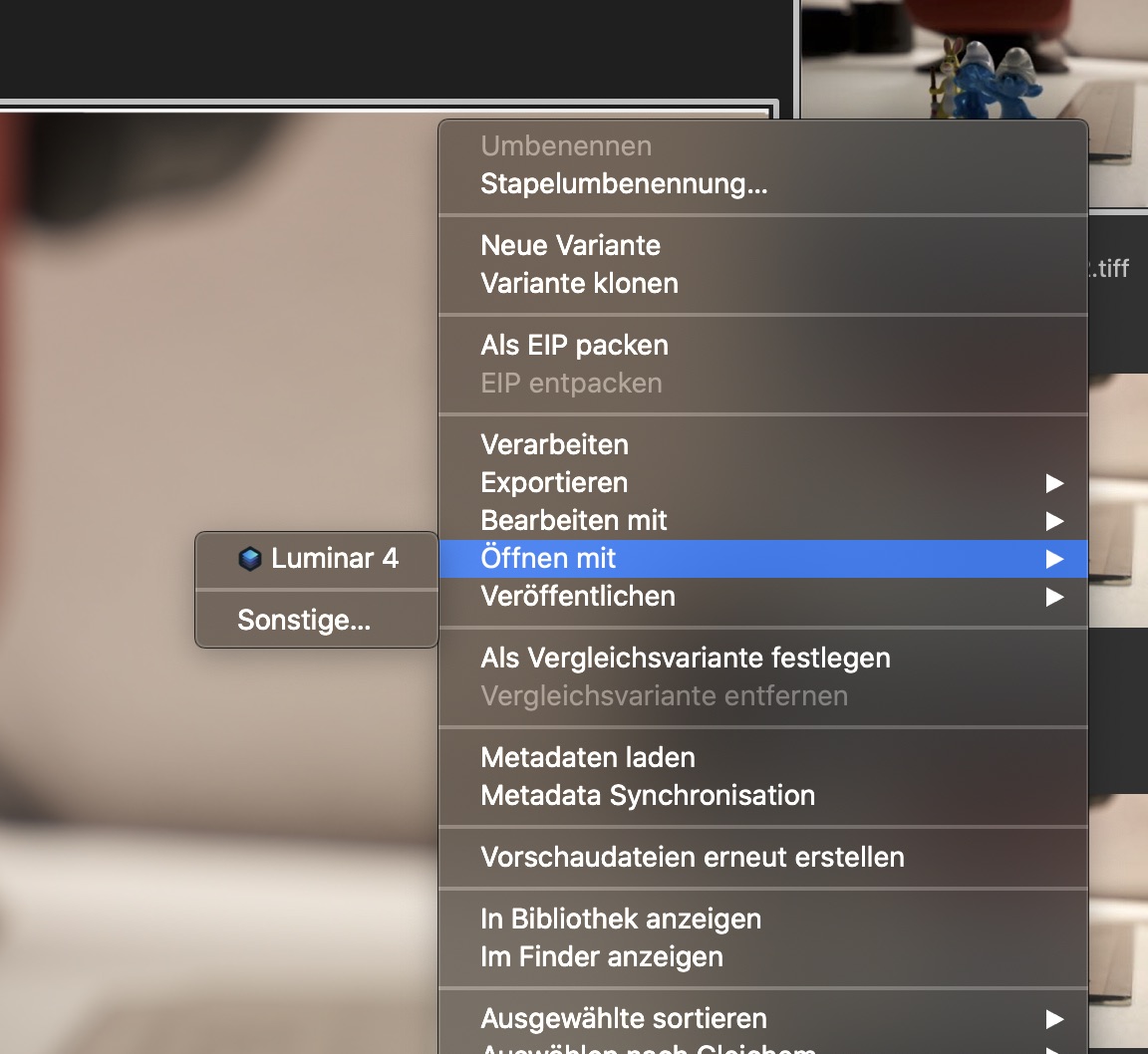
I select the RAW files and right-klick to select "open with" menu entry. But the program (Focus Stacker) does not show up in the list of tools although I have enabled it in the preferences.
 0
0 -
The problem has been solved. I have to select the program manually through the Others menu item. This works and afterwards the program shows up in the menu as expected.
Would be more user friendly if programs show up instantly once enabled in the preferences. But if you know the trick, it's ok.
Best regards,
Michael
0

Post is closed for comments.
Comments
3 comments