Can't install new plugin

Hi
I am trying to install the jpegmini plug-in but I cannot because the "+" button in the preferences panel in the plug-in tab does not show up.
The preference window appears unfinished on that tab, it's like the bottom have disappeared. I've tried resizing, changing some display option in windows but nothing works.
I am on Windows 10.
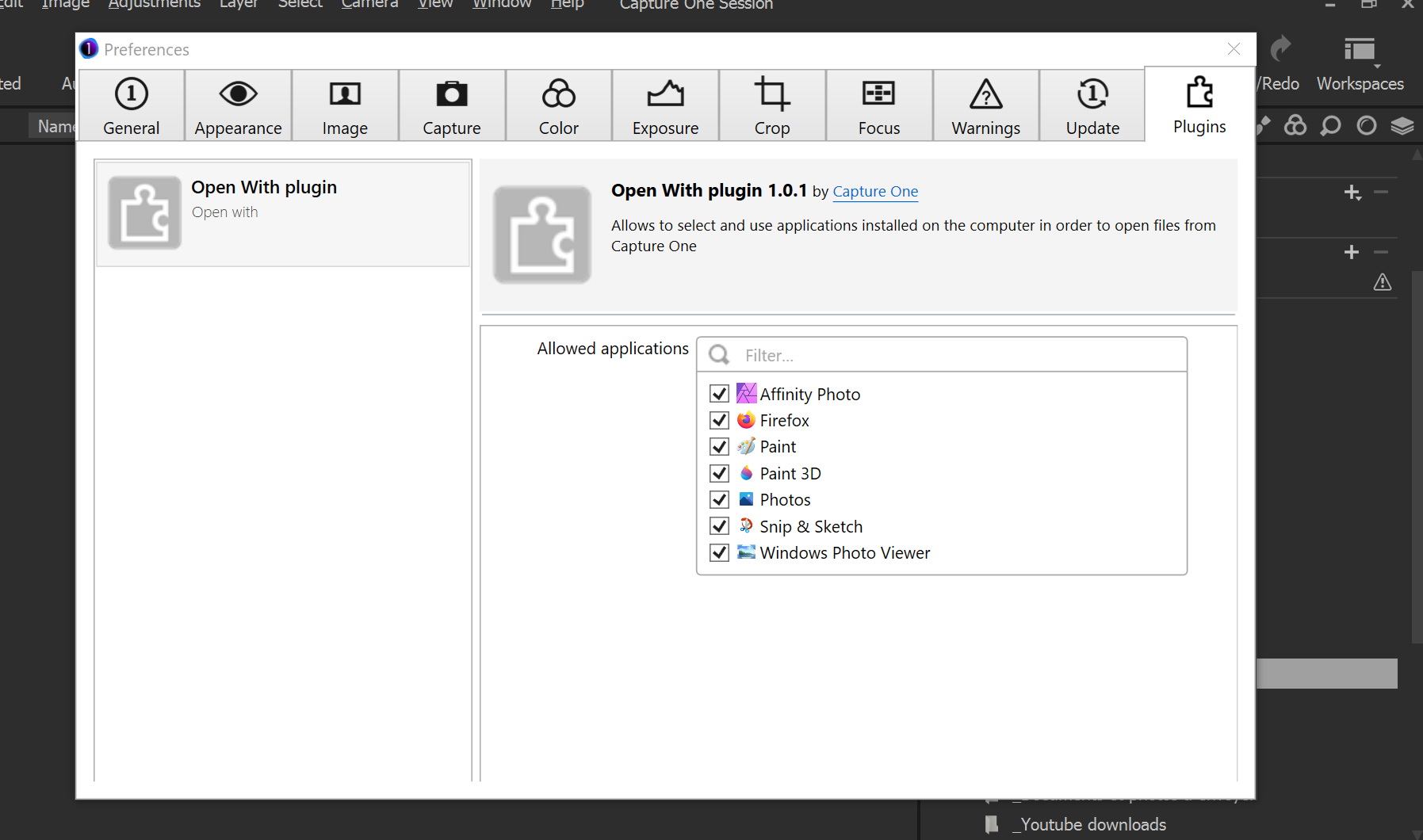
Is this a known bug from version 21?
-
Support helped me find a solution: by setting windows display setting scale and laytout at 100% it worked I could find the end of the window.
I still think Capture One engineer should provide a scrolling bar at the right for cases where the window is not big enough.
0 -

I had to set scaling to over 150% to replicate the problem on my 1920x1080 screen. At that scale I would find the text on the screen easily readable but leaving little space for editing.
Are you working with a high resolution screen and making the text usable by greatly increasing scaling settings?
0
Post is closed for comments.
Comments
2 comments