Capture One double images

Hi there,
I'm using Capture One 20.0.4 on Windows.
The same problem occurs over and over again. I work in a session with different subfolders, which are marked as "favorites". Sometimes all images from one subfolder show up 2 or even 3 times in the All Images Album. When I delete one of the copies both of them are gone. They have the exact same file name and they're not variants. I'll attach an image. Does anyone have the same issue or a solution?
This happened also in other versions of capture one for years.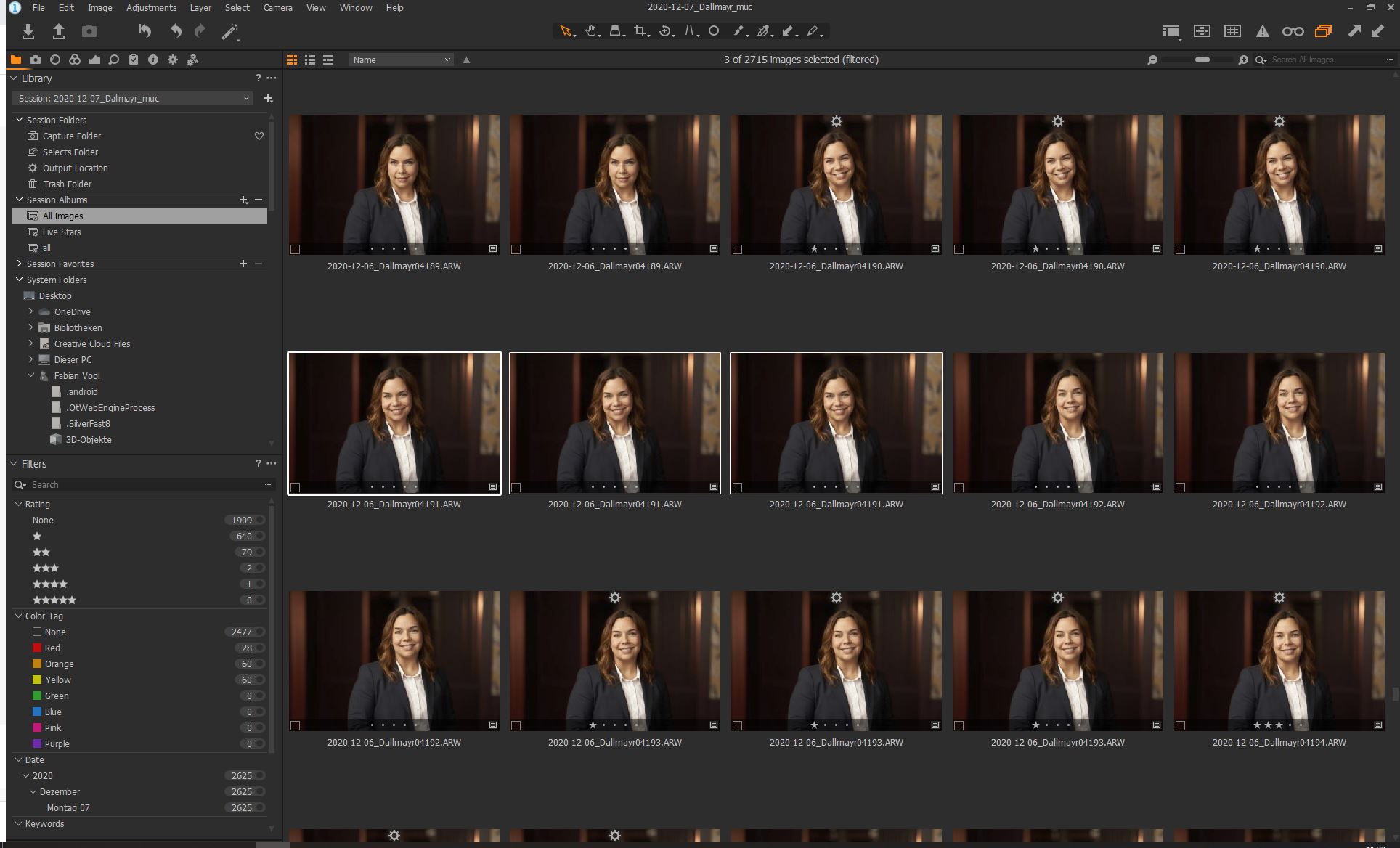
-
I haven't encountered this problem, but
(1) You could try verifying the session. (You can't do it from within the session you are verifying: you have to be in another session or catalog, then choose it from the File menu.) If there are problems with the session database, Capture One may be able to fix them. I suggest you try this first.
(2) You could try deleting and recreating the All Images smart album. (Check carefully how it is defined by right clicking it and choosing Edit Smart Album.)
Ian
0

Post is closed for comments.
Comments
1 comment