C20 – "Batch Queue 13.0" – Folder Size Increasing

In CaptureOne 20 I notice a massive increase of the folder size "~/Library/Application Support/Capture One/Batch Queue 13.0".
Besides a few small log files it contains files of type .jpg and .comask, in particular the .comask files can be quite large.
Often this folder size gets larger than the sum of the exported images. This folder appears not to be emptied when the app gets closed. Its files get created during both export types (batch or not-batch) and increases the folder size incremental with each export.
• Is there any reason for the app or the user to keep these files after successful exports?
• Is there any way to avoid these large files being stored / or to make the app deleting them after export or app shut down automatically?
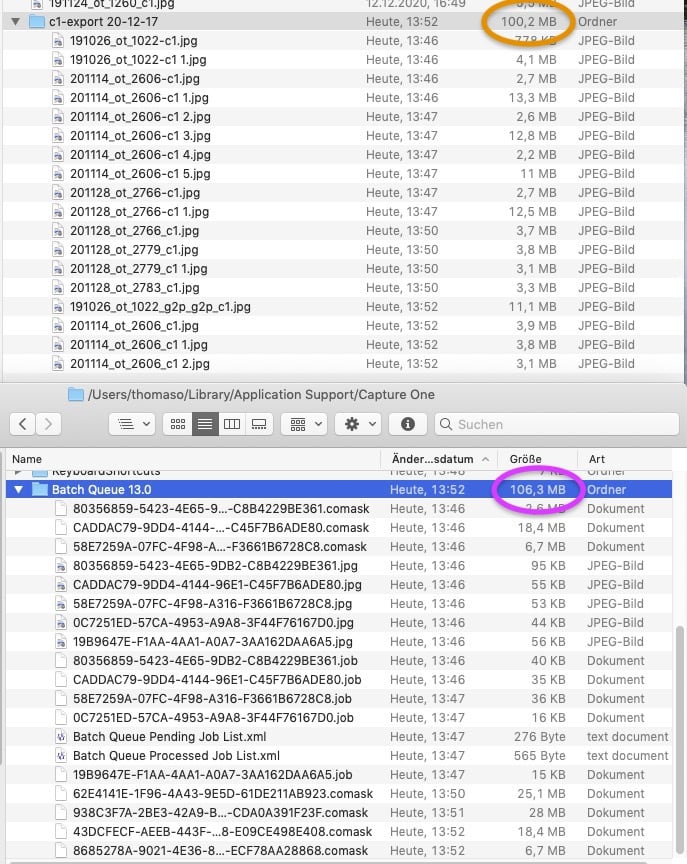
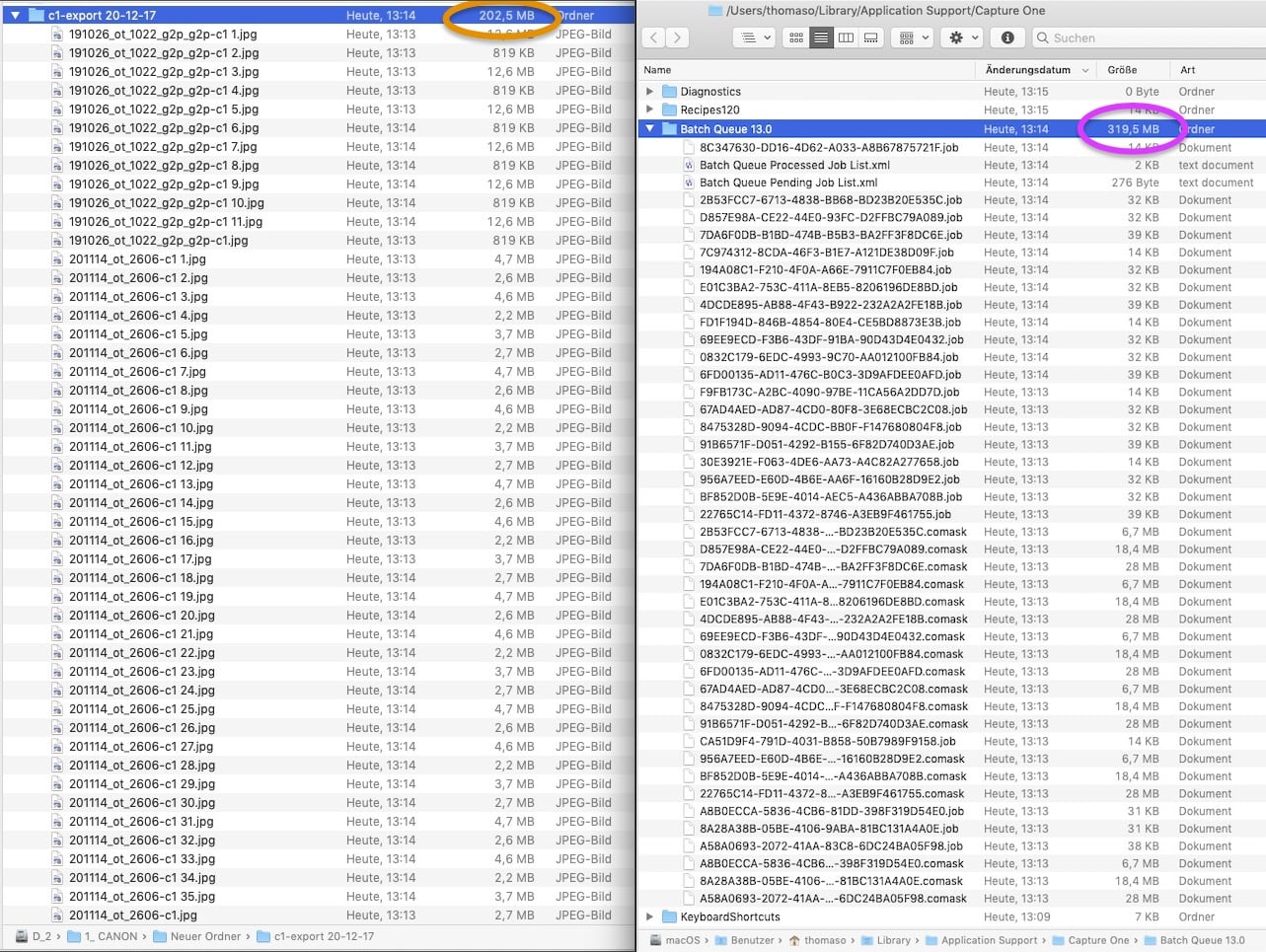
Two samples of export sizes vs. "BatchQueue 13.0" size:
– 100 MB export vs. 106 MB queue13 folder:
– 202 MB export vs. 319 MB queue13 folder:
-
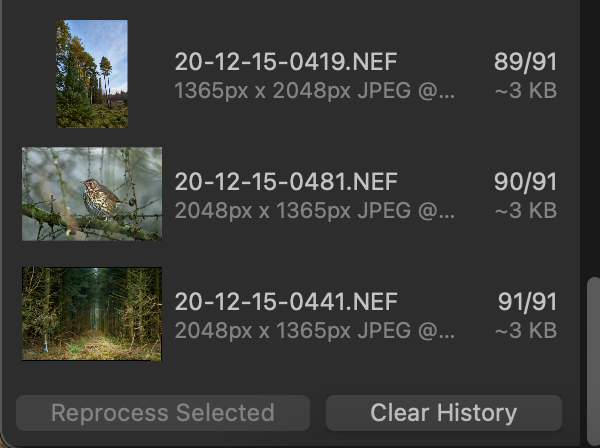
In the Batch tool, there are two tabs, saying Queue and History. Queue is images that are waiting to be processed. In History you can select some of them and then click the button that says Reprocess Selected.
I'm not sure how valuable this facility really is, and I have never used it in all the years I have been using Capture One . But it works by keeping the images in that folder you have found. There is a button that says Clear History. I think that clicking that will empty the folder. All you lose is the ability to repeat an export without having to go and find the image again. I hardly ever just repeat the same process - if I wanted to re-process an image it would be because I had modified it in some way, for instance a different crop.
So try clearing the history.
Ian
 0
0 -
Hi Thomas,
There is a tool tab named "batch", in which you can delete the history when it becomes too heavy. Did you try it ?
0 -
Hi both, thanks for the history hint. – Does it work for you to get rid of these files?
To me this History list doesn't seem to be linked at all to the large files within "Batch Queue 13.0". Instead deleting the history just changes the two .xml files inside this folder – but leaves all other items untouched.
Also note, these files are created as well with every non-batch export (menu file > export images) which doesn't cause any entry in the history interface.
If it's not just me I suppose you'll have quite large "Batch Queue 13.0" folders?
p.s.: is it possible to upload a screencast to this forum – or images only?0 -
Hi Thomas and Walter,
You are right. My old batches are still in my computer, even after having "deleted" the history.
0 -
Thank you Walter and Robert for your confirmation of this unwanted app behavior.
I just tried to submit a support request but unfortunately after pressing the "Submit" button a new window told me I am not allowed to submit a request because of not having confirmed a previous account confirmation email – though I am currently logged in already.
It is even more weird because both of my 2 browser apps don't allow me to react to the related email as required: The browser "Cliqz" offers to type my password but, after pressing a continue button, reports that it is not allowed to open that next page. "Safari" doesn't open the email link but shows an error message only (see below). In both apps I tried the workflow again after resetting/deleting their cache and disabling any security feature (e.g. add-blocker, anti-tracker, popup-blocker). – So I am currently lost with both the issues.
{"message":"invalid json response body at https://app-co-myaccountspaclientbff-we-live.azurewebsites.net/api/v1/Sso/GetZendeskSsoUrl?redirectUrl=https%3A%2F%2Fsupport.captureone.com%2Fverification%2Femail%2FPylYArfEnJX9nsYftx8iq6TTY9DEP1L6%3Fmake_primary%3Dtrue reason: Unexpected end of JSON input"})0 -
Same here - can we safely delete these files ?
Mine is 57 MB for 1037 items
0 -
I'm sure you can.
Ian
0 -
Almost sure as well.
Although for 57MB, I don't think I'll take the risk :-)I'll delete some old backups instead - more place, safer :-)
0 -
Same here - can we safely delete these files ?
(...) Although for 57MB, I don't think I'll take the risk :-)I successfully deleted the entire folder content various times, without noticing any harm.
The file sizes seem to increase with layers, respectively masks (I guess rasterised more than vector).Meanwhile, thanks to the support, I could fix my login-issue + and got response about this resisting folder content, they confirmed it as a bug.
 0
0

Post is closed for comments.
Comments
9 comments