C1P v 14.0.2 (downloaded 1/14/21) - No Leica M10-R previews

After upgrading from version 14.0.1 to the newest release, version 14.0.2., my M10-R image previews are now pixelated and unusable. They were fine before the upgrade. Images shot with my M10-P or SL2 are fine.
I checked the catalog and it verifies just fine. I only have this issue with M10-R images. I did not change the ICC profile. In fact, there were no changes at all other than upgrading the software. I tried regenerating the previews that this made no change.
After playing around with the Base Characteristics panel, I realized that the problem is when the default Curve is set to DNG Standard with the ICC profile is sent to Leica M10R Neutral. If I change the Curve to Auto, or any of the other choices, other than DNG Standard, the preview immediately changes to the expected resolution.
If I change the Curve back to DNG Standard and move off of the image and then back to it, the problem with low resolution previews appears. It is 100% repeatable. There must be a bug in the latest version.
My work around for now is the set the Curve to Auto and then batch assign this to all of my M10-R files.
I hope that Capture One tech support is reading this so that we can get a fix soon.
Regards,
Bud James
-

I have had exactly the same issue with my Leica M10-R files after upgrading to version 14.0.2. By changing the Curve to Auto or other options my previews are back to normal (set in preference) resolution. Thanks for your post.
Cheers,
Pawel
0 -

Ditto this problem with M10-R files. I only switched from LRC to C1 this month. Workaround allows me to edit again. But having to do such things is way too reminiscent of how software was a decade ago, never upgrading until confirmed as working. What a disappointment...
0 -

The M10-R is newly supported.
What did you do to make them accessible via Capture One in the previous release, considering they were not supported at that time?
1 -
Until release 14.0.2, Leica M10-R files defaulted to DNG Native Neutral (under Adobe). All good now except that you cannot use the DNG Neutral ICC profile as I reported above.
Paul, I switched from LR to C1P over 3 years ago. There is a learning curve for sure and the user interface can be customized to use only the panels and tools you need. C1P reminds me of Aperture. The resulting image quality, even at the default settings, are superior to what I got with LR.
Stick with C1P and let it grow on you. There are also excellent tutorial videos on Youtube from Capture One and 3rd parties. Spend some time watching these and I think it will help your transition.
Regards,
Bud JamesPlease check out my fine art and travel photography at www.budjames.photography or on Instagram at www.instagram.com/budjamesphoto
0 -
Hi, not sure how this thread works exactly.
Bud - thanks for your email - I will be stick with it and will persevere! Cheers :-)
SFA - whatever the version before this latest release did support the M10-R as I’ld used it to both import and edit files from the camera. Cheers
0 -
As Bud mentioned - it worked using a default catch all profile.
I seem to remember comments about it being compromised but I have no personal experience of it.
However I would guess that full support now means that something has changed in the data file interpretation and whatever that change is has promoted some changes that benefit from running the Preview regeneration by some method or, as Bud has documented, change to a non-generic profile.
If I recall well the DNG file contains camera details that C1 uses, once the camera has become officially supported, to provide its optimum performance. I assume that will conflict with the generic settings already applied to the recalculation becomes necessary and some settings need to be changed.
There is probably a way to do that in bulk if individual attention to each image is not required.
0 -
Hi Bud / SFA,
Fully resolved now. I batch changed the Curve setting for the M10-R files I'd imported to from standard to auto and previews and editing functionality is again as it should be.
Bud - I've also begun the familiarisation and customisation. I'm sure I'll be a full blown C1P fan in no time!
thank you to you both for your comments and assistance.
cheers
Paul
0 -
Paul,
I do the same batch assignment of ICC profile to my M10-R DNG files as you do. All good afterwards.
The features and customization capabilities of C1P are a bit overwhelming at first, but once you get some of the learning curve behind you, you’ll love it and the resulting improved image quality over LR.
The only thing I miss from LR is the print module. It performs like a RIP as far as it’s layout capability. However, I have since started using the Epson Print Layout application, free from Epson, to print to my Epson P900. It’s great!
Regards,
Bud James
Please check out my fine art and travel photography at www.budjames.photography or on Instagram at www.instagram.com/budjamesphoto.
0 -
Bud,
I never used LR for printing as results were very unpredictable. I use Photoshop. I'll be finding out about how well C1P interacts with PS in the coming weeks, but from what I read about C1P ability to read layered .PSD files I'm optimistic!
I expect that IQ results in time will surpass LR.
cheers
Paul
Paul Fletcher FRSA FSI
0 -
I received an email this morning from tech support. They acknowledge the bug I reported with my original post.
I replied back that I just noticed a new issue with M10-R DNG files. For a bunch of M10-R DNG files the default ICC Profile in Base Characteristics is DNG File Neutral. If I try to change this to Leica M10R Neutral, this option is not available. The only option under the M10R is Leica M10R Prostandard. This is not on every M10-R file, but most of them.
I ingested some images from my M10-R yesterday. Theses defaulted to DNG File Neutral. Under the pull down menu, only Leica M10R Prostandard was available.Not sure what's up with this. We'll see what tech support comes back with.Regards,
Bud JamesPlease check out my fine art and travel photography at www.budjames.photography or on Instagram at www.instagram.com/budjamesphoto
0 -

I just 'upgraded' from 14.0.x to the 14.0.2 which is meant to add 'support' for the M10-R.
With the prior version where this camera was not 'explicitly' supported the preview... worked.
I shoot RAW + JPG. The JPGs are ok with preview. However, the RAW (DNG) files are not.
???
0 -

Bud - Thank you for your post. I was having the same problems with my Leica M10-R files. I used your work around (setting the curve to Auto and then batch-assigning this to all of my M10-R files), and it worked perfectly. Hopefully C1 will issue a bug fix soon.
For all of those on the fence, Capture One really is a very robust RAW file editor... I really do prefer it to Lightroom.
Thanks all!
Bob Consentino
0 -
Bob,
Thank you for your comments. Forums of like-minded users are a great resource so I'm glad that I could contribute in a small way.
Regards,
Bud JamesPlease check out my fine art and travel photography at www.budjames.photography or on Instagram at www.instagram.com/budjamesphoto
0 -

Hi there, I'm currently using Capture 21, and having this same issue of my Leica M10R files not reading, nor able to edit. I have tried resetting the curve, but still no luck. Attached is a screenshot of my options in Curve. I'
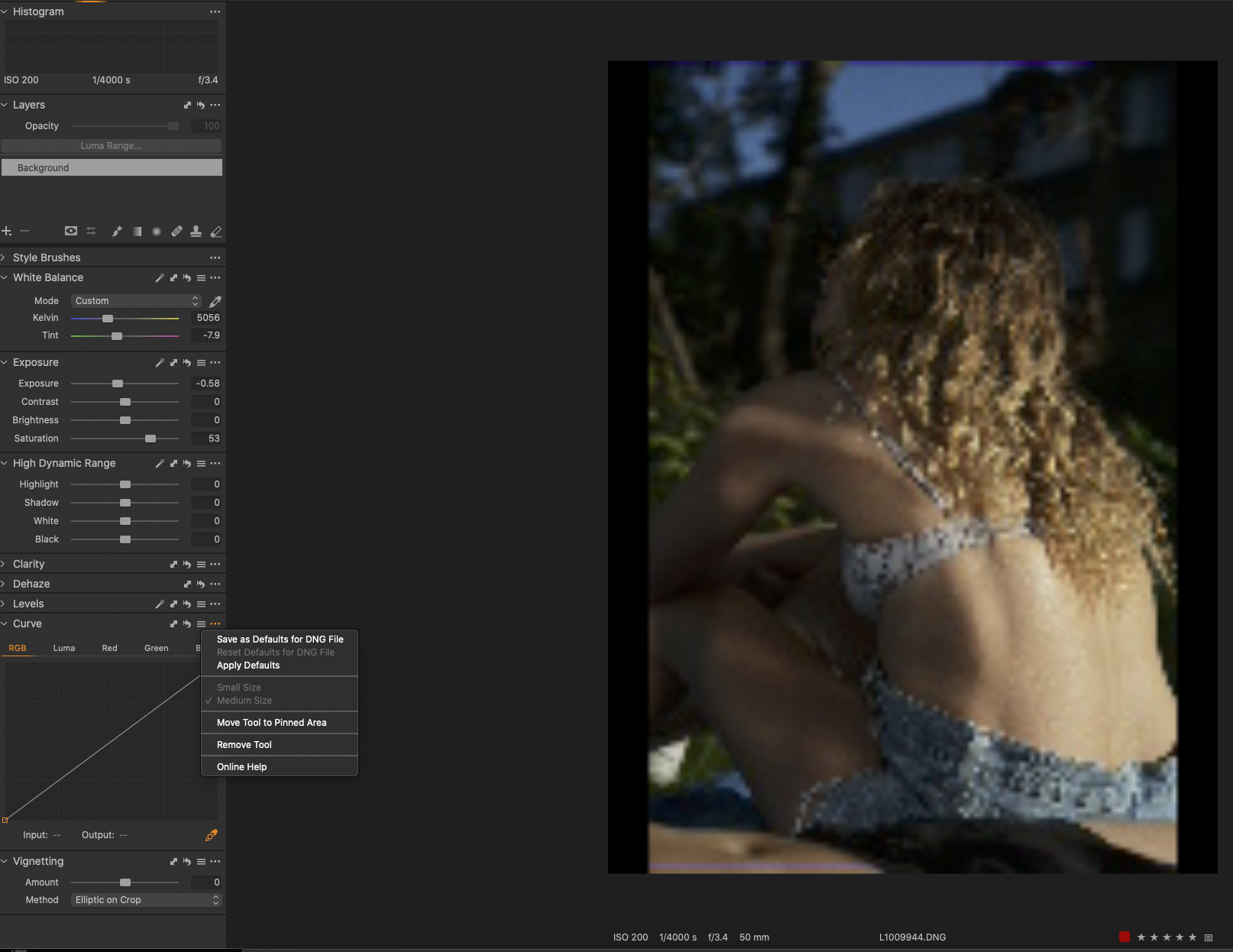 ve tried all of them :( Any help would be really appreciated!
Thanks so much,
Amanda
0 -
Amanda,
Base Characteristics tool's "Curve" field?
I ask because your screen grab seems mainly to be presenting the Curve Tool. A different thing. (Although not being able to edit could have other reasons behind it.)
0 -
Hi SFA thanks for getting back to me. Sorry if this is an obvious question...where do i find the Base Characteristics "curve field"?
Appreciate the help, thank you
0 -
It's a named field in the Base Characteristics tool.
In that tool check what you see in the "ICC Profile" field and any options that might be available for that field and then do the same for the "Curve" field on the next line.
0 -
oh lordy SFA, THANK YOU so much !!! very appreciated
0 -
You are welcome.
I hope that somewhere in there lies the solution to your needs!
0
Post is closed for comments.
Comments
19 comments