BUG: Greyscale mask not working when mask is applied on a layer

The attached screenshot summarizes it.
In an adjustment layer, press "M" to make the mask visible.
Then click on "Greyscale mask" > it doesn't appear, stays on the red mask.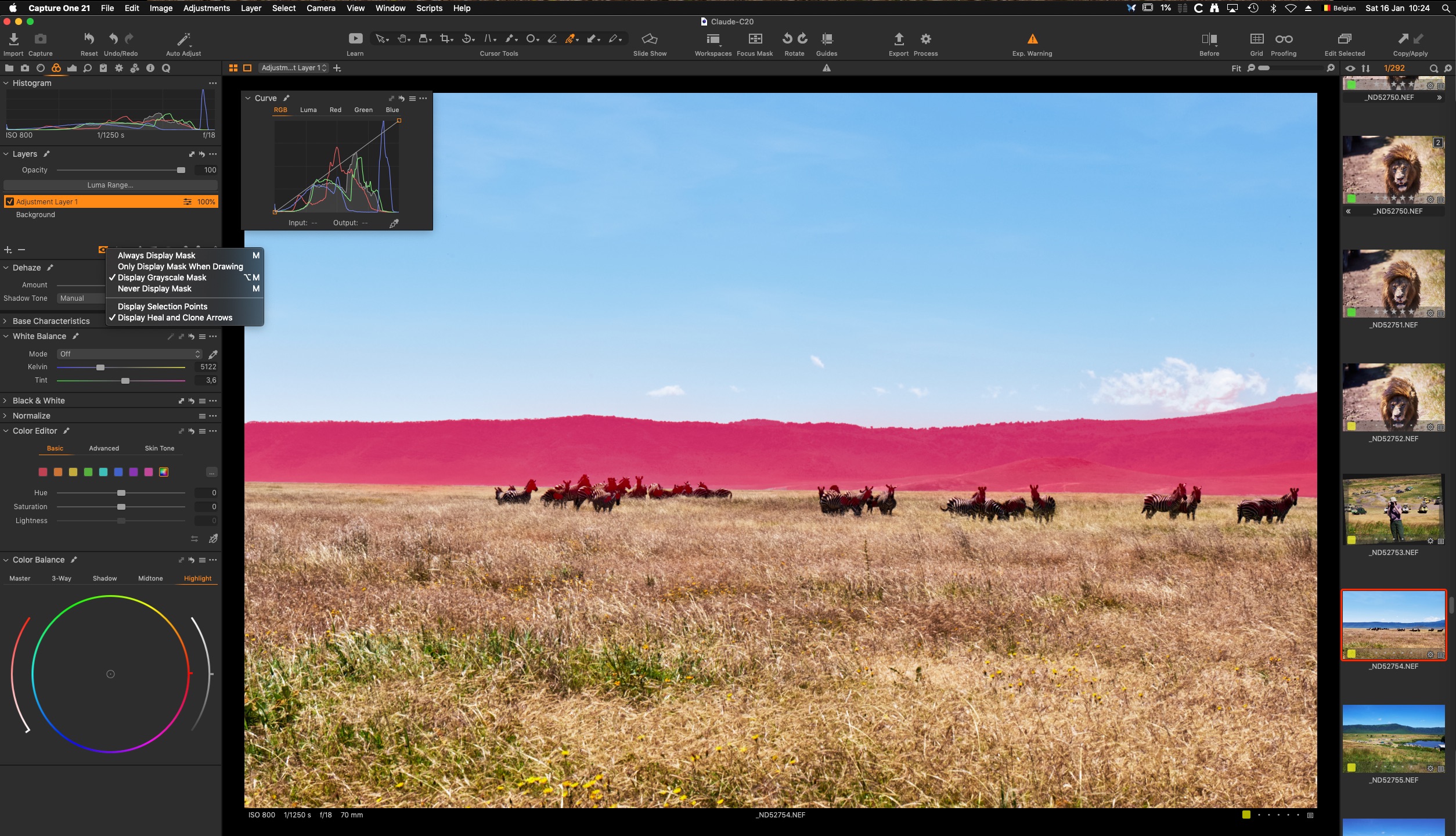
0
-

Hi Claude
I have the same problem but with the red mask -> it doesn't appear when I clic the M key.
Have you notice if the greyscale mask makes visible when you uncheck / check again the layer?
This weird behaviour happens to me. I've sent this bug to Phase One, but they don't solve it
0 -
Hi Claude
Have you noticed if this behaviour occurs only with some old images? In my case, it occurs only with images before 2015.
0 -
Nope, in this very case, images were from 2018.
Same camera since then. Just erratic behavior.
0
Post is closed for comments.
Comments
3 comments