Capture One 21 all catalogs are now read only

Hi Team. I have upgraded to CO21 and I now find all my catalogs locked "as read only!"
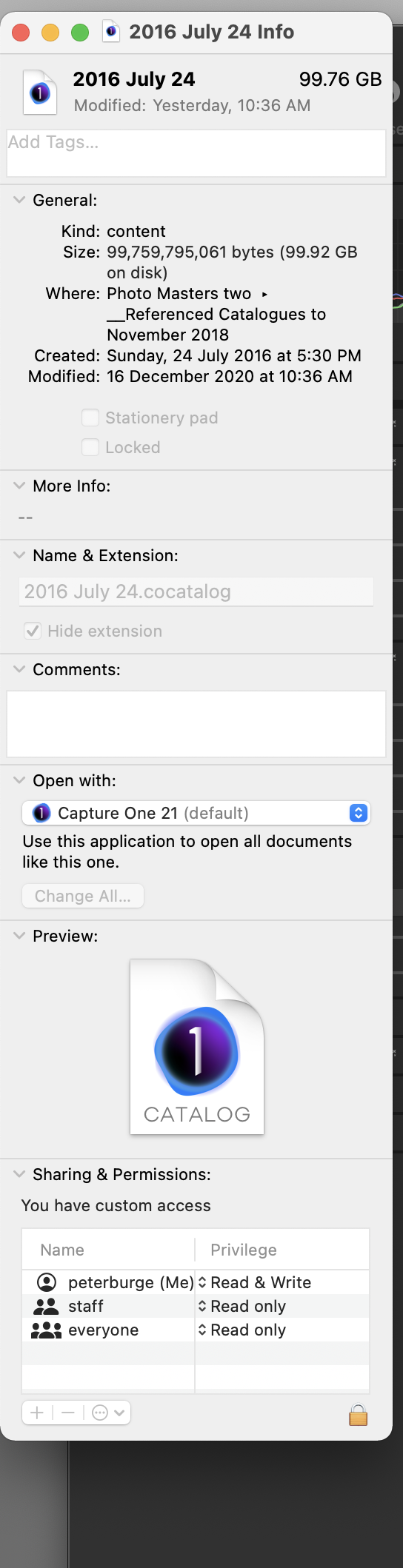
The drop-down that has an "unlock" tab does not unlock the catalog/s. This could be something to do with the "Show info" telling me that my catalogs are NOT locked. But they are!
I have spent some time trying to work this out but with no success and I seek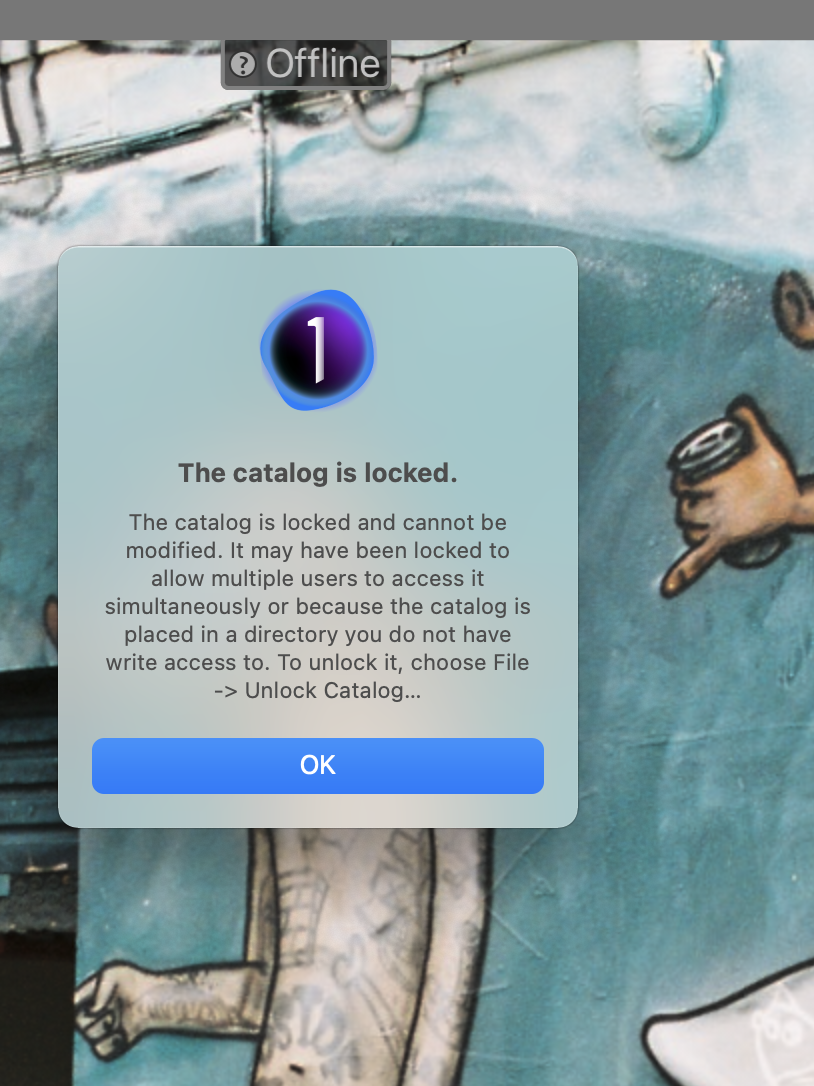 professional advice...
-

It might be left locked earlier as capture one only allows one instance to access catalogs.
you can try to delete writelock file.
-shut down capture one
-locate your catalog with finder
-right click your cocatalog file and select : show package contents
-if there is file called "writelock" delete that file
-try to open catalog with capture one.
0 -
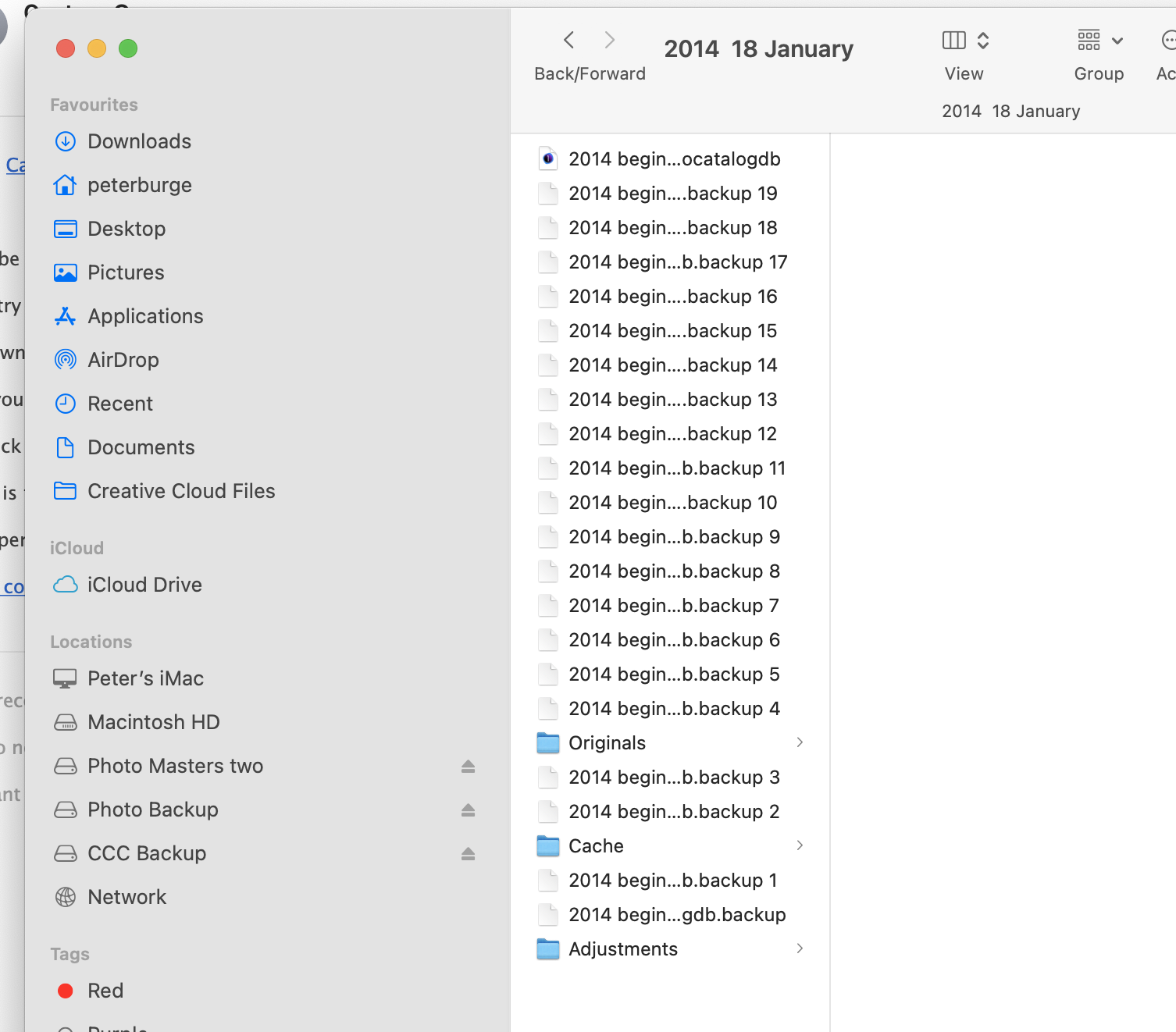
Thank you for getting backing to me on this "Perttis." Your suggestion has popped up online in my research to deal with the locked catalog issue. I've attached a screen shot of "package contents" which doesn't appear to show a "writelock file." I would have thought solving this issue would be simple, but unfortunately not so!!
 0
0 -
Looking at that screen capture, there is 20 backup databases, don´t know if Capture One has somekind limit count for those internal backups?
Capture one creates new backup database when ever there is datase "upgrade" (ie, when you update to new version).
I have always deleted those backup databases after a while using new version. (I have my catalog backups done to extrenal drive )
0 -
Thanks "Perttis." I appreciate your help. I have been with Capture One for many years but am hopeless with technical stuff. The software is just a means to an end. i.e. my photography. As mentioned I thought opening a locked catalog/s would be simple, but apparently not so. Let me go back to CO's info on this and see if I can find an answer. Peter
0
Post is closed for comments.
Comments
4 comments