Capture One is too slow and shutting my new Imac down

-
I think we need more details. Is this Capture One 21? Is it Big Sur? Have you tried deleting and reinstalling Capture One?
Ian
0 -
Hi Ian,
Thank you for your reply
I haven't tried deleting and reinstalling due to fear of losing my edits. Sorry I don't know what a Big Sur is. And yes this is Capture 210 -
Big Sur is the latest version of the Mac operating system, MacOS. If you click on the Apple menu top left on your screen then About this Mac, it will show you what version you have. I get this.
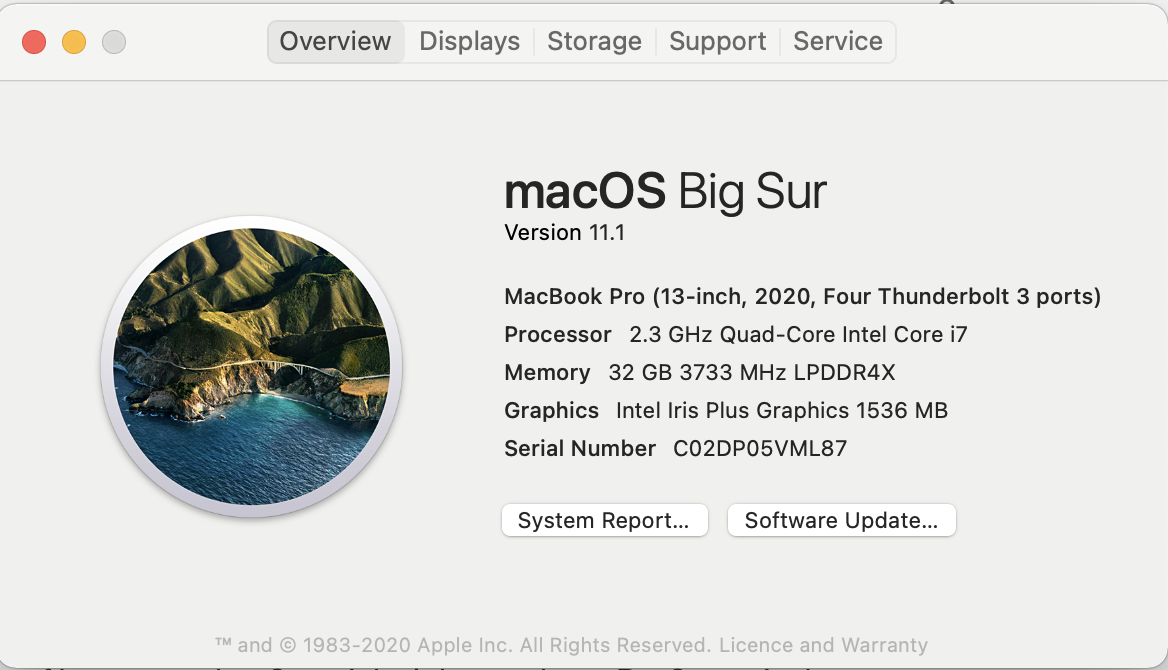
On the other hand, my wife's (older) MacBook shows this.
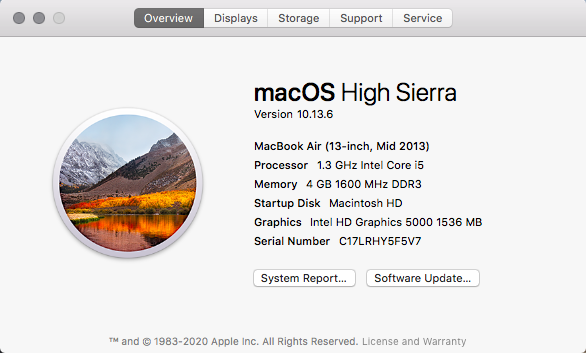
What does yours show? (I'm wondering if it is a version that is compatible with the newest release of Capture One.)
Ian
0 -
Oh right
I am a mac user for 15 years
Just couldn't keep up the latest versions
I have Catalina which is later than Sierra I believe
I’ll look into Big Sur.. Meanwhile should I switch to Capture One 12 or lower instead?
Thank you🌟 n Merry Xmas!!0 -
Capture One 21 should work fine with Catalina. (I'm using it with Catalina on my iMac.)
if it was OK at first, I wonder what has happened since. Could you maybe try creating a new session or a new catalog and see whether that is OK?
Ian
0 -
I was having import problems ( desktop jpegs to Capture One) so I changed the settings of preview image size and couple of more things. Tho I changed back everything to default later on. My computer is also running slow, this could be the main issue. I am going to delete everything and start fresh again,
Thank you
0

Post is closed for comments.
Comments
6 comments