Exports coming out much darker than C1 edits

Just noticed this after upgrading to 21 version. Have a night shot that barely shows foreground but when exported to jpg its pitch black in the foreground. Tried opening in windows photos, chrome, edge, paint, and all are super dark. Another image is much more saturated than what I see in C1 in the colors. I have tried TIFF, various JPG methods different color profiles etc. and it won't export properly. Very frustrating.
-
I'm not on Windows, but I have seen a lot of this kind of complaint from Windows users. The general consensus seems to be that it is because Windows Photo Viewer and various other things are not colour-managed. IrfanView (which is free) seems to be recommended. It could do no harm to try that.
Ian
0 -
I appreciate the comment but if the image looks dark in Chrome and Edge which are modern browsers then there's an issue. You can't expect someone viewing your image online to download and open in a color managed application. It's something with the upgrade to 21 version as I've just exported an image edited in affinity photo and don't have this issue with color shift and the exposure being darkened. I did an upgrade with v21 so maybe I'll try uninstalling it all and doing a clean install.
0 -
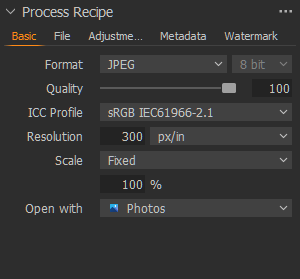
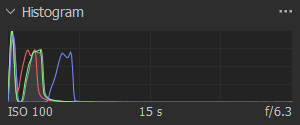
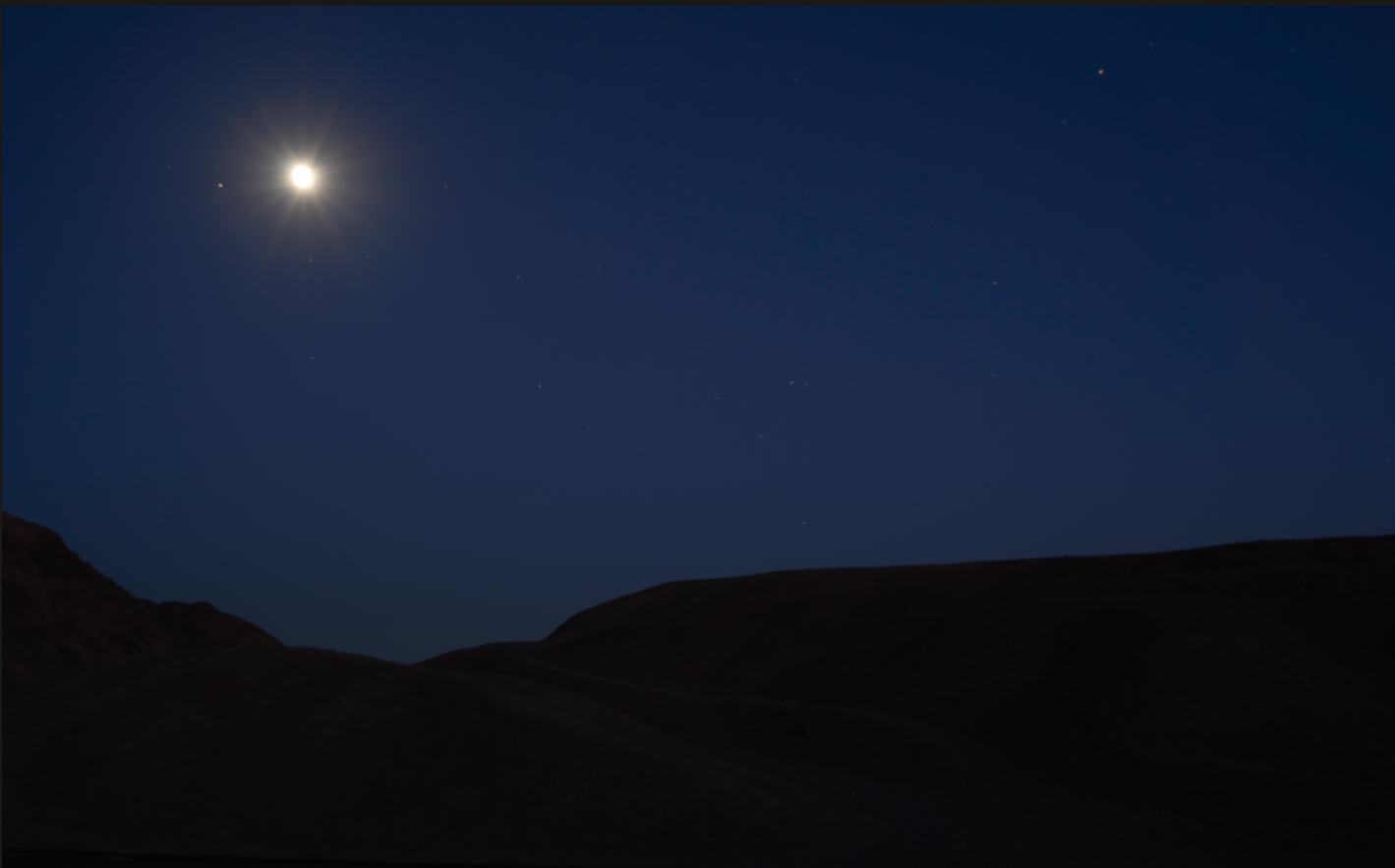
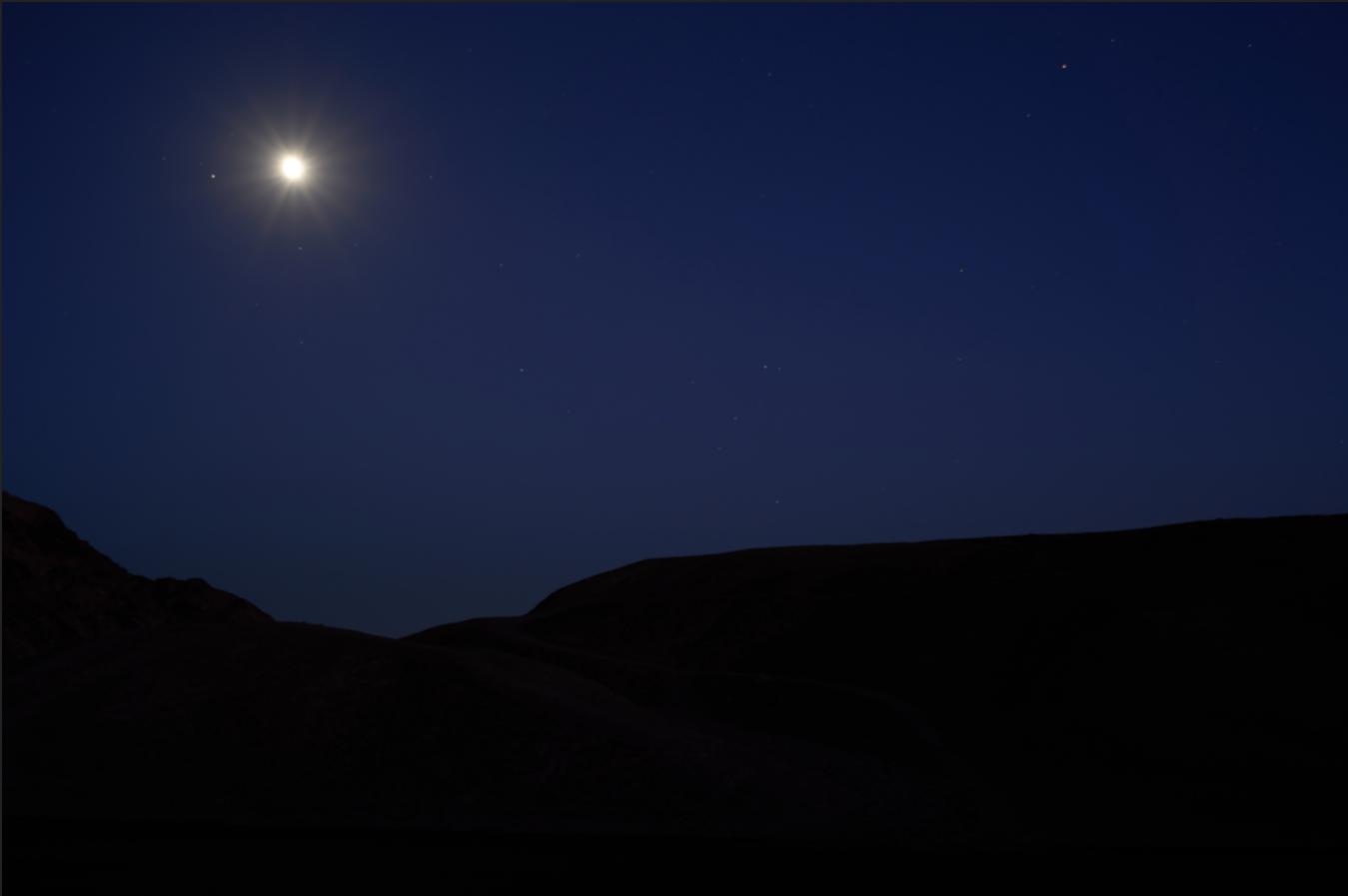
Spent the better part of the morning calibrating my monitor again, been awhile so fully calibrated with the i1 pro. Nothing special on the process recipe. Histo is dark since it's a night sky scene. See screenshot, you can barely make out the foreground rocks and sky has a nice blue color. 2nd photo is screen grab of the exported JPG,.Foreground is almost a silhouette and the sky has shifted more purple. Appreciate the assistance. Next I'm going to clean install C1 21 and if that doesn't fix it try to put the old version back on.
 0
0 -

@win Terry
On my Samsung tablet the images look identical.
Foreground entirely silhouette.
I do appreciate the a tablet is by no means the best option for viewing but it may be reasonable representation of a typical viewing medium.
0 -
Thats how it looks in Chrome on my calibrated monitor as well which is the problem. I gave up for now and just set my monitor to srgb which then matches the JPG output, or I must add 1-2 stops exposure to get it to match what I see in C1. Kinda annoying since even when proofing using srgb profile it shows little to no difference inside C1. Color shift plus about 1-2 stop darkening. This is an extreme example, but I can see it on every picture I export now. If I use the powertoys color picker the RGB value are 100% off on the JPG vs the C1 image. Problem becomes if I'm only editing for web viewing then no issue to keep my monitor profile in srgb but then when I want to print an image that I've edited the color space is much wider for the printer. I've always edited in the widest space and saved out in srgb for web and yes when you have out of gamut colors it is slightly off, but never have I seen such a dramatic shift.
0 -
With colour managed Firefox on my Win 7 PC the details just about re-appear and the first image is marginally lighter than the second.
I have my screen brightness set at the lowest value.If I increase it so be rather bright (too bright to be comfortable to type this comment) the subtle differences become more evident.
I think the problem may be that unless you make the data spread much wider the natural jpg compressions will limit the amount of detail that is possible as the loser end of the data scale in such a way that differences are extremely small and therefore easily lost.
Basically with the histogram showing everything compressed to the left you have extremely limited data to work with if you want to separate any details in the dark areas. So jpg compression makes life difficult when the data is so constrained to start with..
0

Post is closed for comments.
Comments
6 comments