Camera Error

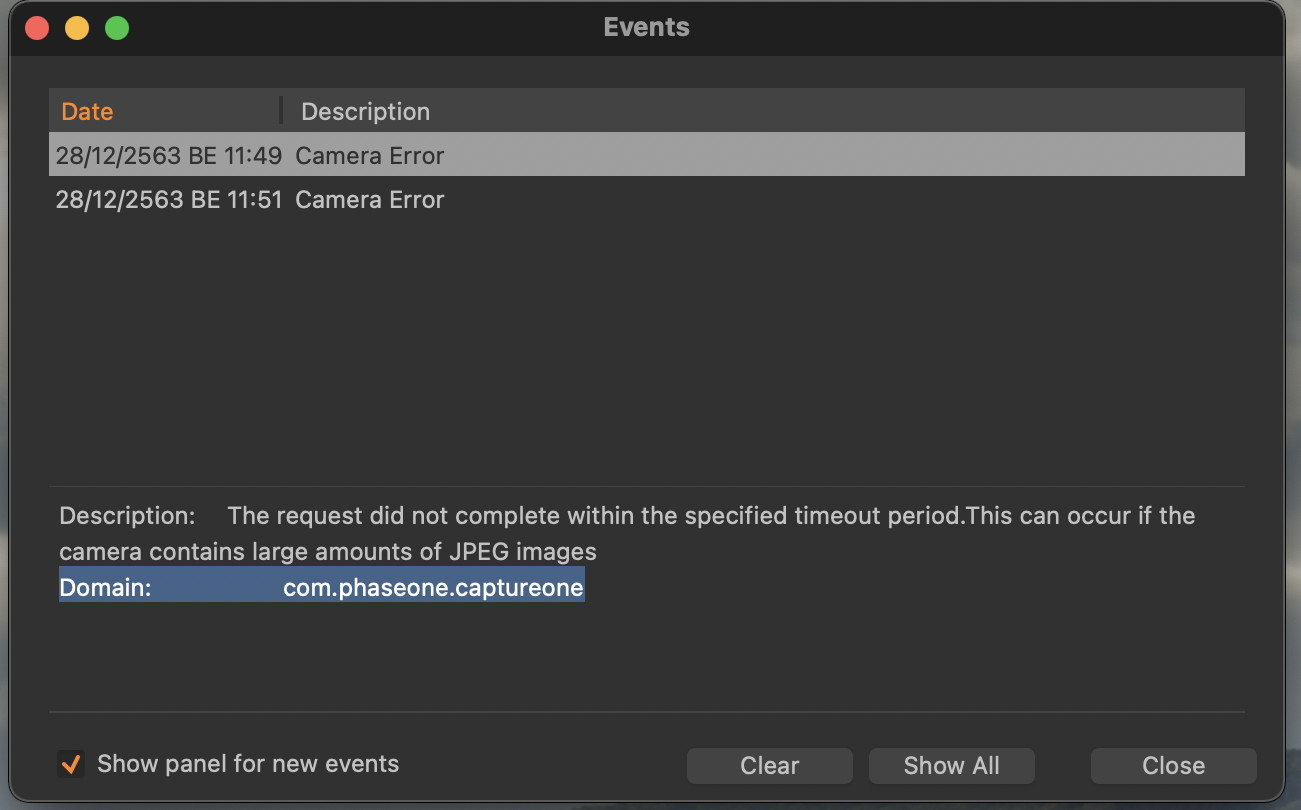 can't connect camera
-
if you want us all to be able to help with this, please tell us more. In particular, what camera is this, what version of MacOS and what version of Capture One?
Ian
2 -

I also have that issue but surprising only on my Mac. When I use my surface pro I don't have a connectivity issue, however I do have an issue maintaining a connection.
Camera(s) EOS R5/R6
Mac OS:11.2.1 Big Sur
Capture one 21
0 -

I am having the same issue, with the same equipment as Justin. Any ideas?
EOS R5 and MacOS: 11.2.3 Big Sur.
0 -

I have the same problem with an EOS 5DSR:
Mac OS: 11.2.3 Big Sur0 -

With or without a memory card installed?
Are you sure the ports are supplying the required voltage?
Do you see anything in the "Network Camera Manager"?
0 -
For me, I've tried both. I've been using the same combination of camera and ports for a number years without any problems.
Nothing in network camera.
0 -

I'm getting this same error!
I've restarted both my laptop and camera several times now. I'm using a Canon Mark 3 and my laptop is running Big Sur on a M1 chip. It just suddenly won't work!
I get this:
Camera Error: Description: The request did not complete within the specified timeout period.This can occur if the camera contains large amounts of JPEG images
Domain: com.phaseone.captureone
What Jpegs? There's no card in the camera. I can shoot with the Canon Utility but honestly it's terrible. Can someone please address this post?
0 -

Hi:
I am getting the same "Camera Error" message every time I open an image catalog -- without having a camera connected to my computer (MacBook Pro). Actually I never connected my Fujifilm X-H1 to my computer for tethered shooting. Weird bevaviour...
I use CO 21 version 14.1.1.63 on macOS 10.13.6.
Best regards,
Frank Neunemann
0 -

just remove your memory card from the camera and it will work.....you should tethering without memory card
1 -

Same issue here, no SD-Card inserted.
Has someone found a solution?1 -

Benjamin Herchet.
I just did, how tayeb amghar described. I simply removed my menory card, and my mcbook (Big Sur 11.5.2) air recognized my cannon 6D. Before, I nad exactly the same issue what mentioned above in the picture with error.
0 -

I had this same issue. I uninstalled The Canon EOS Utility and it fixed it immediately. Hope that helps.
0 -

Simple solution that took me some time to figure out: Make sure you don't have any memory cards in your camera when attached to Capture One. I use a Nikon D750.
0

Post is closed for comments.
Comments
13 comments