Raw files get graded/automatic filter - how to cancel that?

hello, im a sony shooter and just downloaded the software (not the pro). im importing raw files and the first thing that the software does in color correcting them automatically, i do not want that to happen. i can not find a way to disable that... can you tell me what to do? thanks:)
0
-
In the ICC profile drop down list in the Base Characteristics tool, at the very bottom, under Effects, there is an option for No Colour Correction.
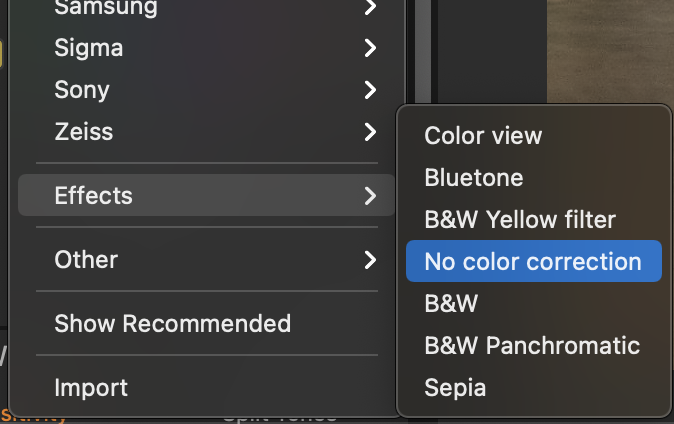
If you try that on a few images and it suits your needs, you can set it as the default for the camera. To do that you click on the ... on the Base Characteristics tool, and choose Set As Default for ... your camera.
Ian
0 -
... but whether it is a good idea, I am not so sure!
Ian
1 -
Hi guys, just wanted to say huge thanks! you have helped me a lot, I couldn't respond earlier cause something in the link was not working...
orel:)
0

Post is closed for comments.
Comments
3 comments