Download

I just subscribed and downloaded Capture One Pro today but only Capture One Express opens up.
I downloaded it and used it prior to Capture One Pro. Any idea why the full version doesn't' open?
-
The downloaded file is the same for all versions. Which opens up depends on the licence code. Presumably you were supplied with a licence code for Pro? So open the app, and presumably the Express version will open again. Go to License... in the menus. (On the Capture One menu on a Mac - you'll have to check which menu it is on Windows.) Click it, then in the dialog box that comes up click Deactivate. Once you have deactivated it, close Capture One. When it opens it again you will be asked for the license code: enter the code for Pro that you were given.
Ian
0 -
I still have trouble. I forgot my password and it's not coming to my email address.
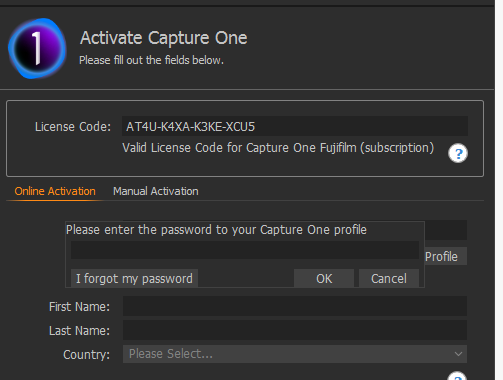 0
0 -

https://support.captureone.com/hc/en-us/requests/new
Unless you can think of another email address you may have used (I assume you have checked your email's spam folder?) and try that the only thing I can suggest is to contact support via the link above and ask them to help.
0 -
 Permanently deleted user
Worth double-checking your email address in your profile, too - just in case.
0

Post is closed for comments.
Comments
4 comments