Clipboard does not displaying anything

My clipboard is completely empty. I'm not able to see or edit any of the selectable options for Copy/Paste function. I have 'Edit Selected' ticked.
Using a 2020 MacBook Pro with C1 20 and Fuji GFX100 raw files.
I'm still relatively new to C1, so perhaps I'm missing something simple because this ought to be pretty straight forward.
0
-
I upgraded to Capture One 21 which solved this problem. Perhaps there's a bug in C1 20?
0 -

Nope. Gerald, no such bug in that version.
By clicking the two head arrow, the clipboard will appear giving
you the chance to fine tune its attributes to your need.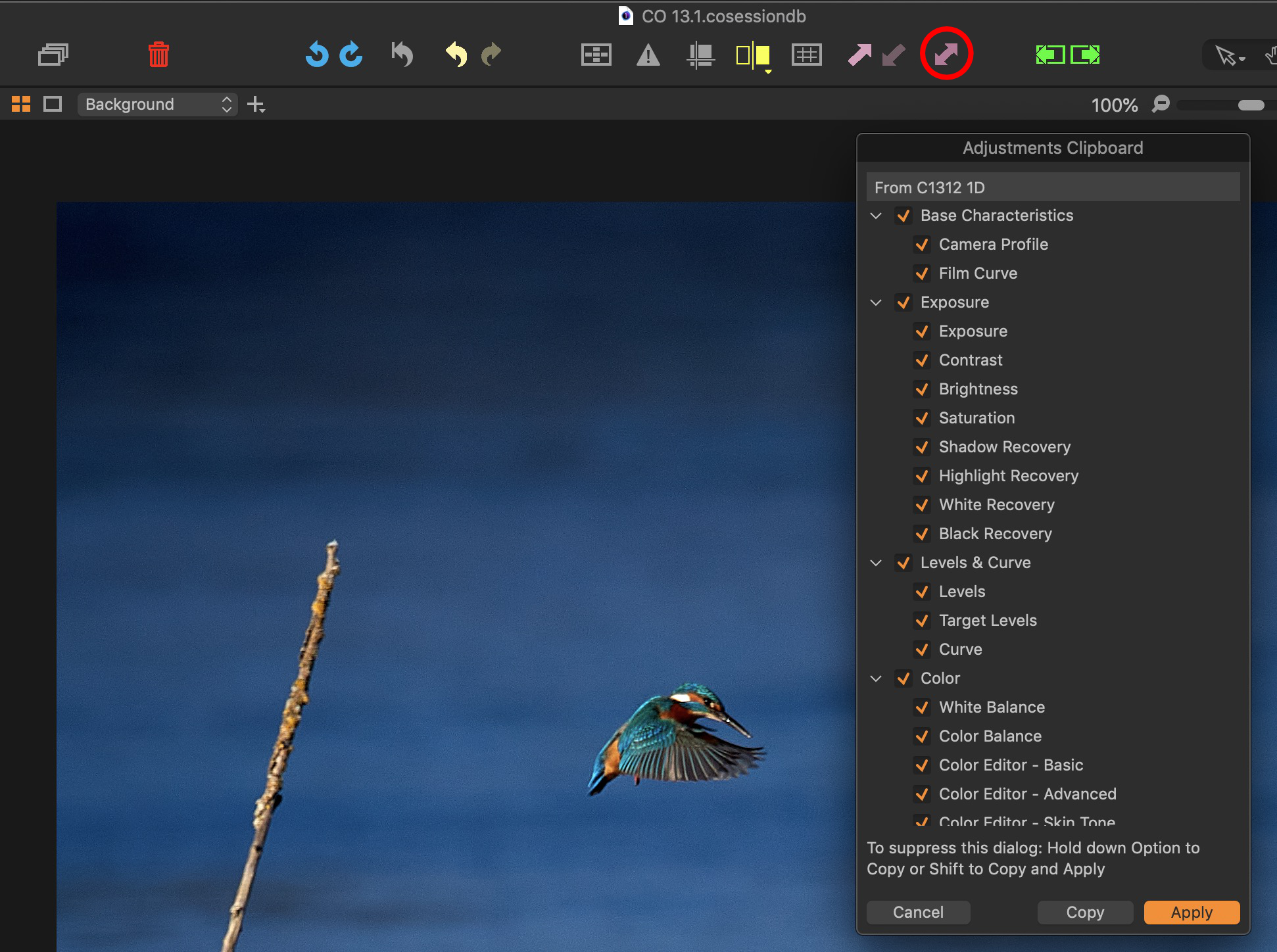 0
0
Post is closed for comments.
Comments
2 comments