Process Recipes for Capture One 21 Fujifilm

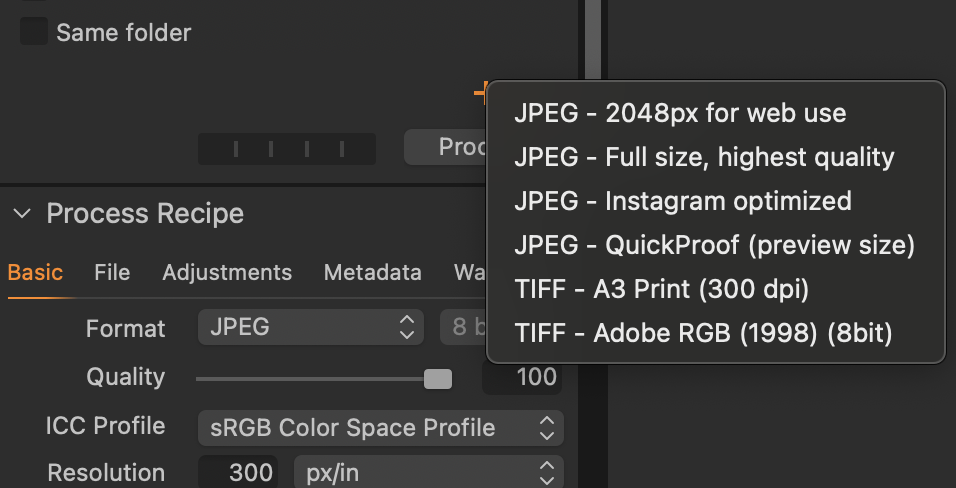
Hi! I accidentally reset the defeault "JPEG - full size, highest quality" process recipe that came with Capture One 21 for Fujifilm. I can't find any way of getting it back, and I'm such a beginner at using the softwere that I'm not just able to make my own recipe from scratch. Is there a way of getting the recipe back, or could anyone just tell me the right ajustments to make, both in the "basic" and "adjustments" tab?
Thanks!
0
-
I think that if you click and hold (long press, in other words) the + at the bottom of the list of recipes, you will get the list of the built-in recipes, and can add it back that way - see screenshot.
Ian
 0
0 -
Super helpful! Thank you, that worked!
0

Post is closed for comments.
Comments
2 comments