Photoshop Round Trip + .tiff Files

Hello guys, I just moved from LR to Capture One, watched many great videos so today I started to edit for the first time, I did okay and then I started to go to PS roundtrip, which worked fine for 2 Photos, my first question is if I do this in LR the .tiff file will be saved next to the original, but here I can only see the .tiff file in the main folder in my hard disk, not in the session, is there way to get it to show altogether? so I can export them together, and the next question is after those 2 photos I edited with PS, the next photos did not work, it says
Could not save “Snow in Athens 6 1.psd” because of a program error.
same with .tiff
so any help from you would be highly appreciate, Thanks in Advance.
-

Did you use "Edit With" or "Open With". If you used Edit With you should have seen a window something like this (I use Affinity Photo instead of Photoshop, but the process is the same).
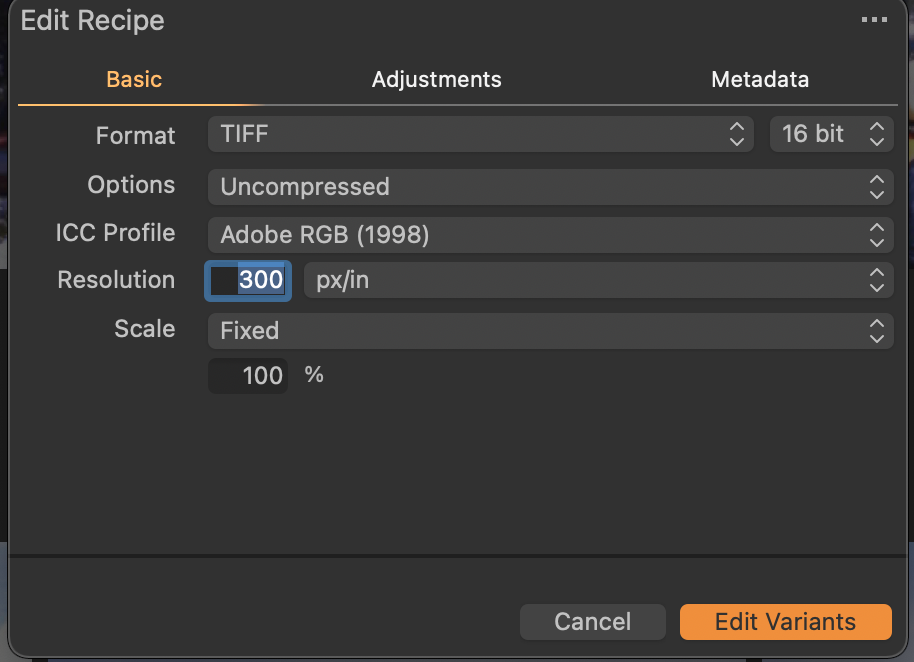
When I click on the Edit Variants button the TIFF file is created, added to my session, and Affinity Photo is launched using the created tiff. If I use Open With that will not happen.
1 -
Exactly as your's, " Edit with " Photoshop > Edit Variants.
0 -
I see. A tiff is created, but not in the same folder as the original file. I have never seen that issue, but I do seen "wrong folder" issues once in a great while. I've been lucky in that quitting and restarting Capture One usually resolves the issue.
Sorry I can't be of more help.
1 -
Somehow restarting the machine fixed the issue that not saving the PS file, will see if it will stop again, also I forgot to mention that I work in session not catalog if it helps, don't worry mate, I really appreciate your time. ♥️
0
Post is closed for comments.
Comments
4 comments