Preview windows has purple tint

Hi,
Running C1 21 on a PC, win10, Geforce 770, monitor is a samsung syncmaster 2443. Monitor is connected via DVI.
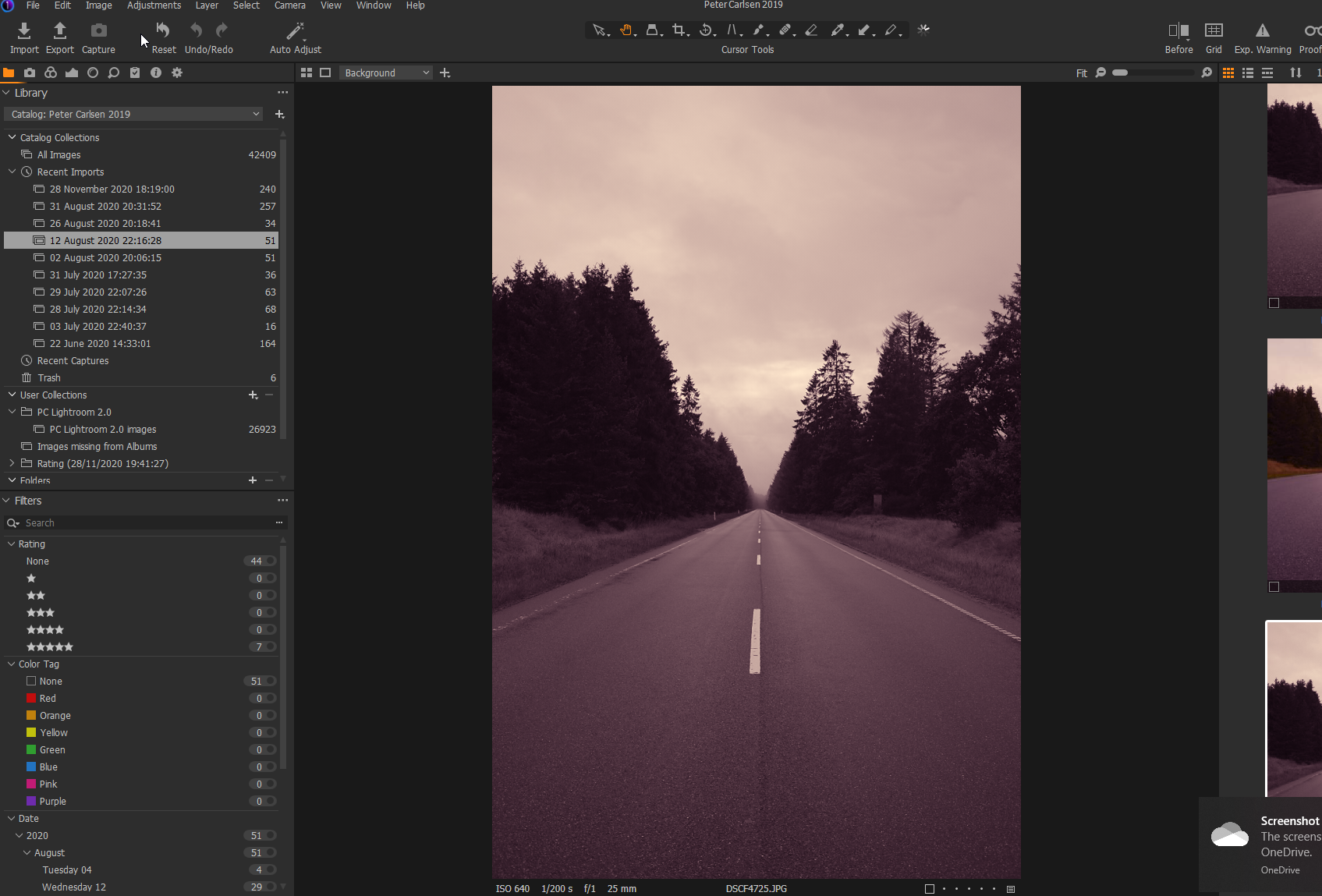
In the preview windows of C1 all my images have a purple tint.
-It is only on this particular monitor (goes away when on other monitor).
-It is only the preview window, the rest of the UI/windows etc. is fine.
-both for RAW (fuji) and JPEG files
-is also present if I do a screenshot (see attached)
I find this to be really weird and I can't figure it out. I don't think it's the monitor since the purple tint is not covering the whole displayed area. I don't think it's the graphics card for the same reason as the monitor.
I use Lumiar AI also, with no issues - so it has to be C1 specific.I have tried changing ICC profiles which didn't make a difference.
Anyone tried something similar?
The attached screenshot is of a black and white image in C1.
-

JPGs (as shown in the screen capture) and RAW files exactly the same?
You mention only the Viewer affected but the Thumbnails look like the same effect.
0 -
Yes, it's the same for JPEGs and RAWs. And yes, thumbnails also.
0 -
I'm wondering whether your system set up - Windows or the NVidia control application - has an option to associate a particular application/monitor with a specified colour setting profile for the monitor. Or maybe the monitor selects some specific settings. Is it Colour profiled as part of a full system colour management workflow?
Just a few thoughts to see if it prompts anything at your end.
0 -
You were totally right. Changing the color profile in C1 didn't change anything.
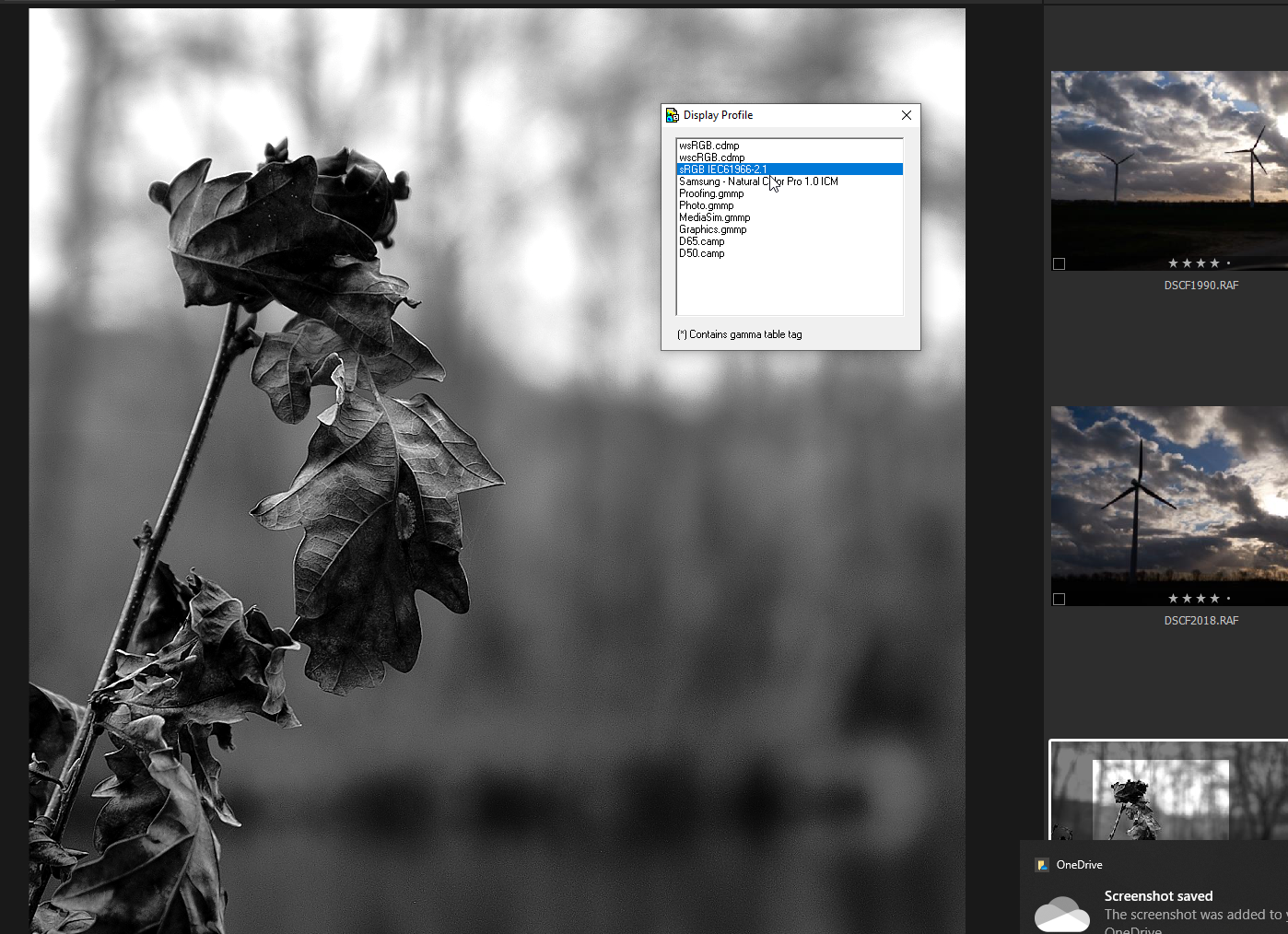
After some googling I found a nifty little app called 'display profile' which allows one to quickly change profiles in win10 instead.
Changed it to sRGB IEC61966-2.1 and presto, my BW images are now BW again - and the colors look as they should.
Thanks! :D
 0
0 -
Hello Peter,
I'm glad you managed to eliminate the colour caste.
I'm just starting with Win 10 on a new computer.
Dell seem to have provided a lot of Colour Management tool functionality to add to the Win10 offerings including X-Rite device plug in support - but one has to have a specific X-Rite device and my version is much too old!
I have to say that despite the comprehensive options and preset examples offered (probably mainly aimed at Video in line with the native support in the screen) it is proving to be difficult to tame the reds and, to a lesser extent, the greens unless setting the screen to sRGB - which is a bit pointless. I would rather make use of the wider gamut and rely on proofing to show me what the results should look like out of C1 when produced using sRGB constraints. On the other hand sometimes working directly in sRGB may well make more sense.
On the plus side the Dell tool is very easy to use. I'm just not entirely sure why the Reds and anything close to a reddish colour (in particular) are so intensely vibrant in almost all settings. I can see the changes in the gamut and understand the controls for brightness, gamma, etc.. But even then the colours can be fierce.
Still, early days for me with this new system and more to learn with this screen than is available to experiment with in the previous device. It may be that simply switching the screen settings adds something to the post processing workflow at certain points. It's easy enough to do.
Such are the challenges of first world problems ...
0
Post is closed for comments.
Comments
5 comments