Thumbnail problem

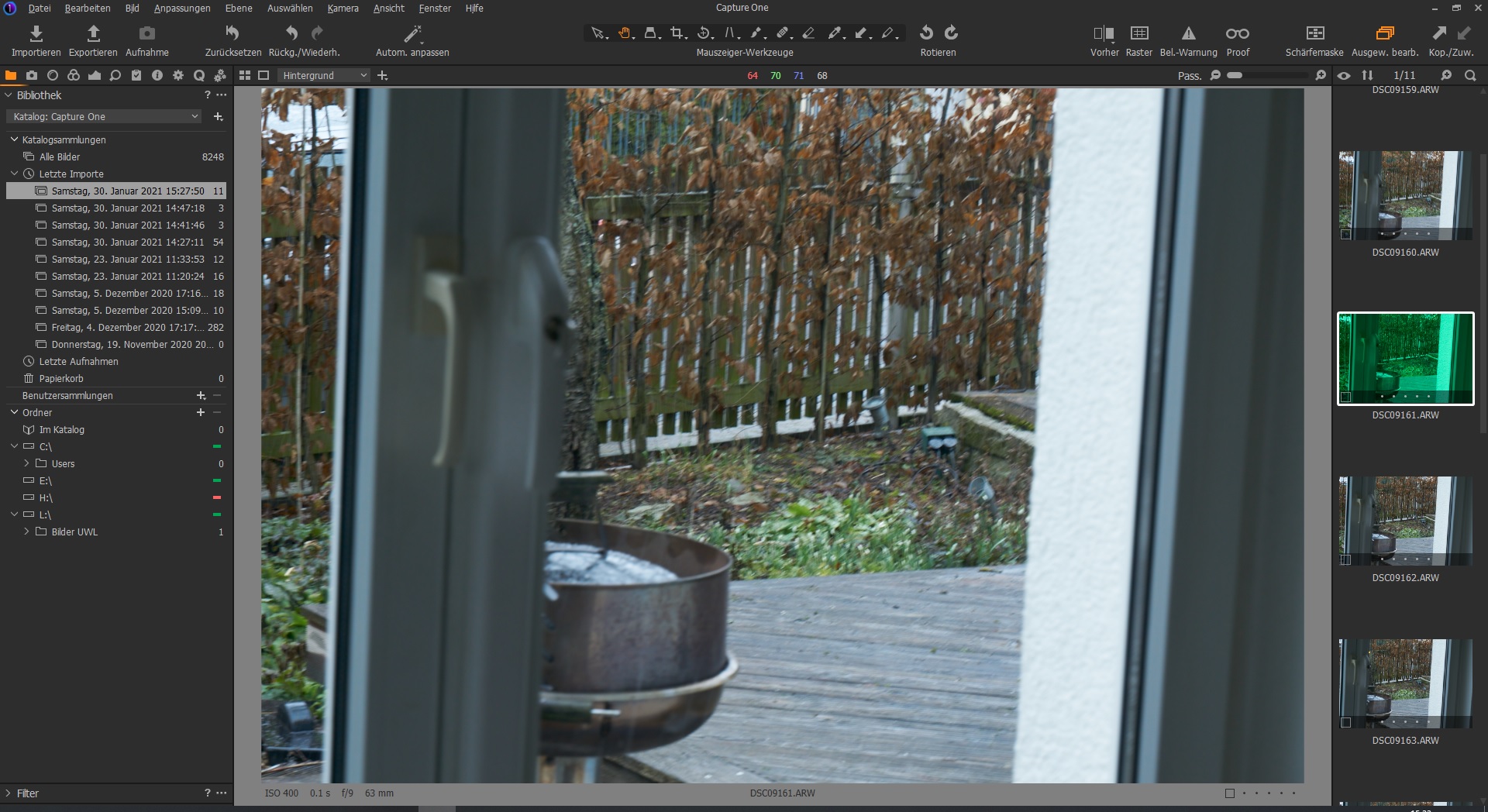
Hi, there something is annoying me right now. I import new pictures and have them shown with thumbnails of all the picture in the new folder shown on the right hand side. The thumbnails show complete different pictures from an older session (I am working with a catalogue). I nearly always have to select all thumbnails and go for "refresh thumbnails" (I am using a German version, do not know exactly how that command is in english).
What's wrong here?
-

From where are you importing the files?
Memory card in a computer slot?
Memory card in an external card reader?
Memory card in camera (some makes)
Files already on local disk?
Some other option?
Windows 10?
0 -
From where are you importing the files? does not matter: either directly from the camera or SD Card
Memory card in a computer slot? no, no slot on the laptop
Memory card in an external card reader?yes, see above
Memory card in camera (some makes)? Sony Alpha 6000 or Alpha 7 II
Files already on local disk? no
Some other option??
Windows 10? yep latest build
The "wrong thumbnails" are all coming from the same batch of pictures. Is something wrong with the catalogue? can that be fixed?
edit: I checked the file names of the "wrong thumbnails", they are different to the imported pictures and of a different type (jpg instead of arw) wonder if this helps.
Occasionally it's the right picture in the thumbnail but strange color (totally green for instance
 0
0
Post is closed for comments.
Comments
2 comments