can't use compare variant

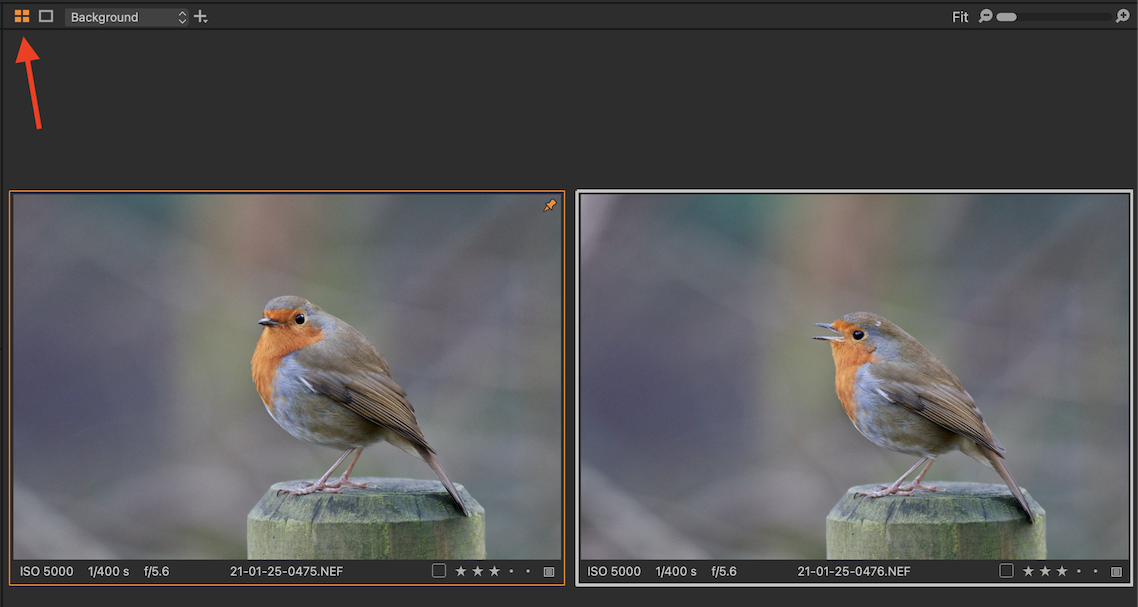
Hi All, Compare variants has stopped working and I can't see a way to correct it. I'm on the lastest version of C1 on Windows 10pro. When I set an image as a compare variant in the C1 browser I get the orange border around the image but when I click on a second image to compare it, the compare variant disappears and only the second image is visible. Very frustrating. Does anyone have a solution/explanantion?
0
-
Do you have the Muti-view button toggled on? See screenshot.
Ian
 0
0 -
Hi Ian, that's done the trick. Thank you so much!
Ian
0

Post is closed for comments.
Comments
2 comments