Red Highlights in JPEG Export

I'm new to Capture One, so hopefully this is an easy fix. I imported a Fujillm .RAF file and made very minimal edits (exposure and crop), then proceeded to export the variant. When exporting .JPEG, my images are coming out with red highlights in the shadows (no matter the quality level). But when viewing the original file in the browser (and while making edits), these red highlights are nowhere to be found.
Am I doing something wrong? Thanks so much for your help.
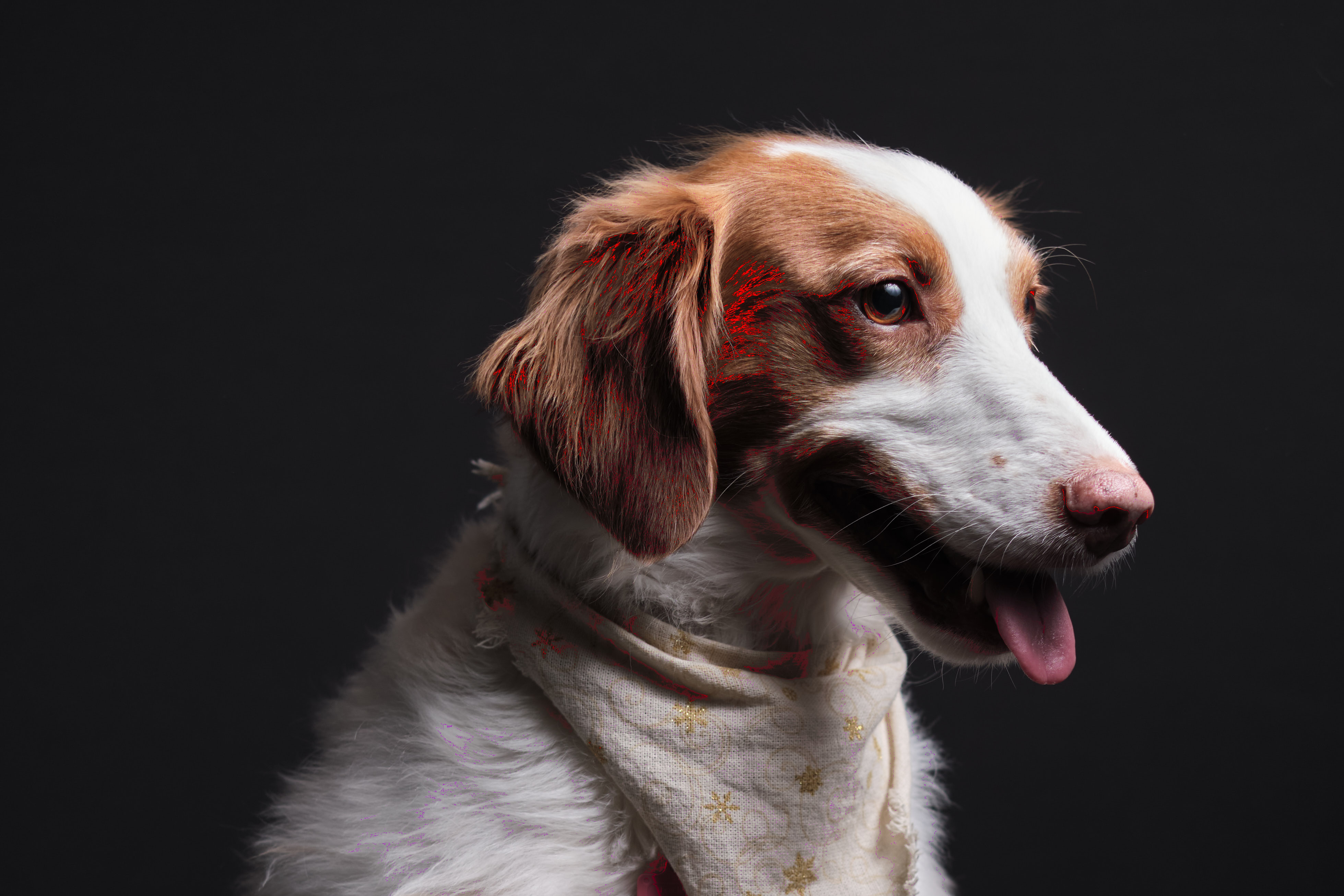
-

I just got the same thing, after 2 hours of editing Birds in Flight. 50 of my best RAF files, edited, exported to jpeg on my macbook pro, and there zillions of color artifacts all over them just like your cute springer.
I wish I knew the answer. Trying to find where to ask question to support. Post back if you find out why and how to fix. I am not sure I want to upgrade, purchase, Capture One if it can't export RAF edited files to Jpegs.
Steve
0 -
Yeah, that's tough to hear... I'm sorry you put in all of that work. Fortunately I caught the issue early on in my work flow.
I couldn't seem to correct the issue by continuing to use the same catalogue. I tried importing the photos again, and after a couple edits, I noticed the issue didn't go away. So I closed the catalogue, closed the program (i.e. "quit"), and deleted the catalogue from finder.
I then created a brand new catalogue and reimported the exact same RAF files - - and, voila, the issue resolved itself. I made several edits from that point on, and never ran into the issue again.
It's a concerning bug, because it's silent until export. And then it's too late... I'm on the trial period for now. If I run into it again, I'll be hard pressed to invest in the software.
Best regards,
Steve0 -
Thanks Steve, I'll give what you did a try.
Steve
0 -

You could also try to disable hardware acceleration for processing in the General tab of the Preferences. This is typically something I'd expect to happen when hardware acceleration is enabled but not fully compatible.
1 -

Are you seeing this on prints or only with screen displays?
What are you using for a viewer when checking the jpg that has been produced?
0 -

I was having the same issue (some white spots and highlights on the jpeg exported from Capture One) for several weeks not understanding if it was coming from the raf, the jpg viewer or the new version of Capture One.
The solution was to follow Emile's advice : "disable hardware acceleration for processing in the General tab of the Preferences."
Many thanks for your help
2
Post is closed for comments.
Comments
6 comments