Purple colors when editing to Photoshop

Was editing a recent headshot session when I needed to remove some fly away hairs in Photoshop and noticed some purple tinting on my clients jacket (see screenshot)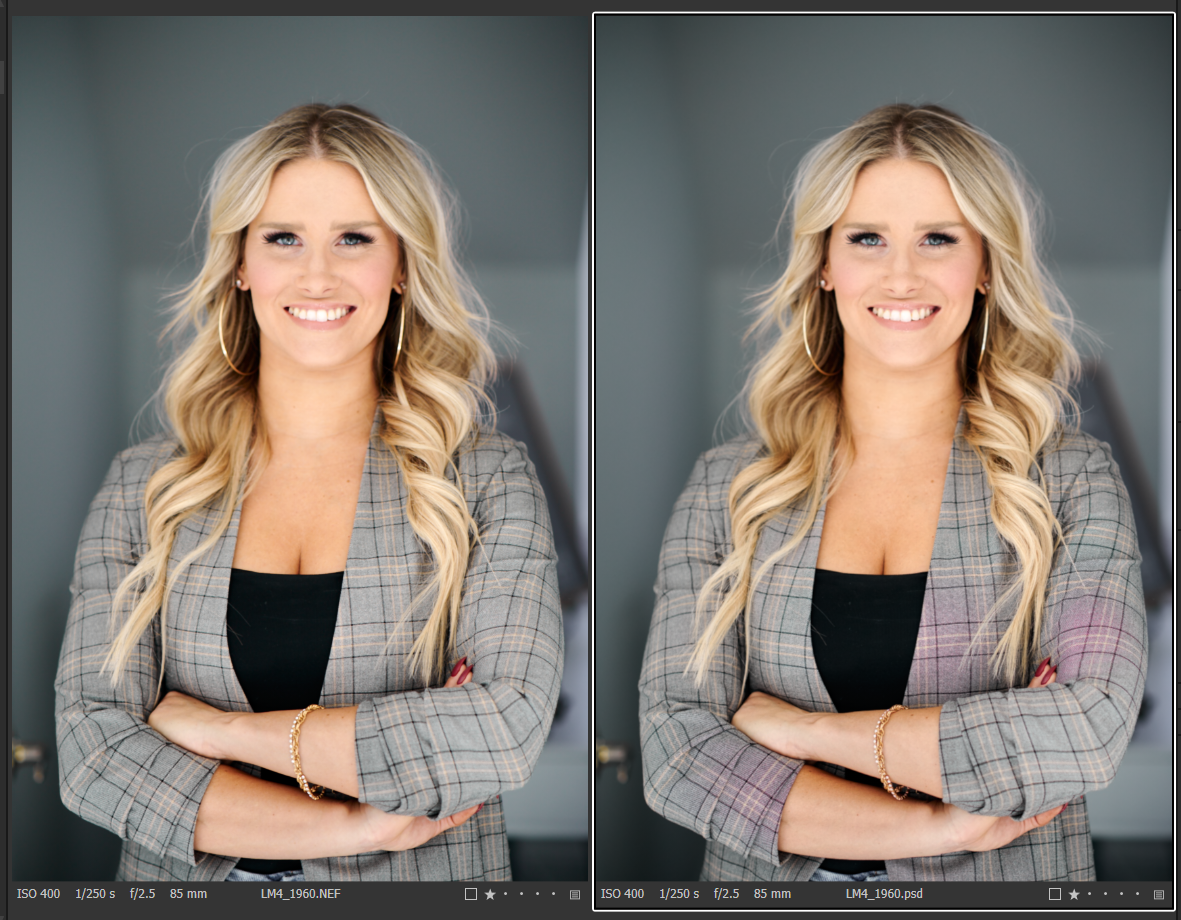
I made sure my drivers/windows/Adobe apps were all up to date.
Tried to pre-adjust chromatic aberration/purple fringing and color profiles prior to moving to photoshop and it exists the same.
Using:
Windows 10 (updated)
Capture One 20 (for Nikon) Build 13.1.3.13
Adobe Photoshop 22.2.0
Nvidia drivers 461.72; was previously using 460.89 when I noticed issue.
Appreciate and insights on this,Thanks!
Leo.
-1
Post is closed for comments.
Comments
0 comments