No images in Folder

Hi, I am new to Capture One (Express version for Sony). I imported 120+ pictures from my iPhoto library (and selected to keep them in Current Location). I see them in the Catalog Collections ("Recent Imports"). However, the Folders section doesn't list any pictures - it lists "in Catalog" and "Macintosh HD", but neither of these two items list my pictures. Is it normal? I thought the imported pictures would appear in the "Folders" section. I am copying a screenshot below. Thank you for your help! JB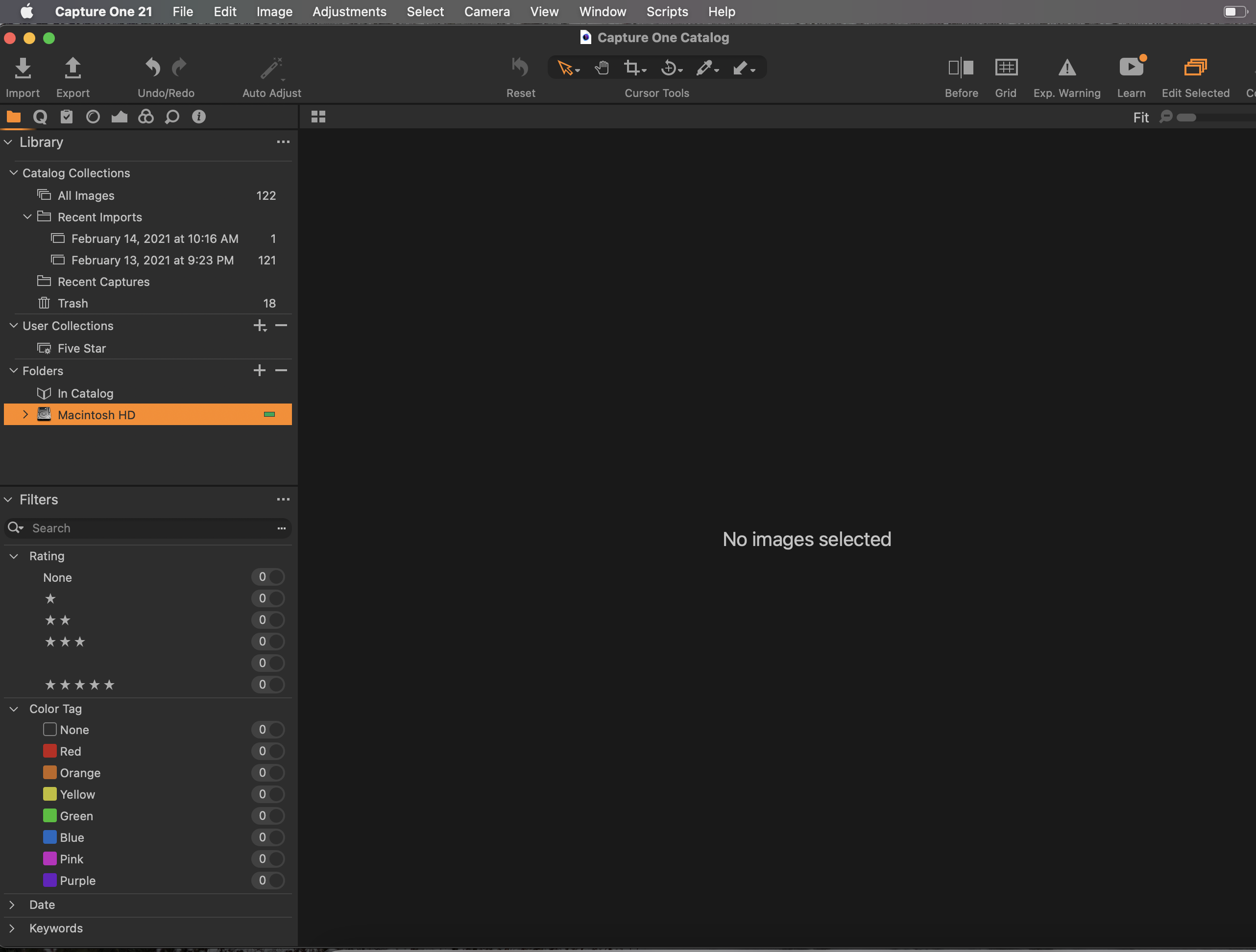
-
If you click the > next to Macintosh HD, it should open up the folders below that top level.
Ian
0 -
Hi Ian, thank you very much. It lists the library but no pictures. For this first take with Capture One, I only imported 128 pictures, not the thousands that are in my Library. Shouldn't the 128 show in the Folders section? Below is a screenshot showing what I see when I expand the Macintosh HD folder in Capture One - I see "Users", my name, and the subfolder showed in this Screenshot. Thanks a lot!
 0
0 -
Ah. I didn't read your first post carefully enough. I don't think that Capture One can see images inside the Mac Photos library. You'd need to export them from there to some suitable folder first, or import them from the camera to a "real" folder, not the Photos Library, in the first place.
Ian
0

Post is closed for comments.
Comments
3 comments