Multiple Backups and Duplicate Catalogs

A few days ago I got an error message on one of my two catalogs and it closed down. This happened a number of times. I looked on this site and thought I'd fixed it, but I've now become so confused I can't recall what I did. I now have a couple of 'problems'.
In trying to fix it I noticed that I have numerous CO data backups in complicated nests on an external SSD where my referenced files for this Catalog are.
Is it safe to do a backup to a new clean folder on my external SSD and then delete all of the older backups, or are these cumulative and need to be be kept?
My second issue is that I now appear to have a duplicate of this Catalog which I have unknowingly been working in, but this appears to be a backup file and is only 140 MBs in size although it spent several hours yesterday creating previews. The one I was originally using, which got the error message is almost 49GB.
I have no idea how I created this mess, but I'd be grateful if anyone can get me out of it.
Backup folders mess...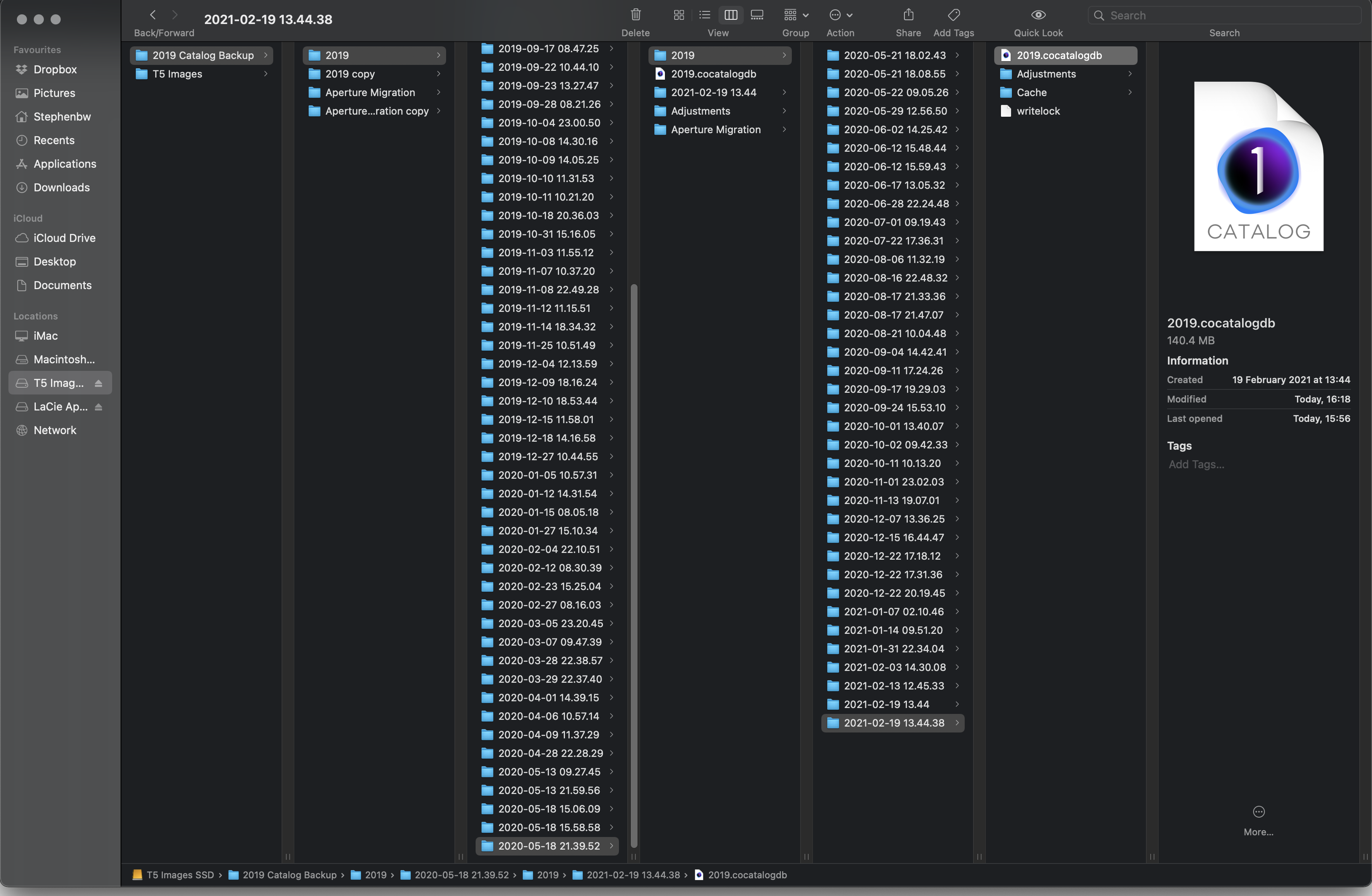
Strange Catalog options 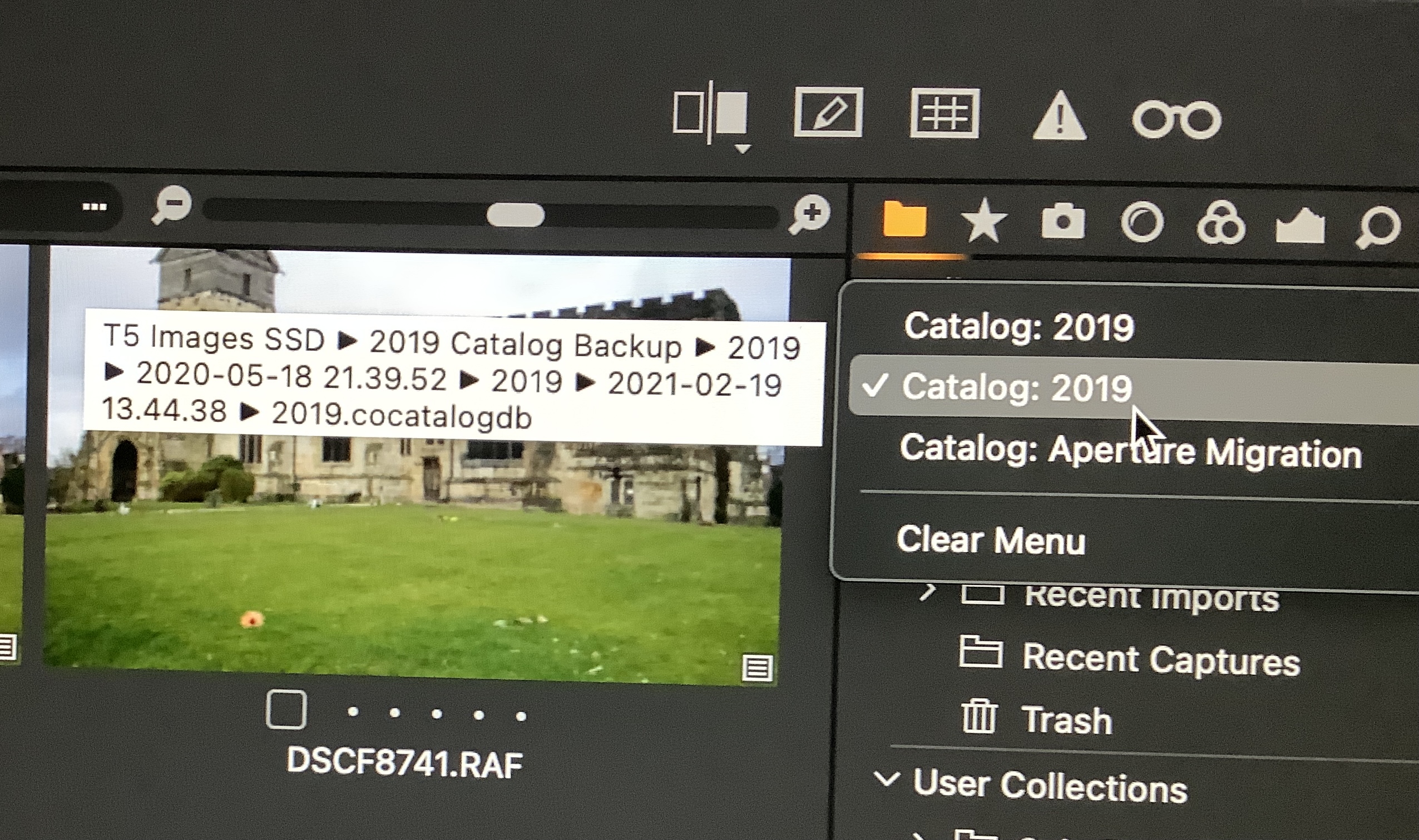
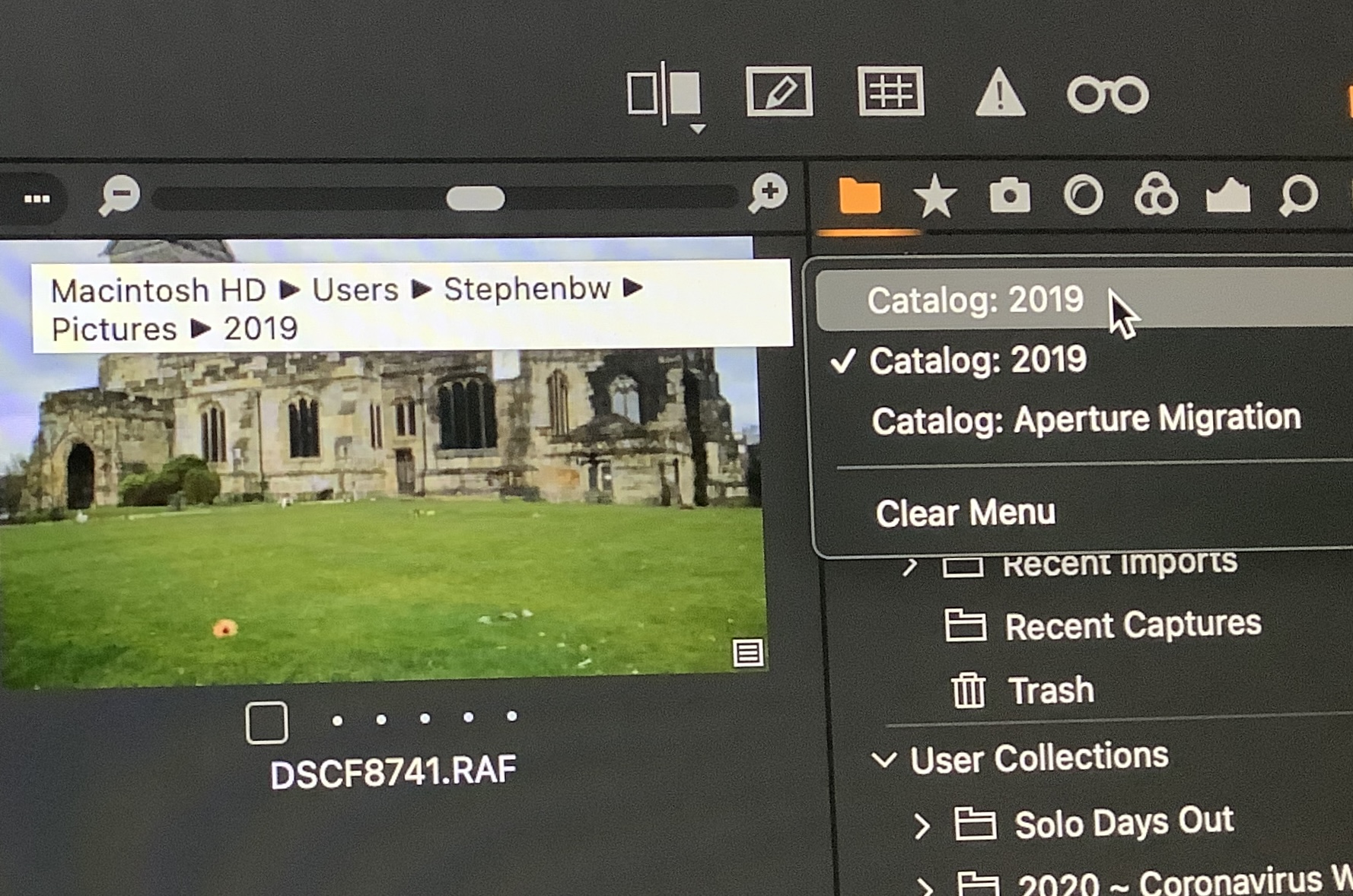
-
Hi Stephen,
I would suggest to delete all the oldest backups, and keep only the last ones, EXCEPT if some backups were created using an older version of Capture One, the catalogue of which you would like to keep. A good policy would be to clean a little bit your folders, without deleting neither the last backups, nor main catalogues you want to keep, of course.
The backups do not contain the previews, which means that when you open a backup and work on an image (or a series of images), Capture One will re-create the previews, except if it had kept somewhere usually in the main backuped catalogue. This is the reason why the backups don't take space. You can choose (in the backup window) the folder or location where you want to save your backups.
Apparently, you have different catalogues or backups : some of them are located on your main disk, others are on an external SSD. It is a good idea to save your backups on an external disk, in order to recover all your adjustments in case you have a problem with your computer.
1 -

Stephen,
Just to expand a little on Robert's observation.
For backups, you may have system-generated backups (i.e. Time Machine or some alternative) likely in an external disk. This may include backups of backups of course.
You may have daily or weekly Capture One scheduled backups - controlled by optional settings in the Preferences table.
And you may have some backups of a type created when new releases have been installed and Catalog (or Session) updates have been required. These are intended to allow you to easily revert to the earlier version should you feel the need to do so.
These last two mentioned types may also have been backed up by system-based backup, perhaps adding further potential for confusion.
0 -

I use two computers for C1 photo editing. A desktop at home, and a laptop while traveling. I plan to use an external SSD (nvme M.1) to store my images, and catalogs, so that I do not lose any work that I might have done while traveling. I also keep the backups on the external SSD.
Does anyone see a problem with this strategy?
External SSDs can also be backed up with Time Machine.
0 -
John,
It seems to me a good strategy. The only drawback I can see is that, if your catalogue is on an external disk, it might slow down your workflow, except if you have a very good SSD with a very good connection to your computers. I won't keep the backups on the same SSD, but rather on an other location, just in case... But you say you backup all with Time Machine.
0 -
Thanks Robert. I appreciate your comments.
Today's SSDs are very fast, depending on connection. You can get the SSD + Enclosure in thunderbolt or USB 3. In the thunderbolt configuration the Read/Write speeds are not far off the internal SSD, and even in USB 3 the read/write speed can be a fast as older internal SSDs. Also, at 1/4 the price of Apple internal SSDs. I chose the USB 3 option since my MacBook Pro is 2015 model, and does not support Thunderbolt 3.
Apples price to go from 256 GB to 2 TB (1.75 TB) is $800.00. I purchased a 2TB SSD with USB 3 enclosure for $230.00. So, $800 for 1.75 TB or $230 for 2 TB? That's $457.14/TB vs $115/TB or approx. 1/4 the cost of Apple SSD. The Thunderbolt enclosure is a it more expensive, so only 1/3 the cost.
0 -
When travelling I usually do not worry too much about using C1 on the road but I do carry a light device that allows me to review the results of a day shooting and back up cards from cameras to the device and to one, sometimes two, external drives that I keep separate from each other. Usually one in a pocket and the other in a bag. When I get to the point at which I need to replace the drives I will likely go SSD.
On the other hand, as long as I do not need to buy the more expensive state-of-the-art memory cards for a camera the cost of cards is low enough these days that having a large selection of them and using them as the second disk backup rather than re-using them in-camera during the trip may make sense.
0 -
Hi Robert
Thank you for the detailed reply and for responding so quickly.
I have created two new folders on my external SSD, backed up both of my catalogues to them and deleted the 'Copy' Backup folders. I was about to cull some of the other older backups from the original folders, but have paused to be clear what you mean by:
"EXCEPT if some backups were created using an older version of Capture One, the catalogue of which you would like to keep."
I started using Capture One with version 12 in March 2019 and then upgraded to 20 when that was released. My two catalogues will have files from both of these versions and presumably the backups too, although I did upgrade the Engine to Capture One 20 on all of my files.
Is there a way to identify which version a Backup is from other than the date it was created?
And is there a way to remove or rename the backup 'Catalog' on the external SSD (In my first screenshot) from the list of Catalogs in the Library drop down menu, so that I don't open the wrong one in error?0 -
Hi SFA,
Thanks for your reply.
I don't use Time Machine, but I do use SuperDuper to backup each of the two external drives where my original files are, and, until Big Sur broke it, my Mac HD where one of my Catalogs is located.
I don't have any C1 backups scheduled, either, I usually just backup when I close the App down, but I will rectify that and schedule regular backups.
Some of the duplicate bakups may have been created when I got my new iMac and migrated over from my old one.0 -
Hi Stephen,
"EXCEPT if some backups were created using an older version of Capture One, the catalogue of which you would like to keep."
I give you an example : when a new version is released, I always keep the previous one, with its catalogue, in a different location, just in case the new version won't work as I expect. In that case, I would go back to the previous version, the catalogue of which couldn't be opened if it had been already converted. It never happened !
"Is there a way to identify which version a Backup is from other than the date it was created?"
I am affraid not.
"And is there a way to remove or rename the backup 'Catalog' on the external SSD (In my first screenshot) from the list of Catalogs in the Library drop down menu, so that I don't open the wrong one in error?"
There is a trick to rename a catalogue, that you will find here:
1 -
Thank you for all your help, Robert.
I have now deleted everything I wanted to and the catalogs are where I want them.0
Post is closed for comments.
Comments
10 comments