deactivate a license

IO bought a new computer I am trying to activate C1 on new computer I have tried to deactivate three licenses but am unable to I note that 3 other licenses are deactivated How do I deactivate all the licenses? I have tried the reset all licenses to no avail
-
If you still have the old computer, have you tried opening Capture One on it, and deactivating from within the app?
Ian
0 -
My old computer died so I don't have access to it Any other suggestions?
Roger
0 -
I found an old computer that had c1 on it I went to license/deactivate and the error msg "was unable to connect to server try again later" I tried again 1 hour later to no avail. Is there anything else I can do?
Thanx for the assistance
Roger
0 -
If you log in to your account you can go to Licence Management. Click ion Activation History, and you should see something like this.
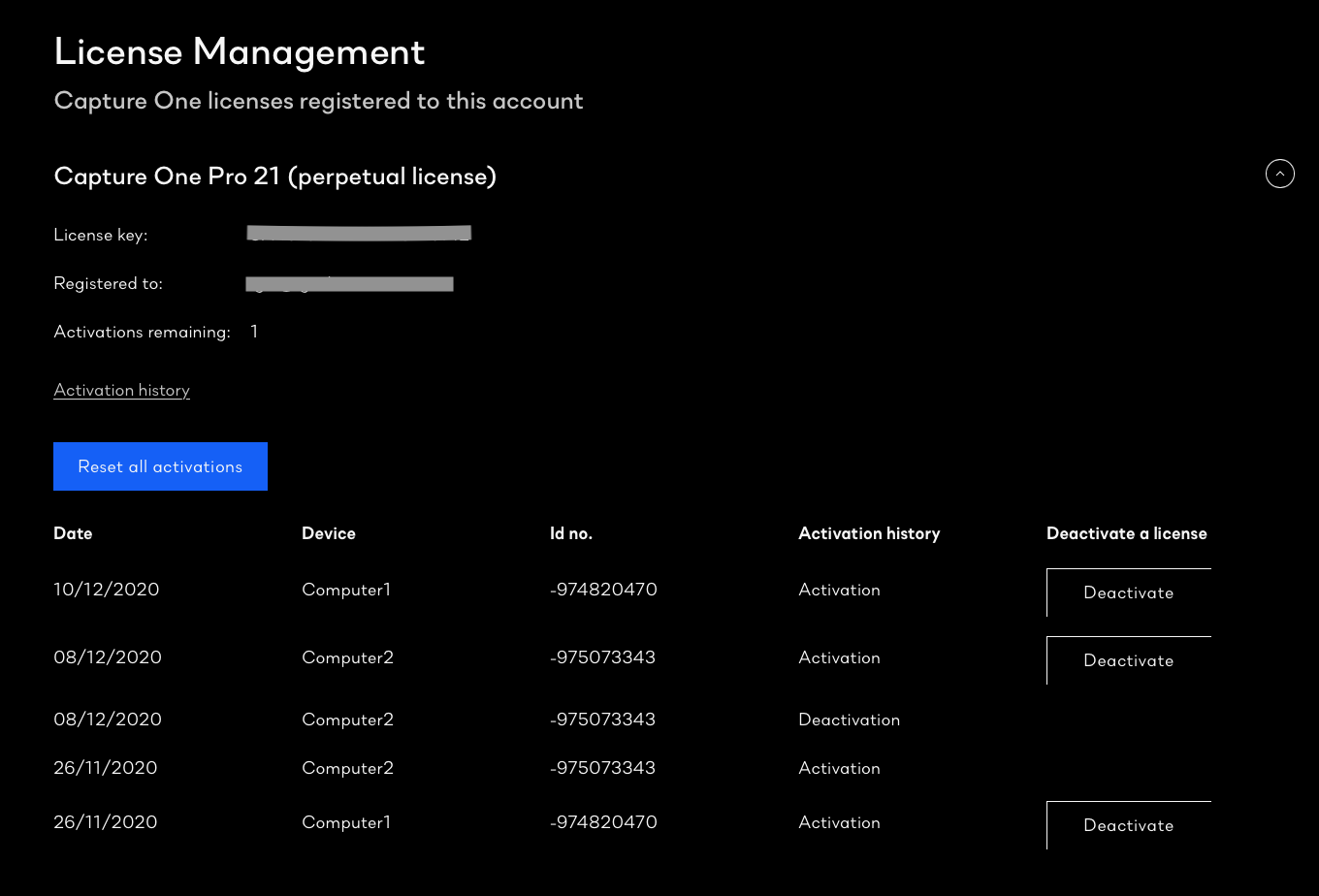
You should be able to deactivate any or all of your computers from there.
Ian
0 -

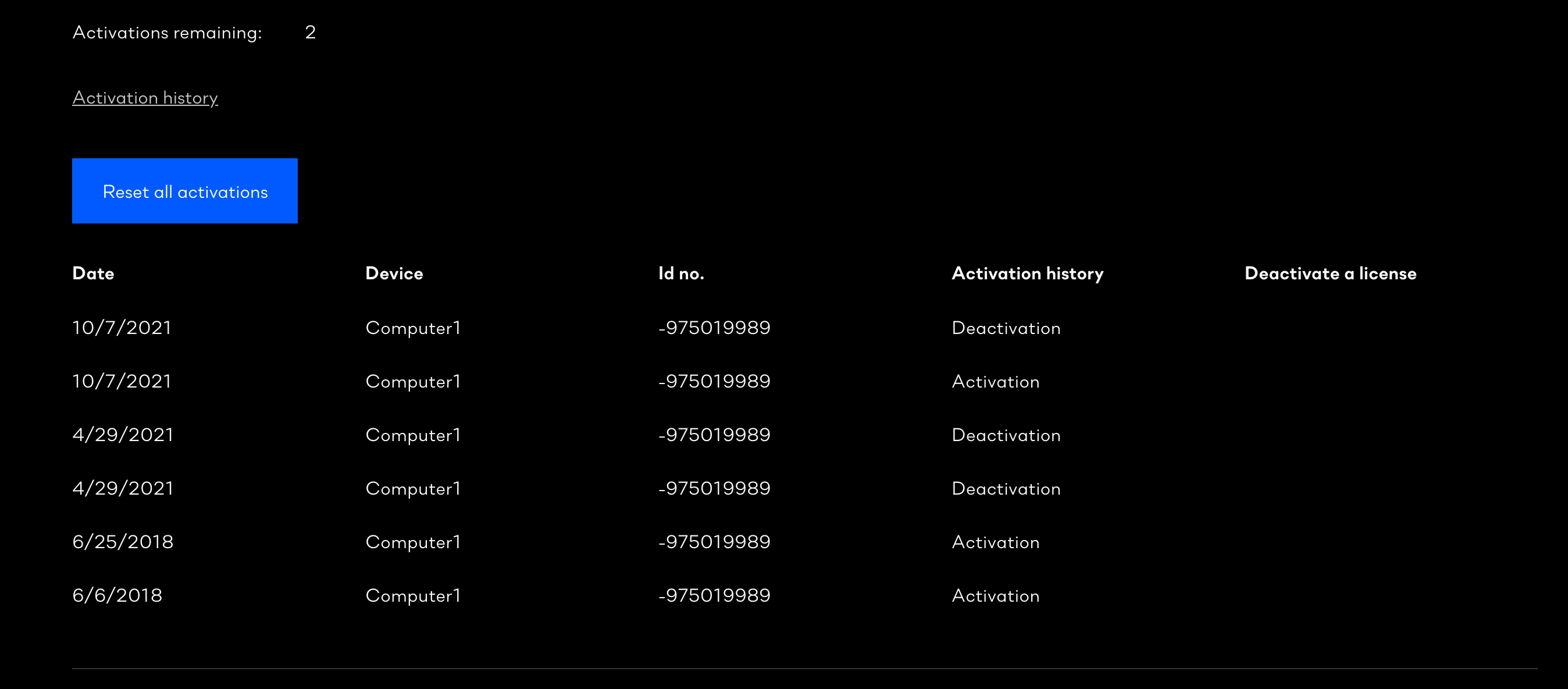
Hi Ian, I am trying to remove all computers from my current license but am not seeing the deactivate buttons as shown above.
Please advise when you can!
 0
0 -

Jay,
Based on that screenshot all 3 activations shown have already been deactivated. So there is nothing to deactivate.
0

Post is closed for comments.
Comments
6 comments