Selecting a color profile in the Print dialog should only show printer profiles
Implemented
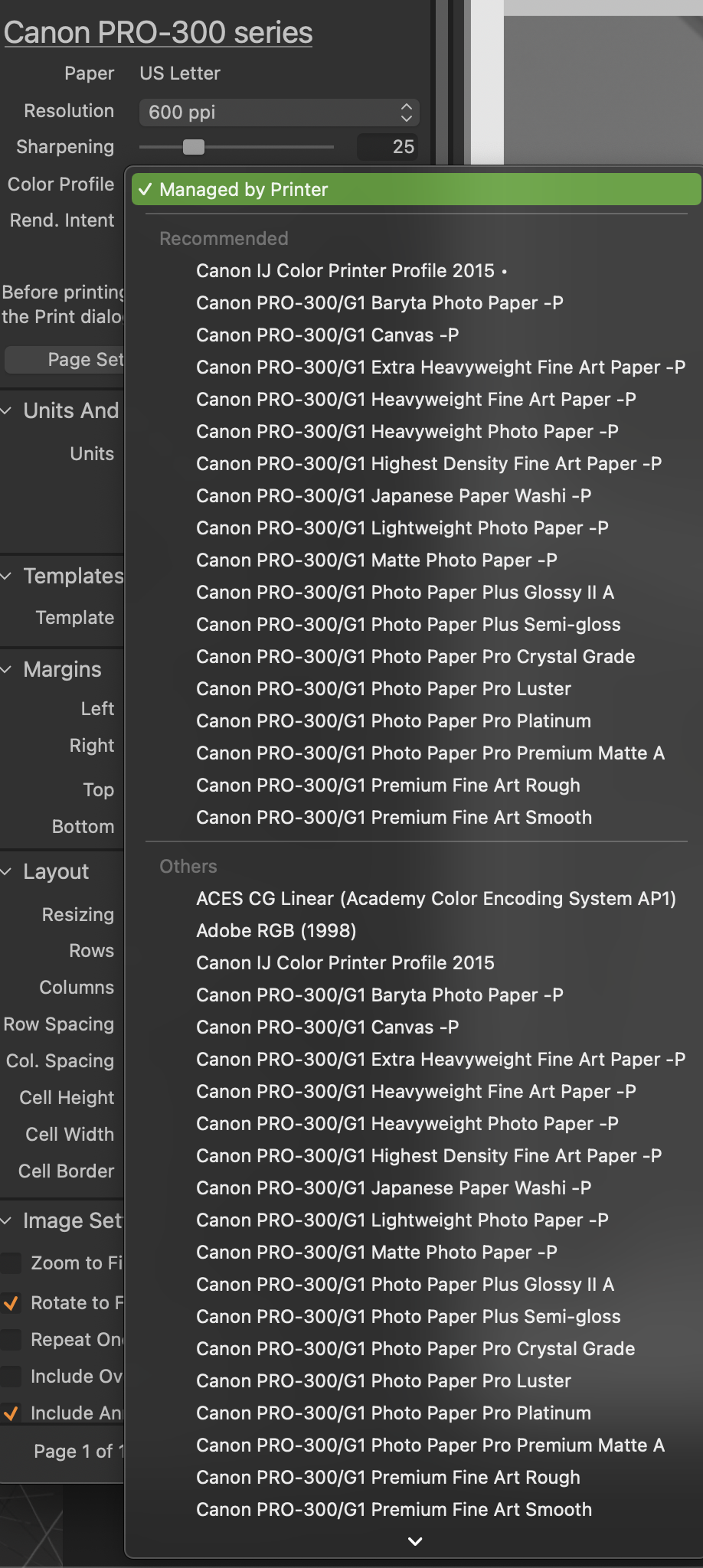
On a Mac, when selecting a color profile when printing I see all available icc profiles including display profiles. I am not sure if there is a reason for this. Canon's Professional Print and Layout software shows only printer profiles, hopefully Capture One can do the same to make finding the correct profile a lot easier.
edit: Also, I am seeing duplicates of Canon's profiles, one under Recommended Profiles and one under Others. Not sure of the reason for this either.
fyi - Canon's Professional Print software puts their icc profiles in ~/Library/ColorSync/Profiles, not ~/Users/UserName/Library/ColorSync/Profiles.
Thanks.
0
Post is closed for comments.
Comments
0 comments